1. Bubuka
This manual provides essential information for setting up, operating, and maintaining your GEEKOM GT2 Mega Ai Mini PC. This compact desktop computer features an Intel Core Ultra 9 285H processor with integrated Intel Arc 140T GPU, 32GB DDR5 RAM, and a 2TB SSD. It comes pre-installed with Windows 11 Pro and offers advanced connectivity options including Dual 2.5G LAN, WiFi 7, and USB4 ports.
Mangga baca manual ieu kalawan saksama sateuacan nganggo alat ieu pikeun mastikeun fungsi sareng umur panjang anu leres.
2. Naon dina Box
Pastikeun yén sadaya barang aya dina bungkusan:
- 1 x GEEKOM GT2 MEGA Mini PC
- 1 x Kabel HDMI
- 1 x Dudukan VESA
- 1 x adaptor kakuatan
- 1 x Buku Panduan Pangguna (dokumen ieu)
3. Produk Langkungview
3.1 Front and Rear Ports
The GEEKOM GT2 Mega Mini PC is equipped with a variety of ports for versatile connectivity.

- Port hareup: Power Button, 3x USB 3.2 Gen2 Type-A, 1x SD 4.0 Card Reader, 1x 3.5mm Headset Jack.
- Palabuhan tukang: 1x Kensington Lock, 1x DC In, 2x HDMI 2.0 (4K@120Hz), 1x USB 3.2 Gen2 Type-A, 1x USB 2.0 Type-A, 2x 2.5G LAN RJ45, 2x USB4 Type-C (40Gbps, 8K video, 15W PD).
3.2 Internal Components and Expandability
The mini PC is designed for efficient performance and offers storage expansion options.

- RAM: Dual-channel DDR5 5600MHz SODIMM, expandable up to 128GB.
- SSD: One M.2 2280 NVMe PCIe Gen4 x4 SSD slot (up to 4TB) and one M.2 2242 SATA III SSD slot (up to 2TB).
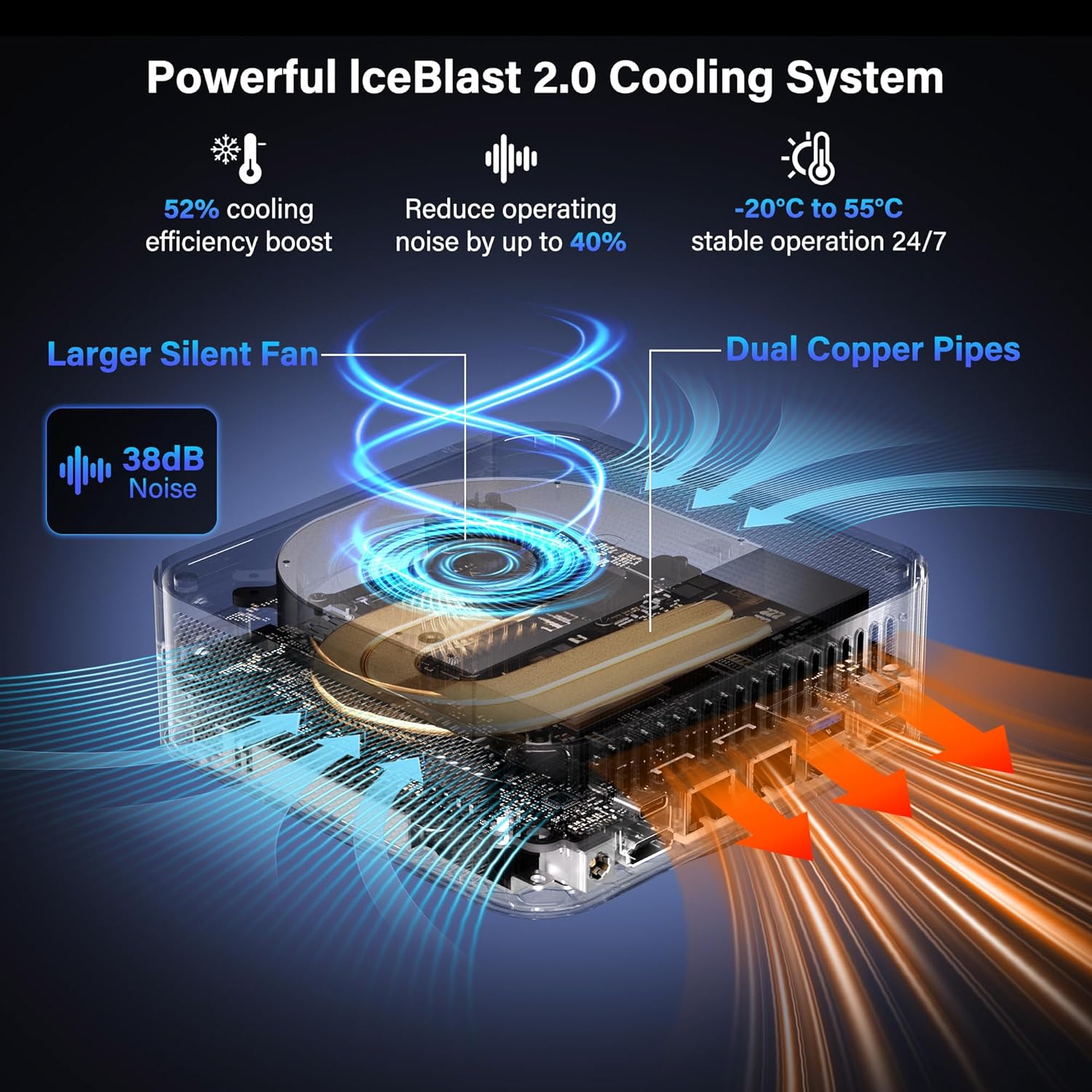
- Cooling: IceBlast 2.0 cooling system with dual copper heat pipes and a large silent fan.
4. Parentah Setup
4.1 Sambungan Awal
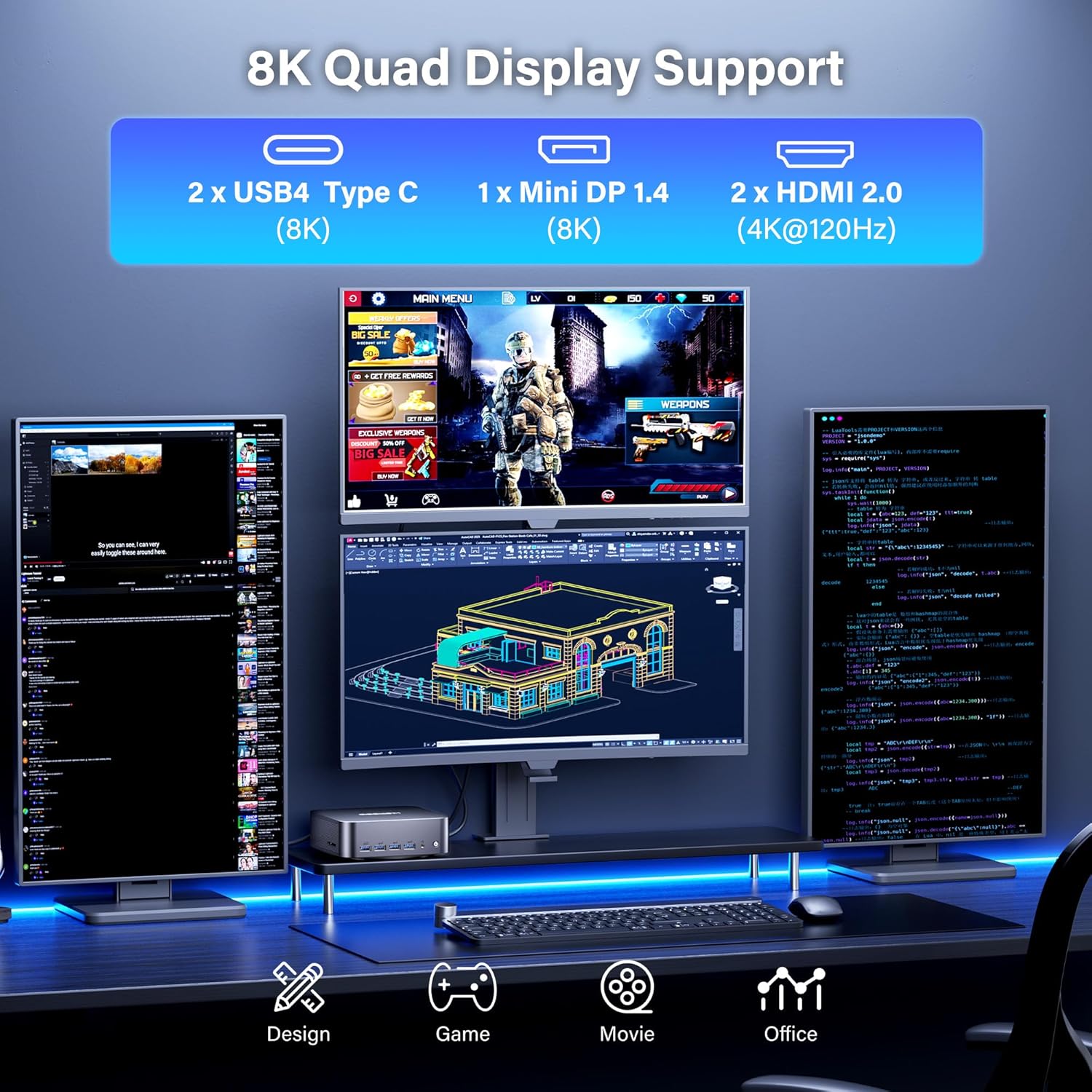
- Sambungkeun tampilan: Use the provided HDMI cable or a Mini DP/USB4 cable to connect your monitor(s) to the mini PC. The device supports up to four displays simultaneously (2x 8K, 2x 4K).
- Sambungkeun Periferal: Colokkeun kibor, beurit, sareng alat USB anu sanés kana port USB anu sayogi.
- Sambungkeun Jaringan: For wired internet, connect an Ethernet cable to one of the 2.5G LAN ports. For wireless, ensure your WiFi network is available.
- Sambungkeun Kakuatan: Plug the power adapter into the DC In port on the mini PC, then connect the adapter to a power outlet.
- Daya Hurung: Pencét tombol daya anu aya di payun mini PC.

4.2 Pamasangan VESA Mount (Opsional)
The GEEKOM GT2 Mega Mini PC can be mounted to the back of a VESA-compatible monitor to save desk space.
- Attach the VESA mount bracket to the back of your monitor using the provided screws.
- Slide the mini PC onto the VESA mount until it clicks securely into place.

5. Parentah Operasi
5.1 Boot Mimiti sareng Setelan Windows 11 Pro
Upon first boot, the system will guide you through the Windows 11 Pro setup process. Follow the on-screen instructions to configure your language, region, network, and user account.

5.2 Multi-Display Configuration
The GT2 Mega supports up to four displays. To configure multiple displays in Windows:
- Connect all desired monitors to the available HDMI, Mini DP, or USB4 ports.
- Klik katuhu dina desktop tur pilih "Setélan tampilan".
- In the Display settings, you can detect, arrange, and configure the resolution and orientation of each monitor.
6. Pangropéa
6.1 beberesih
- Pastikeun alat dipareuman sareng dicabut colokan sateuacan beberesih.
- Anggo lawon anu lemes sareng garing pikeun ngusap bagian luar mini PC.
- For dust accumulation in vents, use compressed air carefully. Do not insert objects into the vents.
6.2 Apdet parangkat lunak
Ngapdet sistem operasi Windows sareng supir sacara rutin pikeun mastikeun kinerja sareng kaamanan anu optimal.
- Pembaruan Windows: Go to Settings > Windows Update and check for updates.
- Pembaruan supir: Ngadatangan pejabat GEEKOM website or Intel's support page for the latest drivers for your processor and graphics.
6.3 Sistim cooling
The IceBlast 2.0 cooling system is designed for efficient heat dissipation. Ensure proper airflow around the device by not blocking the vents.

7. Cara ngungkulan
7.1 Isu Umum
- Henteu aya kakuatan: Pastikeun adaptor kakuatan disambungkeun sacara aman ka mini PC sareng stopkontak listrik anu tiasa dianggo.
- Henteu aya tampilan: Check all display cable connections. Ensure the monitor is powered on and set to the correct input source. Try a different cable or monitor if possible.
- Periferal Teu Dideteksi: Reconnect the peripheral to a different USB port. Ensure drivers are installed if required.
- Performance Lambat: Check for background applications consuming resources. Ensure sufficient free storage space. Consider updating drivers and Windows.
7.2 Windows 11 Pro Initial Setup Issue (PIN Creation)
If you encounter an issue during the initial Windows 11 Pro setup where the PIN creation screen does not appear or freezes, follow these steps:
- When the PIN screen appears to be stuck, press Pindah + F10 simultaneously. A Command Prompt window should appear. Leave this window open.
- Pencét Alt + Tab several times. This should bring the PIN input screen to the foreground.
- Enter your PIN and proceed with the setup.
- If the Windows 11 sign-in screen appears to be stuck after setup, press and hold the Pindah key while clicking the Power icon (bottom right of screen) and selecting "Restart".
- From the blue "Choose an option" screen, select "Troubleshoot".
- Select "Reset this PC".
- Choose "Keep my files" (or "Remove everything" if you prefer a clean reset).
- Select "Local reinstall".
- Follow the prompts to complete the reset process. After the reset, the Windows setup should proceed normally.
8. Spésifikasi
| Fitur | Rincian |
|---|---|
| Prosesor | Intel Core Ultra 9 285H (5.4 GHz, 16 Cores) |
| Grafika | GPU Intel Arc 140T (Terintegrasi) |
| Ram | 32GB DDR5 5600MHz (bisa dilegakeun ka 128GB) |
| Panyimpenan | 2TB NVMe PCIe Gen4 x4 SSD (Supports up to 4TB), 1x M.2 2242 SATA III SSD slot (Supports up to 2TB) |
| Sistem operasi | Windows 11 Pro |
| Kaluaran tampilan | 2x HDMI 2.0 (4K@120Hz), 1x Mini DP 1.4 (8K), 2x USB4 Type-C (8K) - Supports Quad Display |
| Konektipitas | WiFi 7, Bluetooth 5.4, Dual 2.5G LAN |
| palabuhan USB | 2x USB4 Type-C, 4x USB 3.2 Gen2 Type-A, 1x USB 2.0 Type-A |
| Palabuhan anu sanés | 1x SD 4.0 Card Reader, 1x 3.5mm Headset Jack, 1x Kensington Lock |
| Ukuran (L x W x H) | 8.94 x 6.92 x 5.27 inci |
| Beurat | 3.65 pon |
| Sistim cooling | IceBlast 2.0 (Dual Copper Pipes, Silent Fan) |
9. Garansi jeung Rojongan
The GEEKOM GT2 Mega Mini PC comes with a 3-year warranty. For technical assistance or warranty claims, please contact GEEKOM customer support.
9.1 Ngahubungan Rojongan
You can reach GEEKOM support through the following methods:
- Surélék: Ngahubungan tim saatos-jualan di shirley.li@geekom.tw.
- Amazon Seller Page: If purchased on Amazon, log into your Amazon buyer's account, find your order, and click "Get help" to contact the seller.

To ensure authenticity and warranty coverage, always purchase GEEKOM products from the Official Amazon Store or GEEKOM's official websitus.


