1. Bubuka
The Google Pixel 9a with Gemini is an advanced Android smartphone designed by Google. It integrates the Gemini AI assistant to enhance productivity and creativity. This device features a high-quality camera for exceptional photos, an all-day battery, and a durable design, supported by 7 years of software updates.
2. Ngamimitian
2.1. Naon dina Box
- Telepon sélulér Google Pixel 9a
- 1m USB-C cable (USB 2.0)
- SIM Dulang Ejector
2.2. Alat Leuwihview
Familiarize yourself with the physical components of your Pixel 9a smartphone.
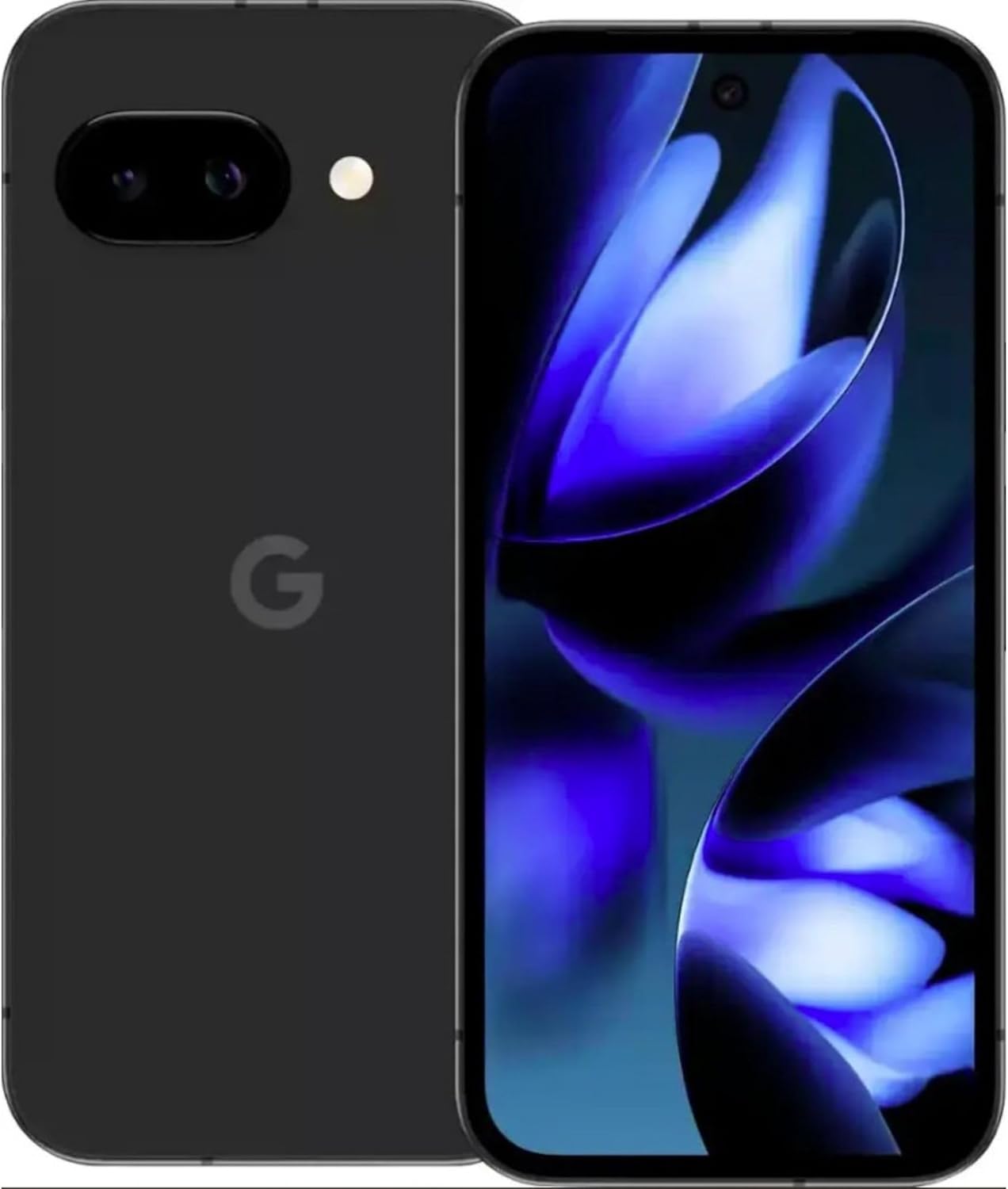
Gambar: Hareup jeung tukang view of the Google Pixel 9a smartphone, showcasing layar sareng modul kaméra tukang.

Gambar: Sisi view of the Google Pixel 9a, highlighting the power and volume buttons, and the SIM card tray.

Image: Clear back view of the Google Pixel 9a, showing the camera bar and Google logo.
2.3. Setup Awal
- Selapkeun Kartu SIM: Use the provided SIM tray ejector tool to open the SIM tray. Insert your nano-SIM card into the tray and reinsert it into the phone.
- Daya Hurung: Press and hold the power button located on the side of the device until the Google logo appears.
- Turutan parentah dina layar: The phone will guide you through the initial setup process, including connecting to Wi-Fi, signing in with your Google account, and setting up security features.
- Mindahkeun Data: If you are upgrading from another device, follow the prompts to transfer your data, apps, and settings.
3. Ngoperasikeun Pixel 9a Anjeun
3.1. Napigasi sarta Interface
The Pixel 9a runs on Android 15. Navigate using gestures or the traditional three-button navigation bar, configurable in Settings > System > Gestures.
3.2. Fitur kaméra
The Pixel 9a features an advanced camera system. Access the camera app from the home screen or by double-pressing the power button.
- Modeu Poto: Switch between various modes like Portrait, Night Sight, Panorama, and more.
- Édit Poto AI: Utilize built-in AI features for enhanced photo editing, including Magic Eraser and Photo Unblur, directly within the Google Photos app.
3.3. Asisten AI Gemini
Gemini is integrated into your Pixel 9a to assist with various tasks.
- Aktipkeun: Activate Gemini by saying "Hey Google" or by long-pressing the power button (if configured).
- Kamampuhan: Use Gemini for quick information retrieval, setting reminders, controlling smart home devices, drafting messages, and more.
3.4. Manajemén batré
The Pixel 9a is equipped with an all-day battery. To optimize battery life:
- Batré adaptif: Enable Adaptive Battery in Settings > Battery > Adaptive Battery.
- Panghemat batré: Use Battery Saver mode for extended usage when needed.
- Ngecas nirkabel: The device supports wireless charging. Place it on a compatible Qi-certified wireless charger.
- Ngecas gancang: Utilize a compatible fast charger for quicker power replenishment.
3.5. Fitur Kaamanan
Your Pixel 9a includes robust security measures.
- Buka konci sidik: Set up your fingerprint for secure and quick unlocking.
- Muka konci: Configure face unlock for convenient access.
- Pembaruan Biasa: Google provides 7 years of security updates to protect your device from emerging threats.
3.6. Konektipitas
The Pixel 9a supports various connectivity options:
- 5G: Connect to 5G networks for faster data speeds (carrier dependent).
- Wi-Fi 6e: Enjoy enhanced Wi-Fi performance with Wi-Fi 6e compatibility.
- Bluetooth 5: Connect to Bluetooth accessories like headphones and smartwatches.
- NFC: Use NFC for contactless payments and quick pairing with compatible devices.
- SIM dobel: Alat ngadukung pungsi Dual SIM.
4. Perawatan sareng Pangropéa
- beberesih: Anggo kaen anu lemes sareng henteu lint pikeun ngabersihan alat anjeun. Hindarkeun bahan abrasive atanapi bahan kimia kasar.
- Tahan cai sareng lebu: The Pixel 9a is water and dust resistant. However, this is not a permanent condition and resistance might decrease as a result of normal wear. Do not intentionally submerge the device.
- Apdet parangkat lunak: Regularly install system updates to ensure optimal performance and security.
- Manajemén Panyimpenan: Périodik mupus teu perlu filesareng aplikasi pikeun ngajaga kecepatan alat sareng ngosongkeun panyimpenan.
5. Cara ngungkulan
If you encounter issues with your Pixel 9a, consider the following common solutions:
- Alat Teu Ngabales: Pencét jeung tahan tombol daya salila kira 30 detik pikeun maksa balikan deui.
- Aplikasi nabrak: Clear the app's cache and data in Settings > Apps > [App Name] > Storage > Clear Cache/Clear Data. If the issue persists, uninstall and reinstall the app.
- Solokan batré: Pariksa panggunaan batré dina Setélan > Batré pikeun ngaidentipikasi aplikasi anu ngonsumsi daya anu kaleuleuwihi. Saluyukeun setélan atanapi watesan aktivitas latar tukang pikeun aplikasi éta.
- Masalah konektipitas: Toggle Wi-Fi or Bluetooth off and on. For cellular issues, ensure your SIM card is properly inserted and contact your carrier if necessary.
- Gangguan parangkat lunak: Ensure your device is running the latest software version. A factory reset (Settings > System > Reset options > Erase all data) can resolve persistent software problems, but remember to back up your data first.
6. Spésifikasi Téknis
| Fitur | Spésifikasi |
|---|---|
| Ngaran modél | Google Pixel 9a |
| Nomer Modél Item | GXQ96 |
| Sistem operasi | Android 15 |
| Modél CPU | Google Tensor G4 |
| Laju CPU | 3.1 GHz |
| RAM Mémori Dipasang Ukuran | 8 GB |
| Kapasitas Panyimpenan Mémori | 128 GB |
| Ukuran layar | 6.3 inci |
| Resolusi | 1080 x 2400 |
| Peunteun Daya Batré | 4300 mAh |
| Telepon Talk Time | 16 Jam |
| Téhnologi konektipitas | 5G + Wifi 6e + Bluetooth 5, Bluetooth, NFC, USB, Wi-Fi |
| Fitur husus | Dual SIM, Fast Charging Support, Gemini AI Assistant, Water & Dust Resistant, Wireless Charging |
| Dimensi produk | 2.88 x 6.09 x 0.35 inci |
| Item Beurat | 6.6 ons (186 gram) |
| Warna | Black (Obsidian) |
| Produsén | |
| Pamawa nirkabel | Henteu dikonci |
7. Regulatory and Safety Information
For detailed regulatory compliance, safety, and warranty information, please refer to the official Google Pixel support website or the documentation included with your device. Adhere to all local regulations regarding electronic device usage and disposal.
8. Garansi jeung Rojongan
Your Google Pixel 9a is covered by Google's standard warranty. For warranty claims, technical support, or service inquiries, please visit the official Google Pixel Support website or contact Google customer service directly. Keep your proof of purchase for warranty validation.


