Bubuka
This user manual provides comprehensive instructions for the Bigme B6 Color E-reader. Please read this manual carefully before using the device to ensure proper operation and to maximize its features. Keep this manual for future reference.
Produk Leuwihview
Fitur konci
- tampilan: 6-inch color E-paper display (1448 x 1072 pixels) designed for an eye-friendly reading experience. Features blue light zero and flicker-free technology, certified by TÜV Rheinland for comfortable reading.
- Mémori & Panyimpenan: Equipped with 4GB RAM and 64GB internal storage, allowing for the storage of numerous e-books and documents.
- Sistem operasi: Runs on Android 14, providing access to a wide range of applications.
- Prosesor: Features an Octa-core CPU for quick response and efficient performance.
- Desain: Slim, compact, and lightweight black body for easy portability.
- Lampu hareup: 36-level adjustable front light for comfortable reading in various lighting conditions.
- Konektipitas: Supports Bluetooth and Wi-Fi for seamless data transfer and online access.
- File Kasaluyuan: Supports over 19 e-book formats including PDF, TXT, EPUB, EPUB3, HTML, HTM, AZW3, FB2, DOC, DOCX, MOBI, OEB, CBR, RPC, RPC, RTF, DJVU, ZIP.
- Dukungan Buku Audio: Allows for audiobook playback.
Eusi pakét
The Bigme B6 Color E-reader package includes the following items:
- Bigme B6 Color E-reader Main Unit
- Kasus pelindung
- Manual pangguna (dokumén ieu)

Gambar: Hareup jeung tukang view of the Bigme B6 Color E-reader. The device is black and features a slim design.

Image: Illustration of the Bigme B6 Color E-reader package contents, including the device, protective case, and user manual.
Disetél
Muatan Awal
Before first use, fully charge your Bigme B6 E-reader. Connect the device to a power source using the provided USB cable. The charging indicator will show the charging status.
Daya Hurung/Pareuman
- Pikeun Ngahurungkeun: Press and hold the power button located on the side/top of the device until the screen lights up.
- Pikeun mareuman: Press and hold the power button until a power-off menu appears on the screen. Select "Power Off".
- Pikeun Saré / Hudang: Briefly press the power button to put the device into sleep mode or wake it up.
Wizard Setup Awal
Upon first power-on, the device will guide you through an initial setup wizard. This typically includes:
- Pilihan basa
- Sambungan jaringan Wi-Fi
- Setélan tanggal sareng waktos
- Account login (optional, for app stores or cloud services)
Turutan parentah dina layar pikeun ngarengsekeun setelan.
Parentah Operasi
Napigasi sarta Interface
The Bigme B6 features an intuitive touch interface. Navigate through menus and content by tapping, swiping, and pinching on the screen.
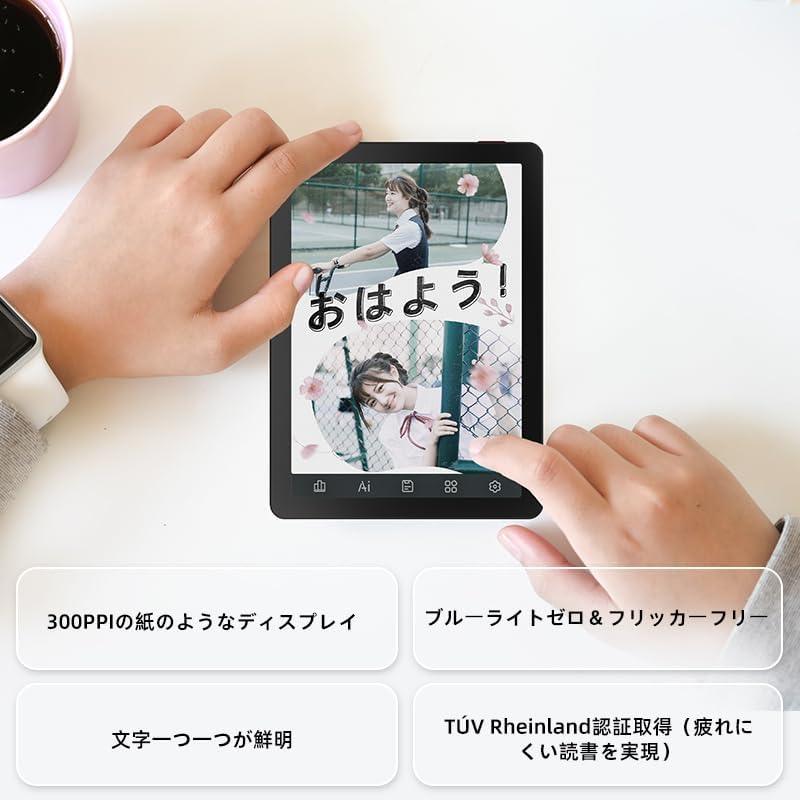
Image: A hand holding the Bigme B6 E-reader, highlighting its display features such as 300PPI, blue light zero, and clear text rendering.

Image: The Bigme B6 E-reader displaying its interface with customizable touch buttons at the bottom of the screen.
Maca E-buku
- Buku Bubuka: Ketok sampul buku ti perpustakaan anjeun pikeun mukakeunana.
- Ngabalikkeun Kaca: Tap the left or right side of the screen, or swipe horizontally, to turn pages.
- Adjusting Font/Light: Tap the center of the screen to bring up the reading menu. From here, you can adjust font size, font style, line spacing, and the 36-level front light.
- Highlighting and Notes: Press and hold on text to select it. Options for highlighting, adding notes, or looking up definitions will appear.
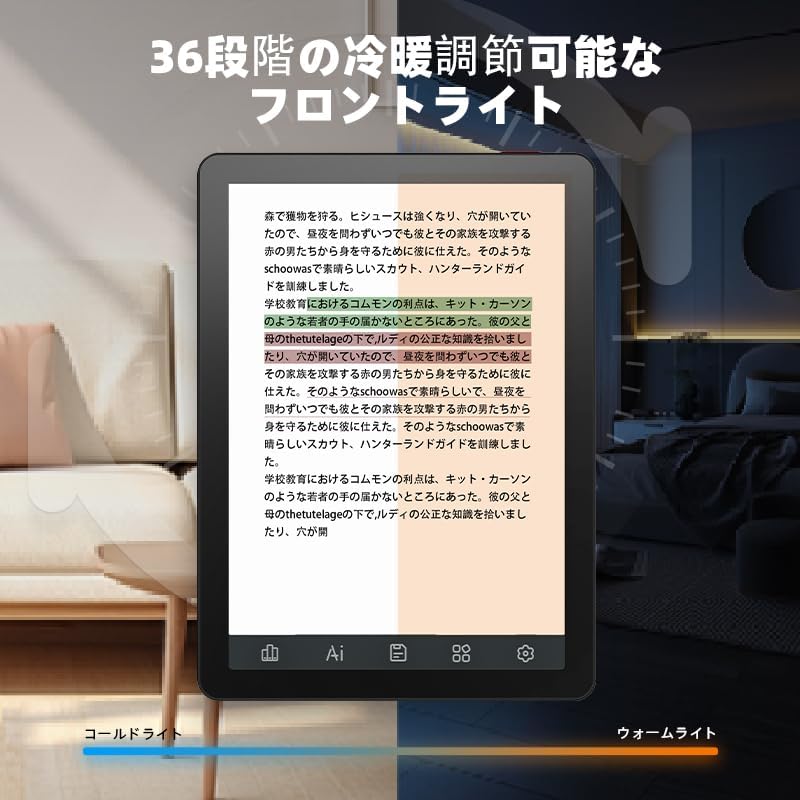
Image: The Bigme B6 E-reader displaying text with an illustration of adjustable front light levels, from cold light to warm light.

Image: The Bigme B6 E-reader displaying text with color elements, demonstrating the ability to read in color and highlight content.
Ngatur Perpustakaan Anjeun
The device supports various e-book formats, allowing you to expand your library without complex file konvérsi.

Image: The Bigme B6 E-reader displaying its storage capacity of 4GB RAM and 64GB, indicating it can store tens of thousands of books.

Image: The Bigme B6 E-reader displaying a list of supported e-book formats, emphasizing its ability to expand the library without file konvérsi.
Connectivity and Data Transfer
- Wifi: Connect to Wi-Fi networks for downloading books, browsing the internet, and syncing data. Go to Settings > Wi-Fi to manage connections.
- Bluetooth: Pair with Bluetooth headphones or speakers for listening to audiobooks. Go to Settings > Bluetooth to manage devices.
- Transfer USB: Connect the device to a computer using a USB cable to transfer files langsung.

Image: The Bigme B6 E-reader next to a pair of headphones, illustrating its audiobook functionality.

Image: The Bigme B6 E-reader shown alongside a laptop, demonstrating seamless data synchronization capabilities.
Pangropéa
Ngabersihan Alat
- Anggo lawon anu lemes sareng henteu lint pikeun ngabersihan layar sareng awak alat.
- Do not use abrasive cleaners, alcohol, or chemical solvents, as these can damage the screen or finish.
- Avoid spraying cleaners directly onto the screen. Apply to the cloth first.
Panyimpenan
- Simpen alat dina tempat anu tiis, garing, jauh tina sinar panonpoé langsung sareng suhu anu ekstrim.
- When not in use for extended periods, ensure the device is charged to about 50% to preserve battery health.
Software Apdet
Periodically check for software updates to ensure optimal performance and access to new features. Updates can usually be found in the device's settings menu under "System Update" or "About Device".
Pamérésan masalah
Isu umum jeung Solusi
| Masalah | Mungkin Cukang lantaranana | Solusi |
|---|---|---|
| Alat teu hurung | batré lemah; Sistem kacilakaan | Charge the device for at least 30 minutes. If still unresponsive, perform a forced restart by holding the power button for 10-15 seconds. |
| Layar teu ngaréspon | glitch software samentara | Balikan deui alat. Pastikeun layar beresih jeung garing. |
| Teu bisa nyambung ka Wi-Fi | Incorrect password; Router issue; Device Wi-Fi off | Double-check the Wi-Fi password. Restart your router. Toggle Wi-Fi off and on in device settings. |
| Books not appearing in library | Unsupported format; Incorrect file lokasi | Ensure the book format is supported (refer to specifications). Verify files are in the correct folder on the device. |
If you encounter issues not listed here or if the suggested solutions do not resolve the problem, please contact Bigme customer support.
spésifikasi
| Fitur | Rincian |
|---|---|
| Ngaran modél | JP-B6 |
| Ukuran tampilan | 6 inci |
| Téknologi tampilan | E-Ink, Color E-paper |
| Resolusi tampilan | 1448 x 1072 piksel |
| Ram | 4GB |
| Panyimpenan internal | 64GB |
| Sistem operasi | Android 14 |
| Prosesor | Octa-core CPU (Mediatek) |
| Konektipitas | Bluetooth, WiFi |
| Warna | Hideung |
| Dimensi produk | 15.66 x 13.86 x 0.58 cm |
| Item Beurat | 215 gram |
| Komponén Kaasup | User Manual, Protective Case, E-reader main unit |
Garansi sareng Rojongan
For warranty information and customer support, please refer to the documentation included with your purchase or visit the official Bigme websitus. Simpen bukti pameseran anjeun pikeun klaim garansi.
Sumberdaya Online:
- Bigme Resmi Websitus: www.bigme.com
- For further assistance, contact your retailer or the Bigme customer service team.


