Bubuka
Thank you for choosing the BEISHI Small Mobile TV Stand. This manual provides essential information for the safe and efficient assembly, operation, and maintenance of your new TV stand. Please read these instructions carefully before beginning assembly and retain them for future reference.
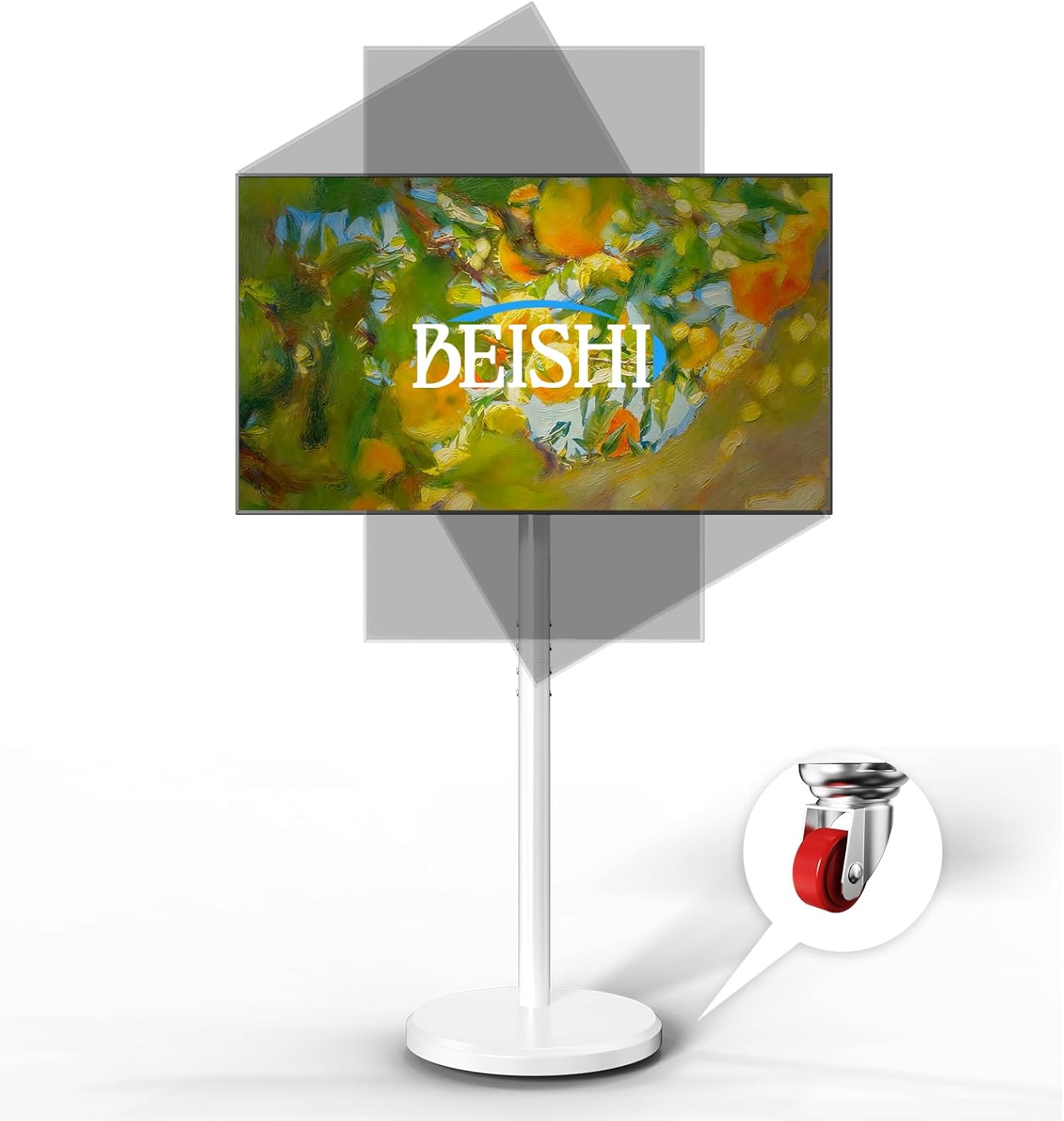
Image: The BEISHI Small Mobile TV Stand in white, featuring a television mounted on it, demonstrating its ability to tilt and swivel for optimal viewdina sudut.
Kasaluyuan
This mobile TV stand is designed for most televisions ranging from 10 to 48 inches and supporting a maximum weight of 88 lbs (40 kg). It is compatible with VESA mounting patterns including 75x75mm, 100x100mm, 100x200mm, 200x100mm, and 200x200mm.
Important: Before assembly, please verify your TV's size, weight, and VESA mounting pattern to ensure compatibility.
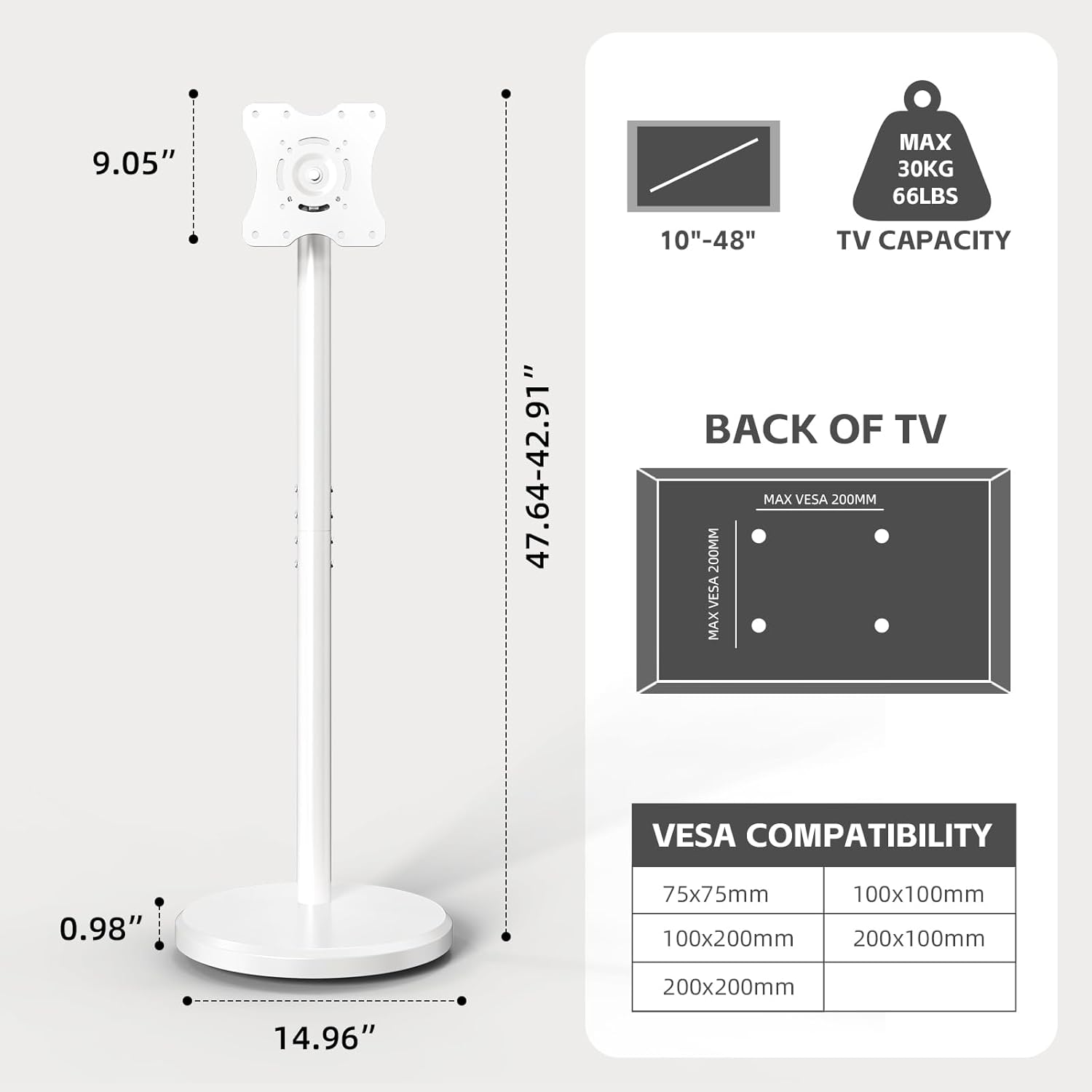
Image: A detailed diagram illustrating the dimensions of the BEISHI TV stand and a chart outlining compatible VESA mounting patterns and maximum TV weight capacity.
Setup sareng Majelis
Follow these steps for proper assembly of your BEISHI Mobile TV Stand. All necessary tools and hardware are included.
- Ngabongkar komponén: Carefully remove all parts from the packaging and lay them out on a soft, clean surface to prevent scratches. Verify all components are present against the parts list in your package.
- Kumpulkeun Base: Attach the vertical support column to the base plate using the provided screws. Ensure all connections are secure.
- Install TV Brackets: Secure the TV mounting brackets to the back of your television using the appropriate screws and washers for your TV's VESA pattern. Ensure the brackets are centered and firmly attached.
- Pasang TV dina Panggung: Carefully lift your television and hook the attached brackets onto the vertical support column's mounting plate. Secure the TV in place using the strengthening screws or locking mechanisms provided.
- Manajemén Kabel: Utilize the integrated cable management clips or channels on the stand's column to organize and conceal power and AV cables for a neat appearance.
Video: A demonstration of the assembly process for the Small Mobile TV Stand, showing how to connect components and mount a television.
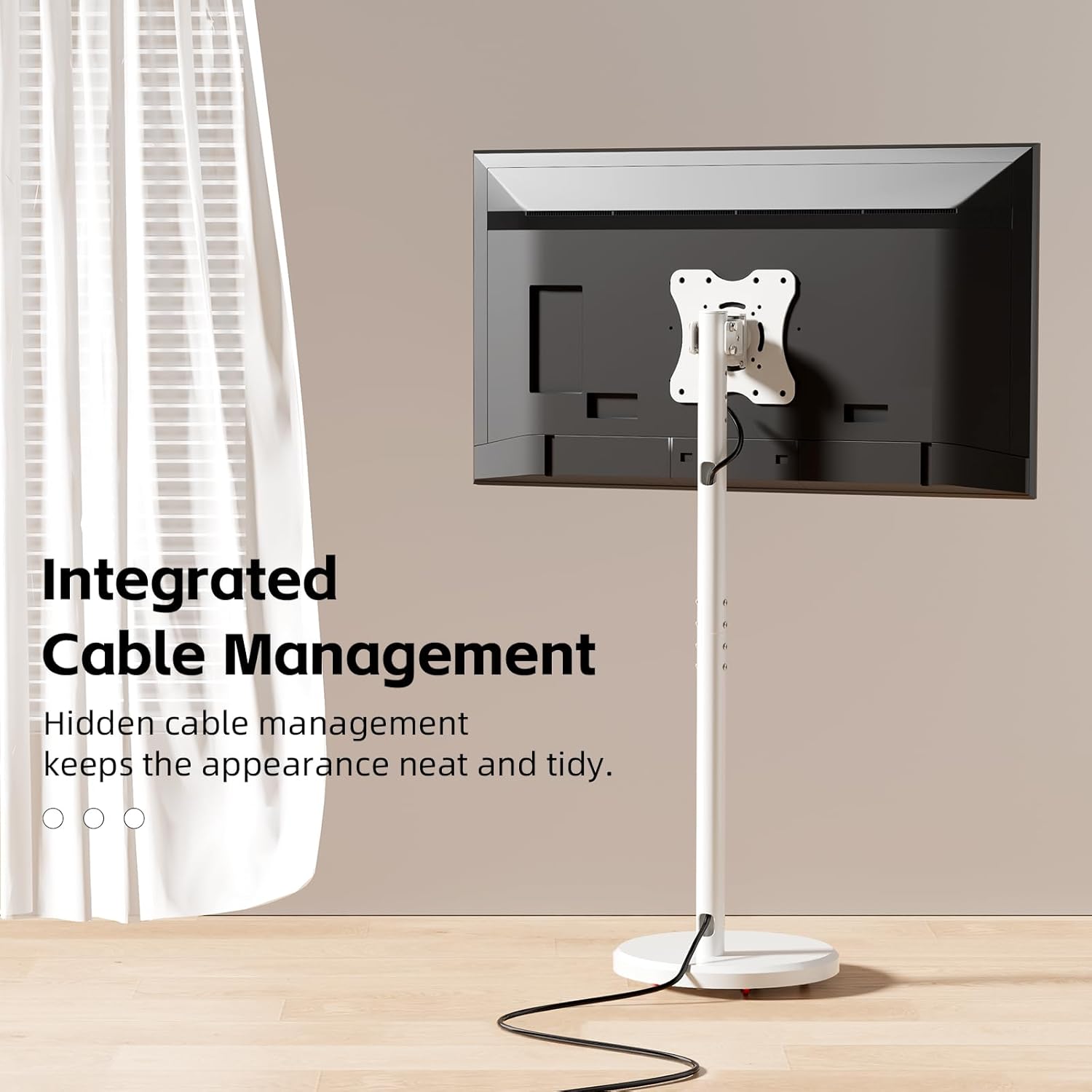
Gambar: A close-up view of the BEISHI TV stand's central column, highlighting the integrated cable management system designed to keep wires organized and out of sight.
Parentah Operasi
- Penyesuaian Jangkungna: The TV stand offers 6 levels of height adjustment. To adjust, loosen the securing screws on the vertical column, slide the TV to the desired height, and re-tighten the screws firmly.
- Miringkeun sareng Putar: The mounted TV can be tilted +7°/-10° to reduce glare and swiveled ±30° for optimal viewing angles without the need for tools. Gently adjust the screen to your preferred position.
- 360° Rotation (Landscape to Portrait): For specific content like live streaming or video calls, the TV can be rotated 90° from landscape to portrait orientation. Ensure the TV is securely mounted before rotating.
- Mobilitas: The stand is equipped with hidden, smooth, and silent wheels for effortless movement. To move the stand, ensure the wheels are unlocked. To secure the stand in place, engage the wheel locks.
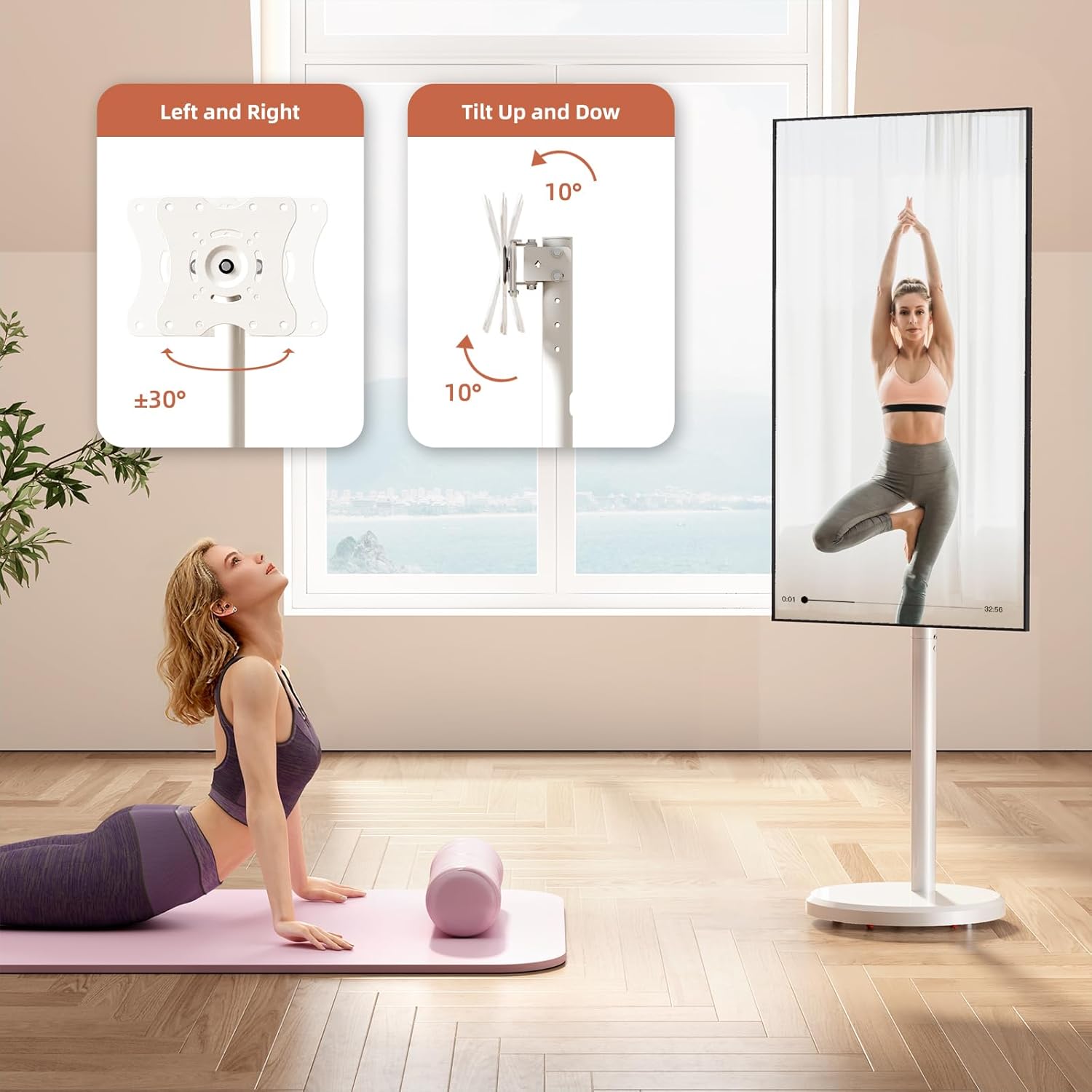
Image: A visual guide demonstrating the adjustable tilt (up to 10 degrees) and swivel (up to 30 degrees left or right) features of the BEISHI TV stand.

Image: The BEISHI TV stand showcasing its 360-degree rotation feature, allowing the television to switch seamlessly between landscape and portrait modes.

Image: A graphic detailing the height adjustment range of the BEISHI TV stand (from 42.9" to 47.64") and illustrating its universal, hidden swivel wheels for easy movement.
Video: A short video demonstrating the mobility of the Mobile TV Cart Rolling Floor Stand, showing it being moved across different rooms.
Pangropéa
To ensure the longevity and optimal performance of your TV stand, follow these maintenance guidelines:
- beberesih: Ngusap stand ku lawon lemes, garing. Pikeun tanda nekad, a rada damp lawon anu dieusi sabun hampang tiasa dianggo, teras dikeringkeun tuntas. Hindarkeun pembersih atanapi pelarut anu abrasif.
- Pariksa Hardware: Pariksa sadaya sekrup sareng sambungan sacara berkala pikeun mastikeun éta tetep pageuh sareng aman. Kencengkeun deui upami diperyogikeun.
- Perawatan roda: Keep the wheels free of dust and debris to ensure smooth movement. If wheels become stiff, clean them and apply a small amount of silicone lubricant.
Pamérésan masalah
- TV Teu Tingkat: Ensure the mounting brackets are installed evenly on the TV and the stand's vertical column is properly aligned. Use the leveling adjustment feature if available.
- Difficulty Moving Stand: Check if the wheel locks are engaged. Ensure the wheels are clean and free of obstructions.
- Hardware Does Not Fit TV: The stand includes various screw sizes for different TV models. If the provided hardware does not fit, consult your TV's manual for specific screw requirements or contact customer support.
- Nangtung Karasa Teu Stabil: Double-check all assembly connections and ensure screws are tightened. Verify your TV's weight and size are within the stand's specified limits.
spésifikasi
| Fitur | Rincian |
|---|---|
| merek | BEISHI |
| Modél | Gaya 2 |
| Ukuran TV cocog | 10-48 inci |
| Beurat TV maksimum | 88 lbs (40 kg) |
| Kasaluyuan VESA | 75x75mm, 100x100mm, 100x200mm, 200x100mm, 200x200mm |
| adjustment jangkungna | 6 levels (42.9" - 47.64") |
| Sudut Dengdekkeun | +7°/-10° |
| Sudut Putar | ± 30° |
| Rotasi | 360° (Ti Lanskap ka Potret) |
| Bahan | Baja Karbon |
| Warna | Bodas |
| Item Beurat | 12.38 pon |
| Ukuran Paket | 23 x 20.5 x 2.5 inci |
Garansi sareng Rojongan
For warranty information or technical support, please refer to the documentation included with your product or contact BEISHI customer service directly. Keep your purchase receipt as proof of purchase.
Inpormasi kontak: Please visit the official BEISHI website or your retailer's support page for the most up-to-date contact details.


