Bubuka
Hatur nuhun pikeun meuliasing the ROCAM Digital Radio Alarm Clock. This manual provides detailed instructions for setting up, operating, and maintaining your device. Please read this manual thoroughly before use to ensure proper function and longevity of the product.
Émbaran Kasalametan
- Ensure the device is connected to a power source with the correct voltage.
- Ulah ngalaan alat ka cai atawa kalembaban kaleuleuwihan.
- Hindarkeun nempatkeun alat caket sumber panas atanapi dina sinar panonpoé langsung.
- Ulah nyobian ngabongkar atanapi ngalereskeun alat nyalira. Hubungi petugas servis anu mumpuni.
- Jauhkeun tina jangkauan barudak.
Produk Leuwihview
The ROCAM Digital Radio Alarm Clock features a clear display, intuitive controls, and multiple functions including FM radio, Bluetooth speaker, night light, and charging ports.

Hareupeun view of the ROCAM Digital Radio Alarm Clock, showing the large digital display and speaker grille.
Fitur konci:
- FM Radio (87.5 MHz - 108.0 MHz) with 20 presets.
- Bluetooth 5.0 speaker with 10m wireless range.
- Adjustable night light.
- Port ngecas USB sareng Type-C.
- Large, dimmable LED display (5 brightness levels).
- Dual alarm modes with classic beep or radio sound.
- 12/24 hour format and DST function.
- Battery backup for time and settings during power outages.
Disetél
1. Sambungan Daya:
Connect the provided power adapter to the DC input port on the back of the alarm clock and plug it into a wall outlet. The clock requires plug power to operate. The internal battery serves as a backup for settings during power interruptions.
2. Daya Awal Hurung:
Once connected, the display will light up. You may need to set the time manually if it's the first use or after a prolonged power disconnection without battery backup.
Parentah Operasi
Netepkeun Waktos sareng Tanggal:
- Pencét jeung tahan tombol Waktos Set button (or similar button, usually indicated by a clock icon). The hour digits will start flashing.
- Puterkeun Time/Volume knob pikeun nyaluyukeun jam.
- Pencét éta Waktos Set tombol deui pikeun mastikeun jam sareng pindah ka menit.
- Puterkeun Time/Volume knob pikeun nyaluyukeun menit.
- Pencét éta Waktos Set button once more to save the time.
- Pikeun pindah antara format 12-jam jeung 24-jam, pencét tombol 12/24H kancing.
Setélan Alarm:
Jam ieu ngadukung dua alarm mandiri.
- Pencét jeung tahan tombol Alarem 1 or Alarem 2 tombol. Angka jam alarm bakal kedip-kedip.
- Puterkeun Time/Volume knob pikeun ngeset jam alarm nu dipikahoyong.
- Pencét saluyu Alarem tombol deui pikeun mastikeun jam sareng pindah ka menit.
- Puterkeun Time/Volume knob pikeun nyetel menit alarm nu dipikahoyong.
- Pencét éta Alarem button again to select the alarm sound: classic beep or FM radio.
- Pencét éta Alarem button one last time to save the alarm setting.
- To activate/deactivate an alarm, short press the corresponding Alarem kancing. Ikon alarem bakal muncul / ngaleungit dina tampilan.
The alarm clock display showing the time and an active alarm icon, indicating the alarm function is set.
Fungsi Tungkul
Sawaktos alarm disada, pencét tombol Snooze / Caang button to temporarily silence the alarm for a few minutes (default snooze time). The alarm will sound again after the snooze period.
Operasi Radio FM:
- Pencét éta Modus tombol pikeun pindah ka modeu Radio FM.
- To perform an automatic scan for stations, press and hold the Nyeken button. The radio will search for and save up to 20 available stations (87.5 MHz to 108.0 MHz).
- To manually tune, short press the Saméméhna/Salajengna tombol pikeun nyaluyukeun frékuénsi.
- Puterkeun Time/Volume knob to adjust the radio volume (16 levels).

The alarm clock display showing an FM radio frequency, indicating it is in radio mode.
Masangkeun Bluetooth:
- Pencét éta Modus button to switch to Bluetooth mode. The display will show a Bluetooth icon, usually flashing to indicate pairing mode.
- On your mobile device or computer, enable Bluetooth and search for "ROCAM Alarm Clock" (or similar device name).
- Select the device to pair. Once connected, the Bluetooth icon on the clock's display will stop flashing.
- You can now stream audio from your device to the alarm clock.
- Puterkeun Time/Volume knob to adjust the playback volume.

Hiji internal view of the ROCAM alarm clock highlighting its Bluetooth 5.0 capabilities and speaker components, demonstrating its audio features.
Fungsi Lampu Peuting:
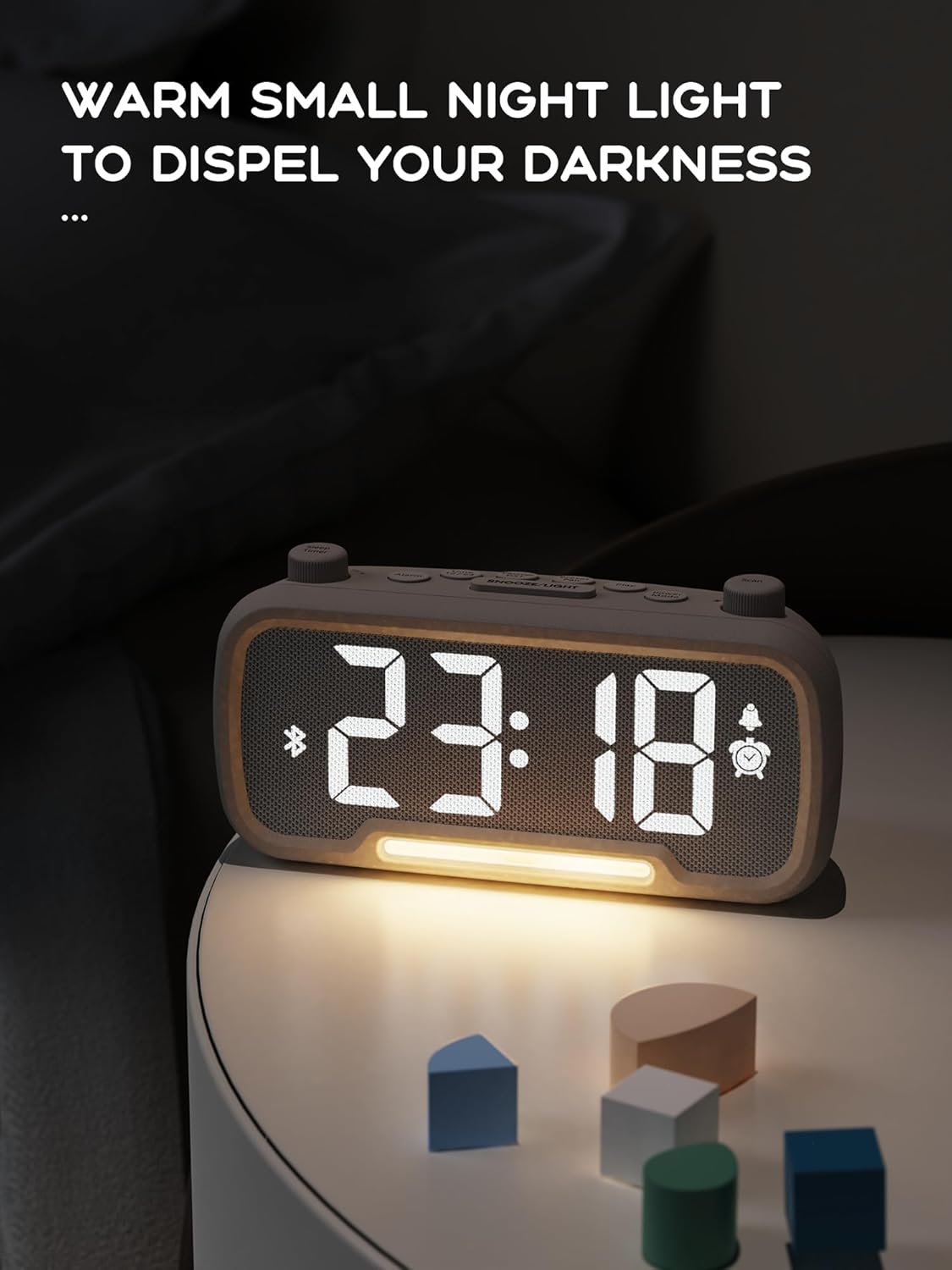
The alarm clock features an integrated night light.
- Pencét pondok Snooze / Caang tombol pikeun ngahurungkeun atanapi mareuman lampu wengi.
- The night light has adjustable brightness levels. Press and hold the Snooze / Caang button to cycle through the brightness options.

The ROCAM alarm clock on a bedside table, with its warm night light illuminated, providing ambient lighting.
Penyesuaian Kacaangan Tampilan:
The main display has 5 adjustable brightness levels.
- Pencét éta Caang button (or similar, often combined with Snooze/Light) to cycle through the display brightness levels.
- Pilih tingkat anu paling nyaman pikeun lingkungan anjeun.
Daylight Saving Time (DST) Function:
Pikeun nyaluyukeun Daylight Saving Time:
- Pencét pondok DST button (or similar, often indicated by a sun icon). The time will automatically adjust forward or backward by one hour.
- Press it again to revert the change.
USB and Type-C Charging Ports:
The alarm clock includes USB and Type-C ports for charging external devices.
- Connect your device's charging cable to the appropriate USB or Type-C port on the back of the alarm clock.
- Pastikeun jam alarm hurung supados port ngecas tiasa fungsina.
Pangropéa
- Bersihkeun alat ku kaen anu lemes sareng garing. Ulah make cleaners cair atawa bahan abrasive.
- Keep the device free from dust and debris to ensure proper ventilation.
- Upami alat teu tiasa dianggo kanggo waktos anu panjang, cabut colokan tina stopkontak.
Pamérésan masalah
| Masalah | Mungkin Cukang lantaranana | Solusi |
|---|---|---|
| Tampilan jam pareum. | Teu aya daya, euweuh dayatage, or device is off. | Check power connection. Ensure the power adapter is securely plugged in. If there was a power outage, the battery backup should maintain settings, but the display requires main power. |
| Alarm teu disada. | Alarm is not activated, volume is too low, or incorrect time set. | Ensure the alarm icon is visible on the display. Increase alarm volume. Verify alarm time is set correctly. |
| panarimaan radio FM goréng. | Sinyal lemah, anteneu teu diperpanjang, atanapi gangguan. | Adjust the position of the device. Extend the FM antenna fully. Try auto-scanning for stations again. Avoid placing near other electronic devices. |
| Alat Bluetooth teu tiasa dipasangkeun. | Clock not in Bluetooth mode, device too far, or already paired with another device. | Ensure the clock is in Bluetooth mode (flashing icon). Move your device closer to the clock. Disconnect from other Bluetooth devices. |
| Ngecas USB/Tipe-C teu tiasa dianggo. | Clock not powered, cable faulty, or device not compatible. | Ensure the alarm clock is plugged into a wall outlet. Try a different charging cable. Verify your device is compatible with standard USB charging. |
spésifikasi
| Fitur | Rincian |
|---|---|
| merek | ROCAM |
| Modél | B0FNWB172Z |
| Warna | kulawu |
| Diménsi | 16.8 x 3.81 x 8.4 cm (6.6 x 1.5 x 3.3 inci) |
| Beurat | 350 g (0.77 lbs) |
| Sumber Daya | Kabel Listrik |
| Batré | 1 Lithium-metal battery (included, for backup) |
| Rentang Frékuénsi FM | 87.5 MHz - 108.0 MHz |
| Vérsi Bluetooth | 5.0 |
| Kacaangan tampilan | 5 tingkat adjustable |
| Tingkat Volume | 16 tingkat adjustable |
Garansi sareng Rojongan
Kanggo inpormasi garansi atanapi dukungan téknis, mangga tingal wincik kontak anu disayogikeun sareng pameseran anjeun atanapi kunjungan ka ROCAM resmi websitus. Simpen bukti pameseran anjeun pikeun klaim garansi.


