1. Bubuka
The Baseus Inspire XP1 Adaptive Noise Cancelling Earbuds are designed to provide a high-fidelity audio experience with advanced noise cancellation capabilities. Featuring Sound by Bose technology and Dolby Spatial Audio, these earbuds offer immersive sound and clear communication. This manual provides instructions for setup, operation, and maintenance to ensure optimal performance.
2. Eusi Paket
Pastikeun yén sadaya item aya dina pakét anjeun:
- Baseus Inspire XP1 Noise Cancelling Wireless Earbuds
- Ngecas Case
- Ceuli (ukuran S/M/L)
- Kabel Ngecas USB-C
- Manual pamaké

Image: Package contents of the Baseus Inspire XP1 earbuds.
3. Produk Langkungview
The Baseus Inspire XP1 earbuds feature a contoured in-ear fit with umbrella-shaped liquid silicone tips for comfort and noise isolation. They are equipped with a 6-mic sound sensor array for clear calls and touch-sensitive surfaces for control.

Image: Baseus Inspire XP1 Earbuds.
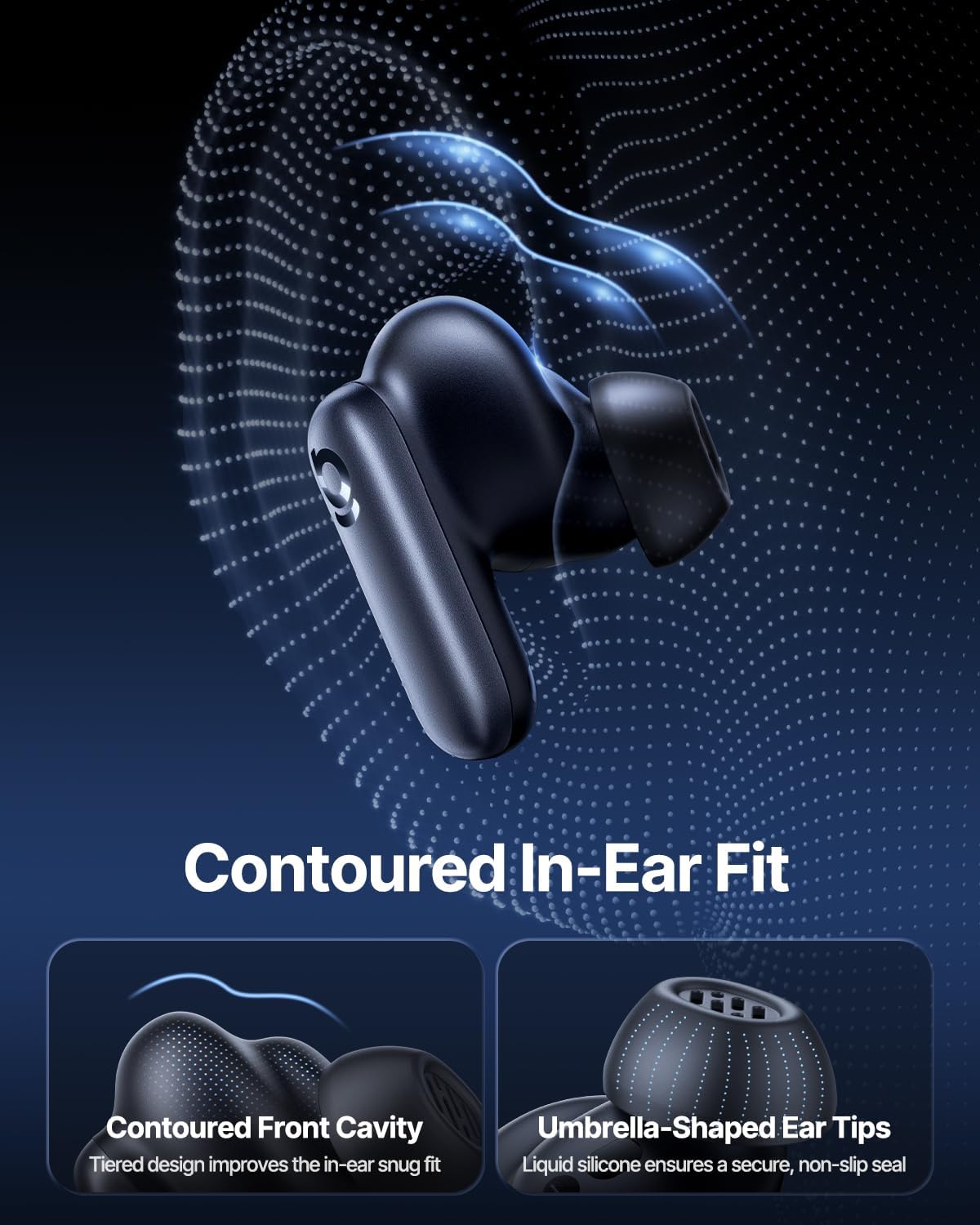
Image: Contoured In-Ear Fit and Umbrella-Shaped Ear Tips.
4. Setélan
4.1 Papasangan awal
- Ngecas Earbuds: Place both earbuds into the charging case and close the lid. Connect the USB-C charging cable to the case and a power source. The indicator light on the case will show charging status.
- Aktipkeun Mode Papasangan: Open the charging case. The earbuds will automatically enter pairing mode, indicated by a flashing light on the earbuds or case.
- Nyambungkeun via Bluetooth: Dina alat anjeun (smartphone, tablet, laptop), buka setélan Bluetooth teras aktipkeun Bluetooth. Milarian pikeun "Baseus Inspire XP1" in the list of available devices and select it to connect.
- Konfirmasi: Once connected, a voice prompt will confirm successful pairing, and the indicator light will turn solid or off.
4.2 Baseus App Installation
For full functionality, including Dolby Audio, custom EQ settings, and adaptive tuning, download the official Baseus App from your device's app store (iOS App Store or Google Play Store). The app allows for personalized control of your listening experience.
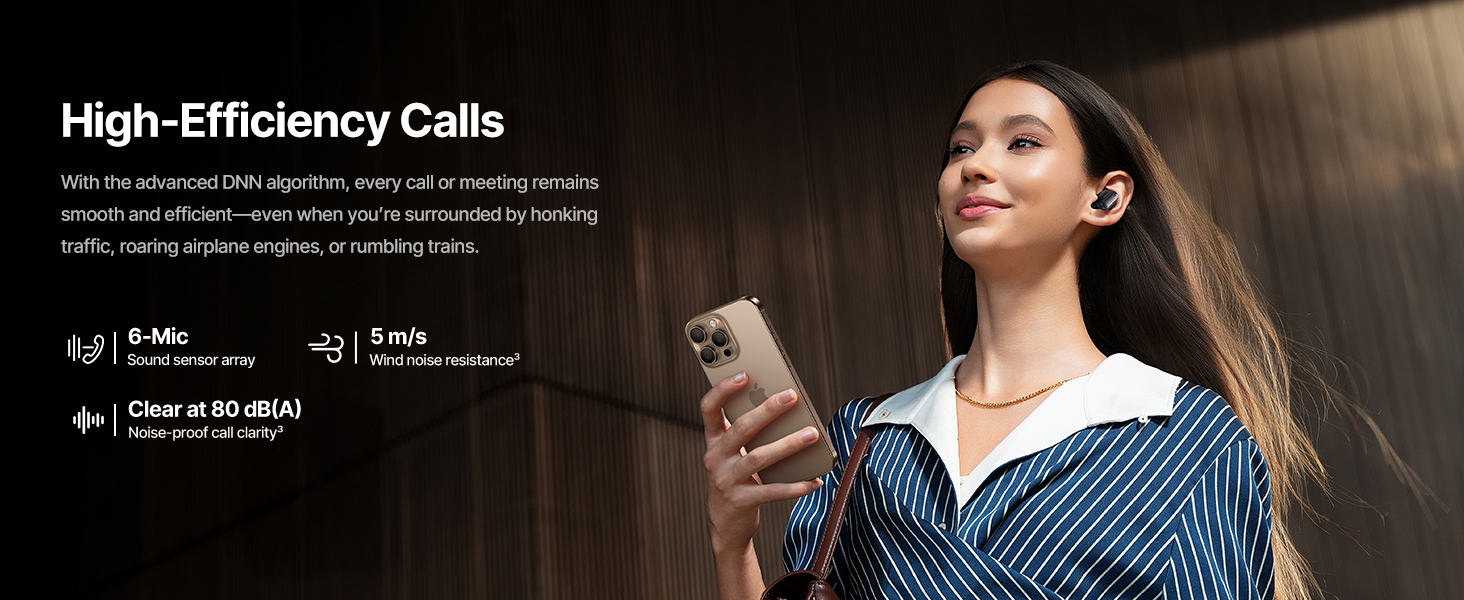
Image: Smart App Control interface.
5. Parentah Operasi
5.1 Daya Hurung/Pareuman
- Daya Hurung: Buka wadah pangisi daya, teras earbud bakal otomatis hurung sareng nyobian nyambung ka alat anu terakhir dipasangkeun.
- Pareum listrik: Teundeun earbuds deui kana wadah ngecas sareng tutup tutupna. Aranjeunna bakal otomatis pareum sareng ngawitan ngecas.
5.2 Kontrol Toél
The earbuds feature touch-sensitive surfaces for various functions:
Image: Touch Control Guide.
- Puter/Reureuh Musik: Ketok dua kali boh earbud.
- Ngajawab / mungkas Telepon: Ketok dua kali boh earbud.
- Nolak Telepon: Ketok jeung tahan boh earbud salila 1.5 detik.
- Ganti Modeu ANC/Transparansi: Ketok jeung tahan boh earbud salila 1.5 detik.
- Aktipkeun Asisten Sora: Ketok tilu kali salah sahiji earbud.
5.3 Adaptive Noise Cancellation (ANC) and Transparency Mode
The Inspire XP1 earbuds feature Premium Adaptive ANC, which dynamically adjusts noise reduction up to -50 dB based on your environment. Transparency Mode allows you to hear your surroundings without removing the earbuds.

Image: Premium Adaptive ANC in use.
Switch between ANC and Transparency Mode by tapping and holding the touch surface for 1.5 seconds, or manage settings via the Baseus App.
5.4 High-Efficiency Clear Calls
Equipped with a 6-mic sound sensor array and AI algorithms, the earbuds provide clear calls by reducing wind noise and environmental distractions up to 80 dB(A).
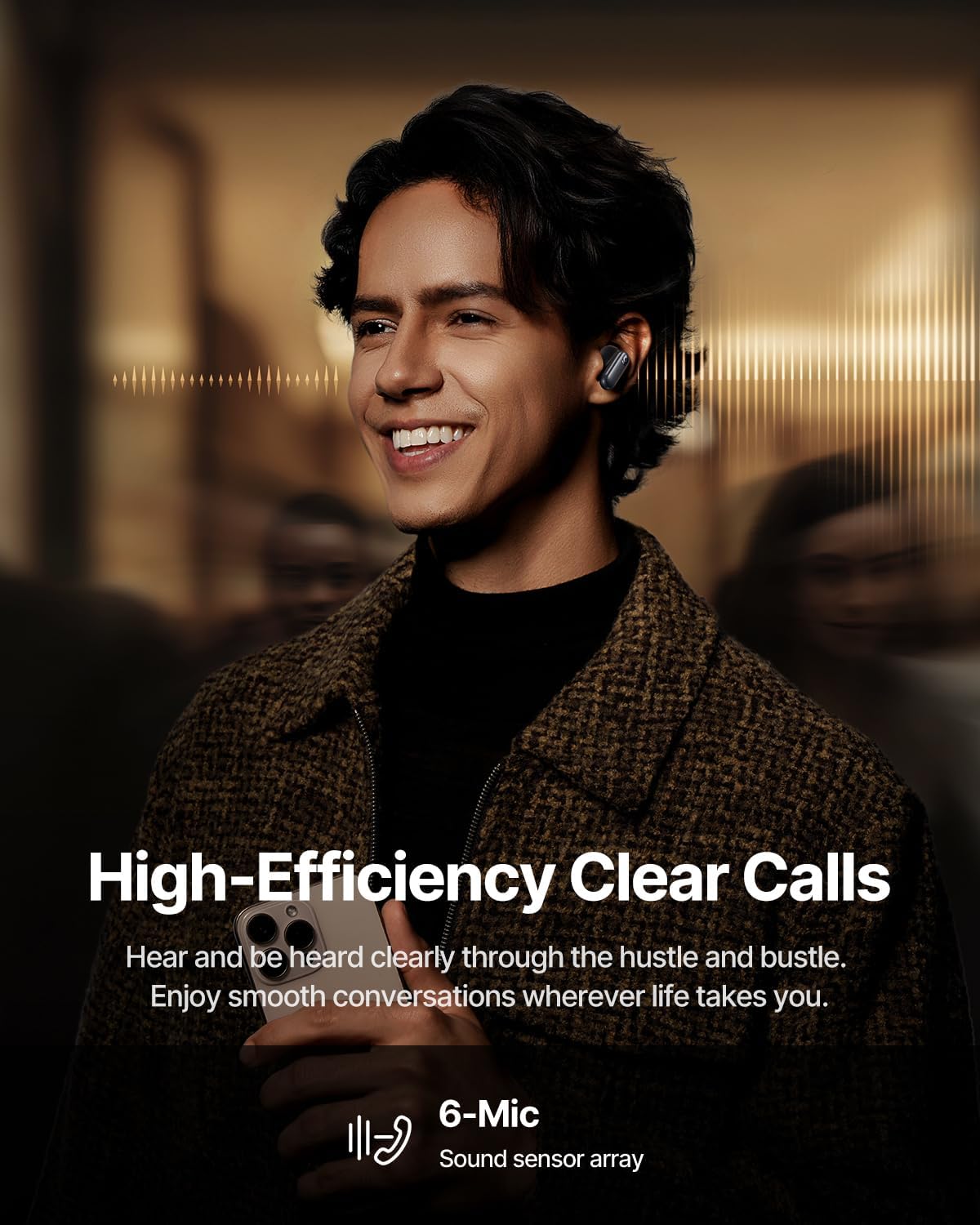
Image: High-Efficiency Clear Calls.
5.5 Ngecas sareng Umur Batré
The earbuds offer extended playtime with the charging case:
- ANC Pareum: Up to 8 hours per charge, and up to 45 hours with the charging case.
- ANC On: Up to 6 hours per charge, and up to 35 hours with the charging case.
- Ngecas gancang: Ngecas 10 menit nyadiakeun sakitar 2.5 jam pamuteran.

Image: Day-and-Night Playtime.
5.6 Instant Multipoint Connection
Utilize Baseus Smart-Connect and Bluetooth 6.1 for seamless switching between two paired devices, such as a phone and a laptop, enabling uninterrupted calls and multitasking.
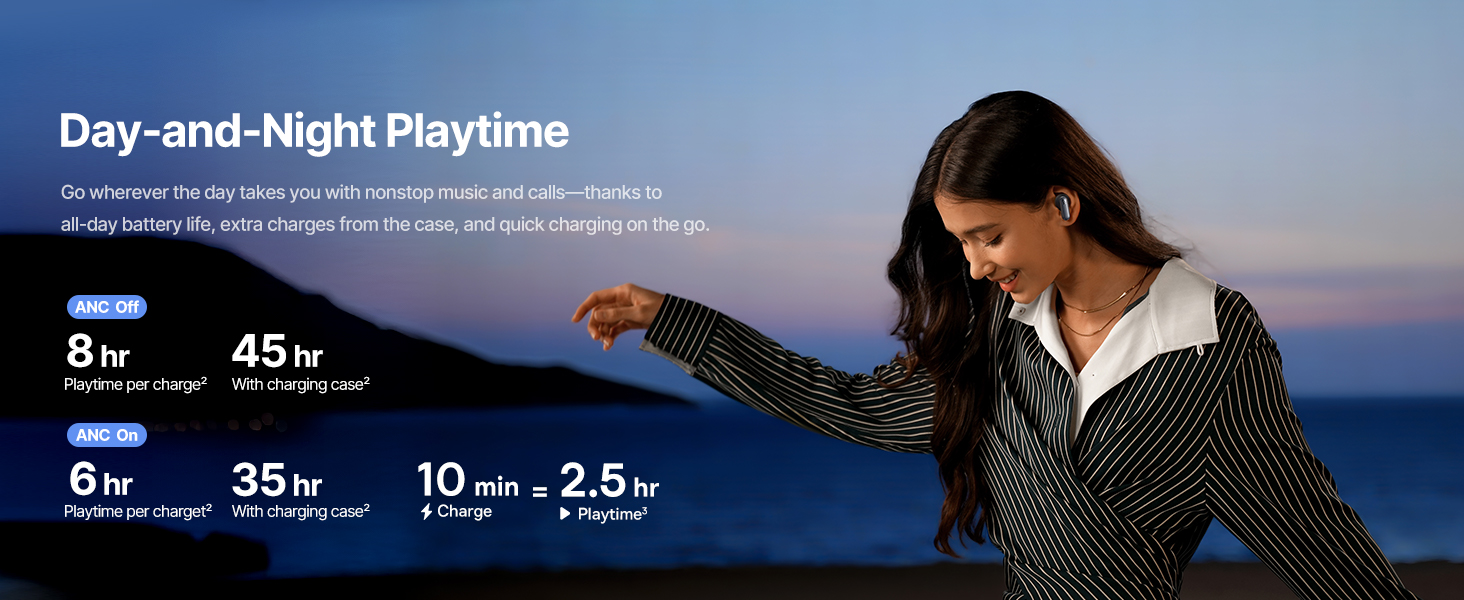
Image: Instant Multipoint Connection.
6. Pangropéa
- beberesih: Rutin ngabersihkeun earbuds sareng wadah ngecas ku lawon anu lemes, garing, teu aya lint. Ulah make bahan abrasive atawa bahan kimia kasar.
- Eartips: Remove and clean the silicone eartips with mild soap and water if necessary. Ensure they are completely dry before reattaching.
- Port ngecas: Keep the USB-C charging port free of dust and debris.
- Panyimpenan: When not in use, store the earbuds in their charging case to protect them and maintain battery life. Avoid extreme temperatures.
7. Cara ngungkulan
7.1 Earbuds Teu Nyapasangkeun
- Pastikeun earbud parantos dicas sareng tutup wadah ngecas dibuka.
- Pareuman sareng aktipkeun Bluetooth alat anjeun.
- Pohokeun alat dina setélan Bluetooth anjeun teras cobian pasangkeun deui.
- Try resetting the earbuds (refer to the Baseus App or Baseus support for specific reset instructions).
7.2 Taya Sora atawa Volume Low
- Pariksa tingkat polumeu dina alat anjeun sareng earbuds.
- Pastikeun yén earbuds dipasang leres dina ceuli anjeun.
- Pariksa yén earbud disambungkeun kana kaluaran audio anu leres dina alat anjeun.
- Bersihkeun sagala lebu tina speaker earbud.
7.3 Masalah Ngecas
- Pastikeun kabel ngecas disambungkeun aman ka duanana wadahna jeung sumber kakuatan.
- Coba kabel USB-C sareng adaptor kakuatan anu béda.
- Bersihkeun kontak ngecas boh dina earbuds sareng di jero wadahna.
8. Spésifikasi
Gambar: Spésifikasi Produk.
| Ngaran modél | Baseus Inspire XP1 |
| Téhnologi konektipitas | Bluetooth 6.1, Nirkabel |
| Téknologi Komunikasi Nirkabel | Bluetooth 6.1 |
| Kontrol bising | Adaptive Noise Cancellation, Environmental Noise Cancellation |
| Ukuran Supir Audio | 10 milimeter |
| Rentang Frékuénsi | 20 Hz - 20,000 Hz |
| Kahirupan Batré (ANC Pareum) | 8 Jam (earbud), 45 Jam (kalayan wadah ngecas) |
| Port ngecas | USB-C |
| Métode kontrol | Aplikasi, Toél |
| Bahan | Silikon |
| Item Beurat | 7.8 ons |
9. Garansi jeung Rojongan
Baseus products are covered by a limited warranty. For detailed warranty information, product support, or to contact customer service, please visit the official Baseus websitus atawa tingal kartu jaminan kaasup dina pakét Anjeun.
Anjeun oge bisa nganjang ka Toko Baseus di Amazon pikeun sumber tambahan sarta informasi produk.


