1. Bubuka
This manual provides essential information for using your new vivo Y31 Pro 5G smartphone. Please read it carefully to ensure proper operation and to maximize the device's features. Keep this manual for future reference.

Gambar: Hareupeun view of the vivo Y31 Pro 5G smartphone, showcasing tampilan na.
2. Naon dina Box
Pastikeun yén sadaya barang aya dina bungkusan produk anjeun:
- vivo Y31 Pro 5G Smartphone
- Kasus Telepon
- Adaptor kakuatan
- Kabel USB
- SIM Dulang Ejector
- Pelindung Layar (Saatos dianggo)
3. Setélan
3.1. Pamasangan Kartu SIM
- Tangtukeun lokasi baki kartu SIM di sisi alat Anjeun.
- Selapkeun alat ejector baki SIM kana liang leutik gigireun baki terus pencét gently nepi baki pops kaluar.
- Simpen kartu Nano-SIM sareng/atanapi kartu microSD anjeun kana baki kalayan kontak emasna malik ka handap, pastikeun arahna leres.
- Taliti selapkeun deui baki kana telepon nepi ka ngaklik kana tempatna.
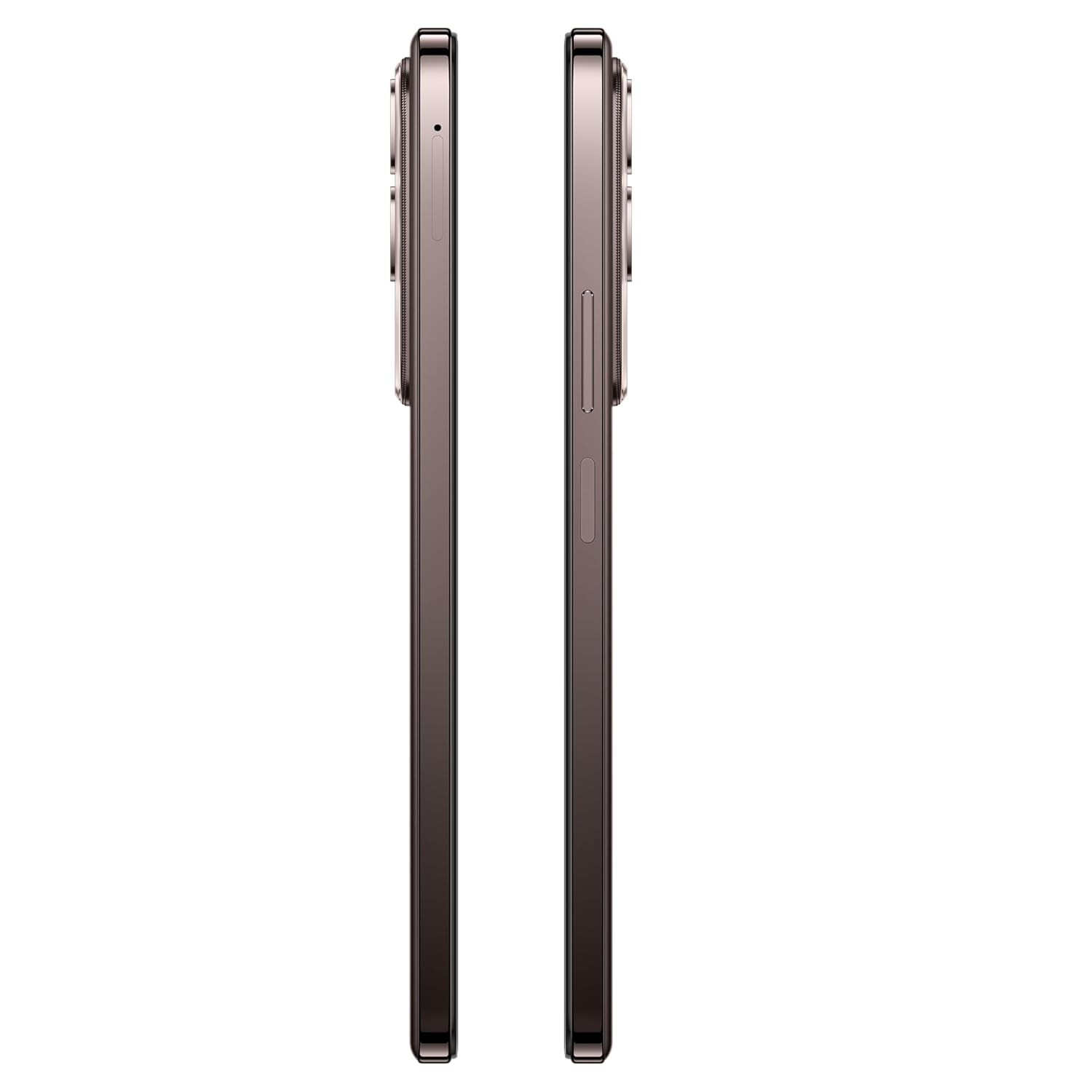
Gambar: Sisi view of the vivo Y31 Pro 5G, showing the SIM card tray location.
3.2. Daya Awal Hurung sareng Setélan Dasar
- Press and hold the Power button (located on the right side) until the vivo logo appears.
- Turutan parentah dina-layar pikeun milih basa anjeun, wewengkon, jeung nyambung ka jaringan Wi-Fi.
- Asup sareng akun Google Anjeun atawa jieun nu anyar pikeun ngakses ladenan Google jeung Play Store.
- Setel metode konci layar anjeun (PIN, pola, kecap akses, sidik jari, atanapi muka konci nganggo raray).
4. Ngoperasikeun Alat Anjeun
4.1. Fitur tampilan
The vivo Y31 Pro 5G features a 17.06 cm (6.72 inch) High Brightness FHD+ display with a 120 Hz refresh rate and up to 1050 Nits brightness for clear visuals and smooth scrolling.

Image: Illustration highlighting the phone's high brightness FHD display with 1050 Nits and 120 Hz refresh rate.
4.2. Pamakéan kaméra
Your device is equipped with a 50 MP + 2 MP rear camera system and an 8 MP selfie camera. It supports 4K video recording.
- Nyandak Poto: Open the Camera app, select 'Photo' mode, and tap the shutter button.
- Ngarekam Pidéo: Switch to 'Video' mode and tap the record button to start/stop.
- Keunggulan AI: Utilize AI Erase and AI Photo Enhance for improved image quality and editing.
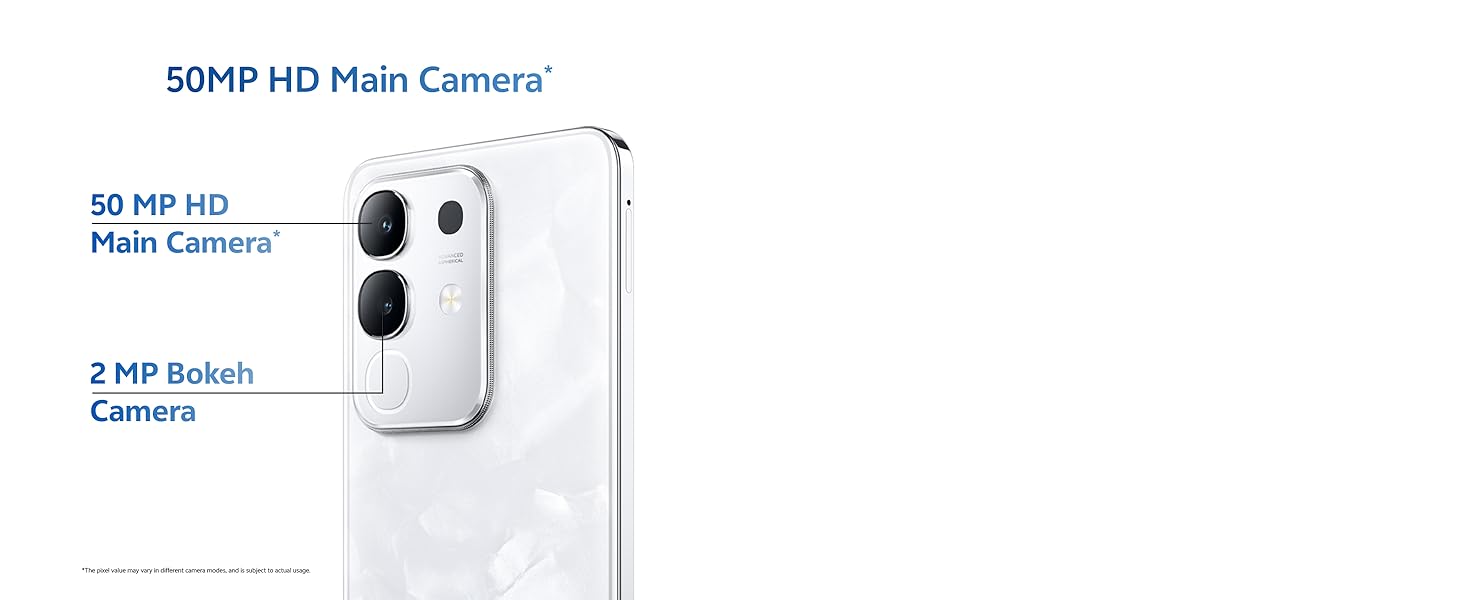
Image: Close-up of the vivo Y31 Pro 5G's rear camera module, showing the 50 MP main camera and 2 MP bokeh camera.

Image: Comparison showing video quality with and without 4K recording on the vivo Y31 Pro 5G.
4.3. Manajemén batré
The device is powered by a 6500 mAh battery and supports 44W FlashCharge. For optimal battery life:
- Use the provided power adapter and USB cable for charging.
- Hindarkeun suhu anu ekstrim.
- Atur pamakean aplikasi latar sareng kacaangan layar.
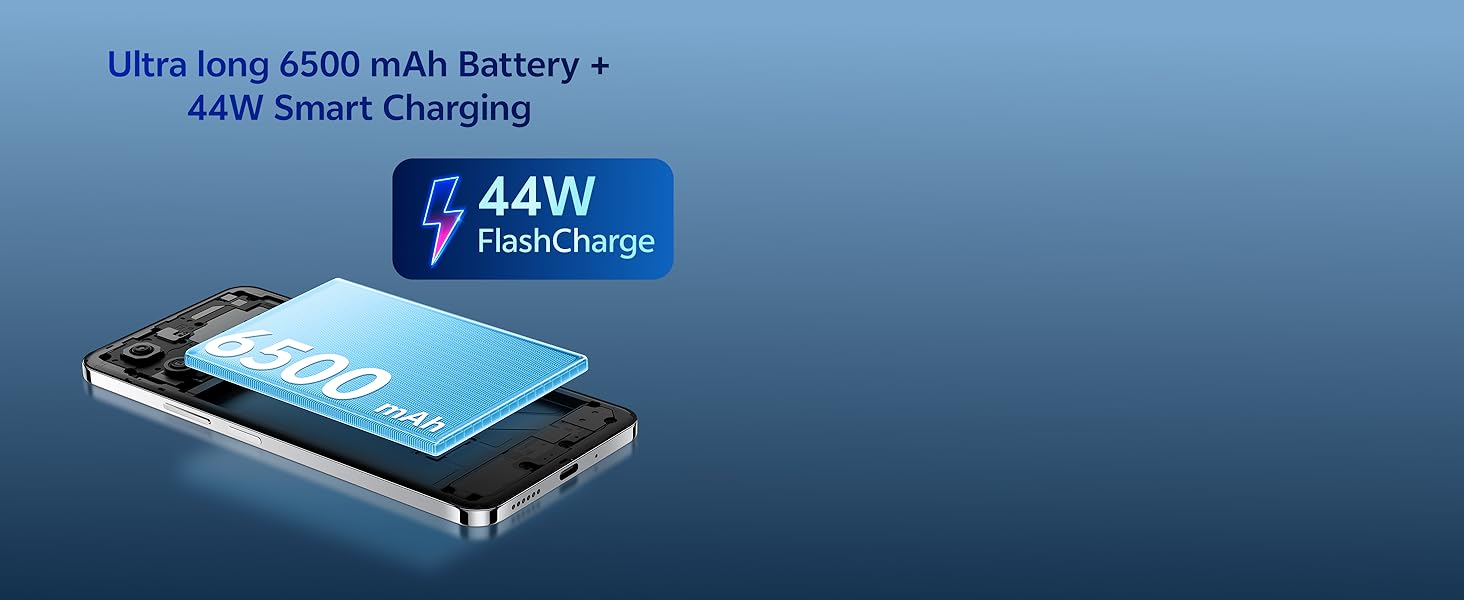
Image: Illustration of the vivo Y31 Pro 5G's 6500 mAh battery and 44W FlashCharge technology.
4.4. Konektipitas
The vivo Y31 Pro 5G supports 5G network connectivity, Bluetooth, and built-in GPS.
- Wifi: Buka Setélan > Jaringan & internét > Wi-Fi pikeun nyambung ka jaringan nu sadia.
- Bluetooth: Buka Setelan > Alat nu nyambung > Bluetooth pikeun masangkeun sareng alat nu sanes.
- 5G: Ensure your SIM card and plan support 5G for high-speed mobile data.
4.5. Audio
The device features dual stereo speakers for enhanced audio output.

Image: Illustration depicting the dual stereo speaker system of the vivo Y31 Pro 5G.
5. Pangropéa
5.1. Ngabersihan Alat Anjeun
- Anggo lawon anu lemes sareng henteu lint pikeun ngabersihan layar sareng awak.
- Hindarkeun ngagunakeun bahan kimia anu kasar atanapi bahan abrasive.
- The device has an IP64 rating for dust and splash resistance. Avoid submerging it in water.

Image: Illustration demonstrating the IP64 water resistance of the vivo Y31 Pro 5G against splashes.
5.2. Apdet parangkat lunak
Parios apdet sofwer sacara rutin pikeun mastikeun alat anjeun gaduh fitur sareng patch kaamanan panganyarna. Pindah ka Setélan> Sistem> Apdet sistem.
6. Cara ngungkulan
6.1. Masalah umum
- Alat teu hurung: Ensure the battery is charged. Connect to the power adapter for at least 10 minutes before attempting to power on.
- Aplikasi nabrak: Clear the cache of the problematic app (Settings > Apps > [App Name] > Storage & cache > Clear cache). If the issue persists, reinstall the app.
- Sinyal jaringan goréng: Pariksa pamasangan kartu SIM anjeun. Pindah ka daérah anu gaduh jangkauan jaringan anu langkung saé.
- Batré gancang boros: Kurangi kacaangan layar, nonaktipkeun aplikasi latar tukang anu teu perlu, sareng pareuman Wi-Fi/Bluetooth nalika teu dianggo.
6.2. Reset pabrik
Upami alat anjeun ngalaman masalah anu terus-terusan, reset pabrik tiasa ngabéréskeunana. Awas: Ieu bakal mupus sadaya data dina telepon Anjeun. Nyadangkeun data penting sateuacan neraskeun. Pindah ka Setélan> Sistem> Pilihan Reset> Hapus sadaya data (reset pabrik).
7. Spésifikasi
| Fitur | Spésifikasi |
|---|---|
| Modél | vivo Y31 Pro 5G |
| Sistem operasi | Funtouch OS 15 |
| Prosesor | MediaTek Dimensity 7300 |
| Ram | 8GB |
| Panyimpenan internal | 128GB |
| tampilan | 17.06 cm (6.72 inch) FHD+, 1050 Nits, 120 Hz Refresh Rate |
| Kaméra tukang | 50 MP + 2 MP |
| Kaméra Selfie | 8 MP |
| Kapasitas batré | 6500 mAh |
| Ngecas | 44W FlashCharge |
| Konektipitas | 5G, Bluetooth, GPS |
| Diménsi | 16.6 x 7.6 x 0.8 cm |
| Beurat | 204 g |
| Daya tahan | Military Grade (MIL-STD-810H tested), IP64 Dust and Splash Resistance |
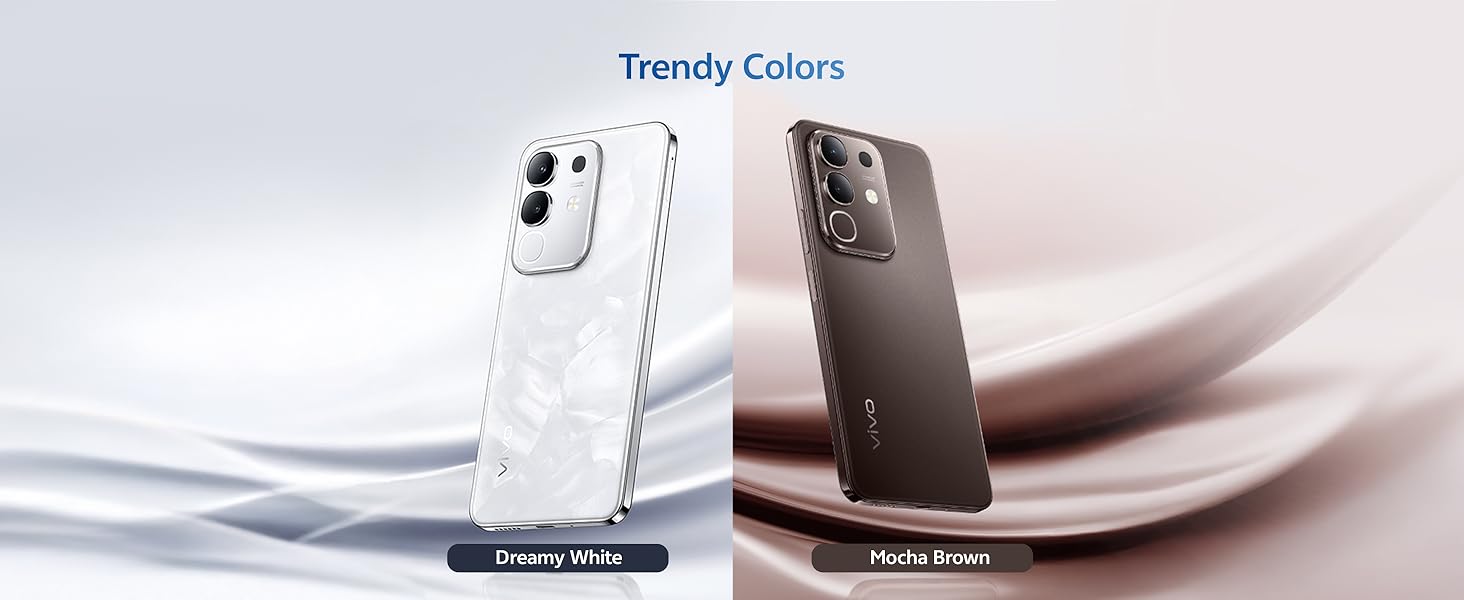
Gambar: Leuwihview of the vivo Y31 Pro 5G's powerful Dimensity 7300 processor and ultra-long 6500 mAh battery with 44W FlashCharge.
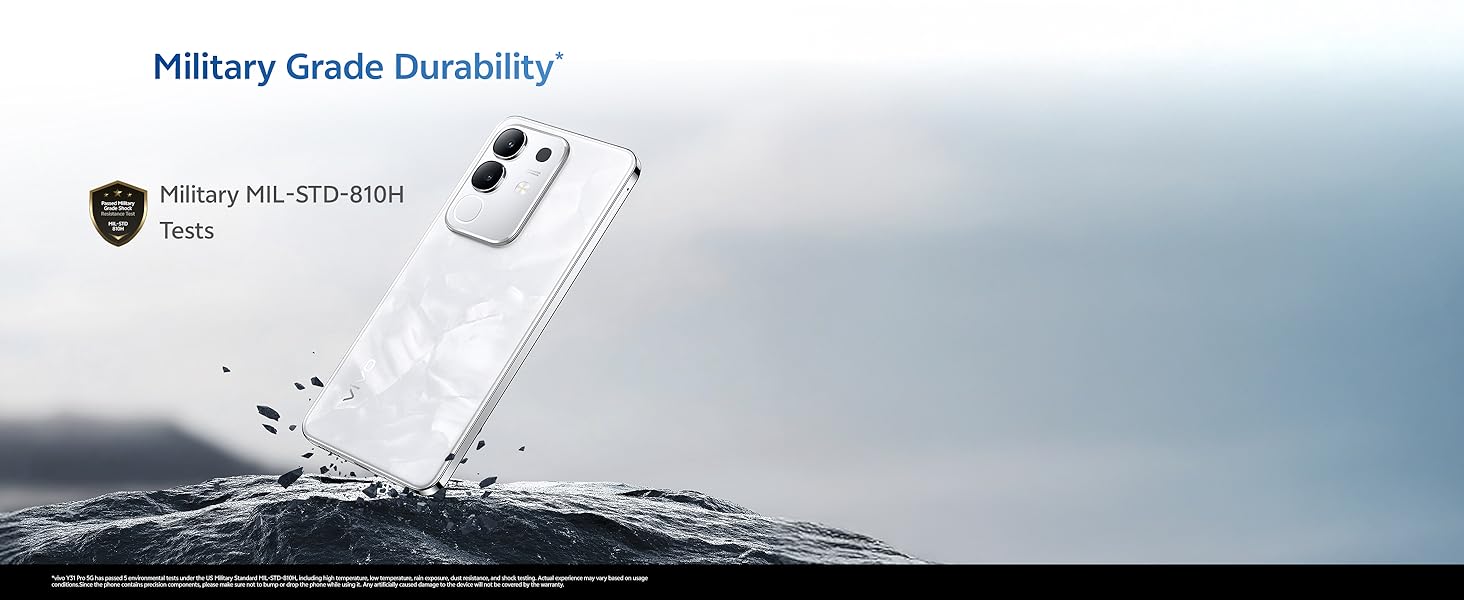
Image: The vivo Y31 Pro 5G demonstrating military-grade durability (MIL-STD-810H tested).
8. Garansi jeung Rojongan
Your vivo Y31 Pro 5G smartphone comes with a standard manufacturer's warranty. For detailed warranty terms and conditions, please refer to the warranty card included in your product packaging or visit the official vivo support websitus.
For technical support, service, or further assistance, please contact vivo customer service through their official channels. You can find contact information on the vivo website or in your device's 'Settings' under 'About phone' or 'Support'.
Pabrikan: vivo Mobile India Pvt Ltd
Negara asal: India


