1. Produk Langkungview
The Baseus Picogo Power Bank is a compact, lightweight, and versatile magnetic portable charger designed for convenience and efficiency. Featuring Qi2 certification for 15W wireless charging and a 20W USB-C output, it provides reliable power for your devices on the go. Its ultra-slim design includes a built-in kickstand for hands-free viewing.
Fitur konci:
- Desain Ultra-Kompak: Smaller than a credit card and weighing approximately 0.3 lbs (138g), making it highly portable.
- Qi2 Certified Wireless Charging: Delivers up to 15W fast wireless charging for compatible devices.
- 20W USB-C Wired Charging: Provides rapid wired charging for devices via the USB-C port.
- Kapasitas Batré 5000mAh: Offers approximately 1.5 full charges for most iPhone models.
- Kickstand terpadu: Allows for hands-free viewdina orientasi potret sareng lanskap.
- Alignment Magnét Kuat: Equipped with 11 reinforced N52 magnets for a secure attachment to MagSafe-compatible devices.
- Bahan Premium: Crafted with an aluminum alloy shell and a soft-touch silicone coating for durability and grip.
- Kaamanan ditingkatkeun: Features NTC Smart Temperature Control and multiple protection mechanisms (over-voltage, handapeun-voltage, over-charge, over-discharge, over-current, short circuit, over-power).

Image: The Baseus Picogo Power Bank attached to the back of an iPhone, demonstrating its ultra-compact size and the integrated kickstand in use. The image emphasizes its portability and hands-free viewkamampuhan.
2. Naon dina Box
Upon opening your Baseus Picogo Power Bank package, you should find the following items:
- Baseus Picogo Power Bank (Model: PPKPC-0520S)
- USB-C kana Kabel Ngecas USB-C
- Manual pangguna (dokumén ieu)

Image: The Baseus Picogo Power Bank, its retail packaging, and the included USB-C charging cable, illustrating the complete product contents.
3. Setélan
Ngecas Awal Bank Daya:
- Connect the provided USB-C cable to the USB-C port on the Baseus Picogo Power Bank.
- Sambungkeun tungtung séjén kabel USB-C ka adaptor kakuatan USB-C nu cocog (teu kaasup).
- The LED indicators on the power bank will light up to show the charging status. A full charge is indicated when all four LEDs are solid.
- Allow approximately 1 hour and 54 minutes for a full recharge using a 20W or higher power adapter.

Image: The Baseus Picogo Power Bank connected to a wall adapter via a USB-C cable, illustrating the process of recharging the power bank.
Mariksa Tingkat Batré:
Pencét tombol daya sakali pikeun view the current battery level indicated by the LED lights:
- 1 LED: 0-25%
- 2 LEDs: 25-50%
- 3 LEDs: 50-75%
- 4 LEDs: 75-100%

Image: A visual guide explaining how the LED indicators on the Baseus Picogo Power Bank correspond to its remaining battery charge levels.
4. Parentah Operasi
Wireless Charging (MagSafe Compatible):
- Ensure your device is MagSafe compatible (iPhone 12-17 series) or has a MagSafe-compatible case.
- Align the Baseus Picogo Power Bank with the back of your device. The strong magnets will snap it into place.
- Wireless charging will begin automatically. The power bank delivers up to 15W for fast wireless charging.
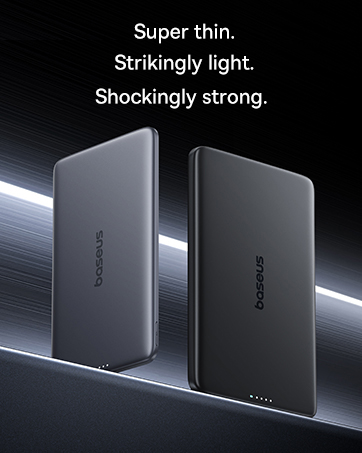
Image: The Baseus Picogo Power Bank magnetically attached to an iPhone, demonstrating active wireless charging with the Qi2 logo visible.
Wired Charging (USB-C Output):
- Connect a USB-C cable (provided or your own) to the USB-C port on the Baseus Picogo Power Bank.
- Sambungkeun tungtung kabel anu sanésna kana port ngecas alat anjeun.
- Wired charging will commence. The power bank supports up to 20W output for rapid charging.

Image: The Baseus Picogo Power Bank connected via a USB-C cable to one iPhone while wirelessly charging another, showcasing its dual-device charging capability.
Using the Built-in Kickstand:
- Gently pull out the integrated aluminum kickstand from the back of the power bank.
- Position your device (with the power bank attached) on a flat surface.
- Adjust the kickstand to your desired viewing angle for hands-free use in portrait or landscape mode.
Image: The Baseus Picogo Power Bank attached to an iPhone, with its kickstand extended to support the phone in an upright position for hands-free viewing.
Kasaluyuan:
The Baseus Picogo Power Bank is compatible with:
- iPhone 12-17 Series (MagSafe wireless charging)
- MagSafe-compatible cases
- AirPods 3 / Pro 2
- Other USB-C powered devices (via wired connection)
Éta teu cocog with non-magnetic cases, Samsung phones (for wireless charging), or other Android phones (for wireless charging).
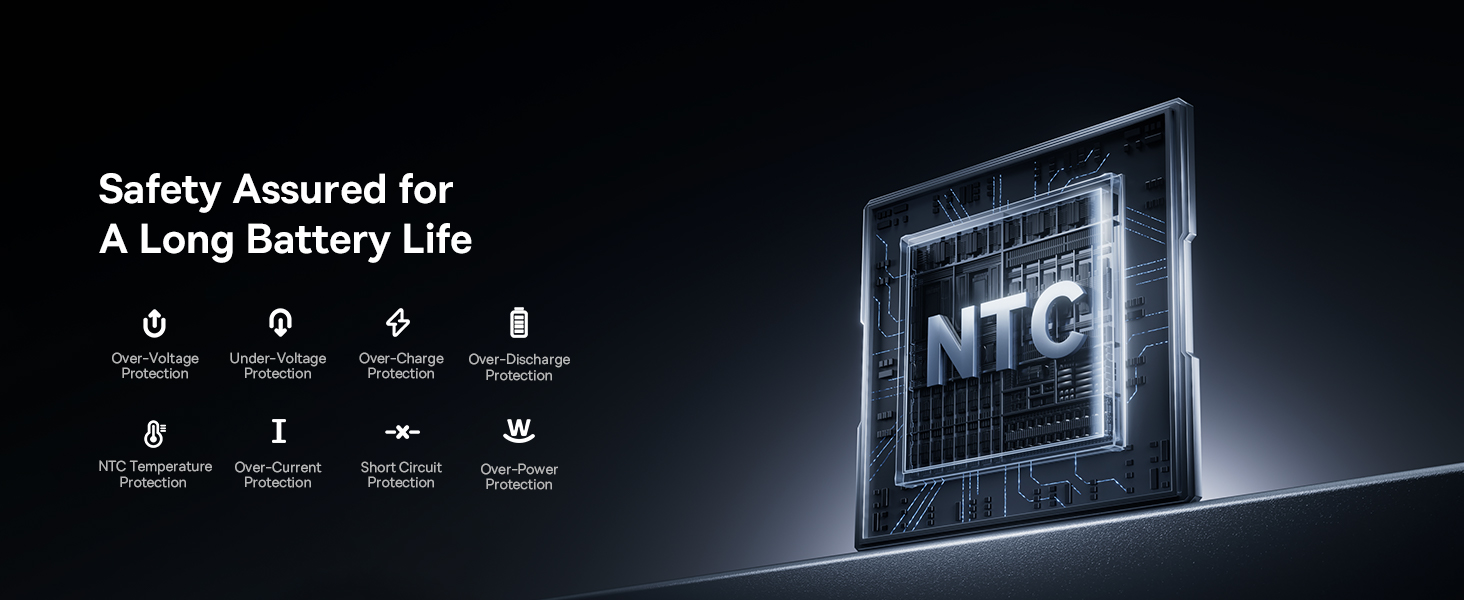
Image: A visual chart detailing compatible and incompatible devices for the Baseus Picogo Power Bank, including various iPhone models, AirPods, and other USB-C devices.
5. Pangropéa
- beberesih: Anggo lawon anu lemes sareng garing pikeun ngabersihkeun power bank. Hindarkeun nganggo bahan kimia anu keras atanapi bahan anu abrasif.
- Panyimpenan: Simpen bank daya di tempat anu tiis sareng garing jauh tina sinar panonpoé langsung sareng suhu anu ekstrim.
- Perawatan batré: Pikeun manjangkeun umur batréna, ulah rutin ngecas batréna nepi ka pinuh. Cas deui nalika batréna lemah.
- Hindarkeun tetes: While durable, avoid dropping the power bank to prevent internal damage.
6. Cara ngungkulan
- Alat Teu Ngecas Nirkabel:
- Ensure your device is MagSafe compatible or has a MagSafe-compatible case.
- Pariksa alignment anu leres antara bank daya sareng alat anjeun.
- Verify the power bank has sufficient charge.
- Ngecas Lambat:
- Ensure you are using a compatible cable and power adapter for optimal charging speeds.
- Charging may slow down at 80% to protect the battery, especially if the device gets warm. Moving to a cooler area may help.
- Power Bank Teu Bisa Dicas Deui:
- Pariksa kabel USB-C sareng adaptor daya naha aya karusakan.
- Pastikeun adaptor kakuatan berpungsi leres.
- Magnetic Connection is Weak:
- Ensure your device or case is genuinely MagSafe compatible.
- Remove any non-magnetic accessories or thick cases that may interfere with the magnetic connection.
7. Spésifikasi
| Fitur | Rincian |
|---|---|
| Nomer modél | PPKPC-0520S |
| Kapasitas batré | 5000 Miliamp Jam (mAh) |
| Kaluaran nirkabel | 5W / 7.5W / 15W (Qi2 Certified) |
| Kaluaran USB-C | 20W Max |
| Input USB-C | 5V=3A; 9V = 2.22A |
| Total Kaluaran | 20W Max (when charging two devices simultaneously) |
| Dimensi produk | 3.4 x 2.3 x 0.5 inci |
| Item Beurat | 0.3 lbs (approximately 138g) |
| Jenis Batré | Litium Polimér |
| Bahan | Silicone, Aluminum alloy |
| Warna | kulawu |
8. Garansi jeung Rojongan
Baseus nawiskeun Janji Gantian 2 Taun for this product. For any issues or support, please contact Baseus customer service. Details can typically be found on the product packaging or the official Baseus websitus.
9. Émbaran Kasalametan penting
- Ulah nepi ka power bank kakeunaan suhu anu ekstrim, sinar panonpoé langsung, atanapi seuneu.
- Ulah ngabongkar, ngaropéa, atawa ngalereskeun alat sorangan.
- Jauhkeun tina jangkauan barudak.
- Hindarkeun ragrag atanapi ngagentoskeun alat kana tabrakan anu kuat.
- Use only original or certified cables and adapters.
- If the power bank swells, emits an odor, or becomes excessively hot, discontinue use immediately.
10. Video Produk Leuwihview
Pidéo: Pajabat parantos réngséview of the Baseus Picogo Power Bank, highlighting its ultra-mini size, 15W Qi2 wireless charging, strong magnetic attachment, and built-in kickstand. It demonstrates the product's key features and portability.


