1. Bubuka
Thank you for choosing the Baseus E20 True Wireless Earbuds. These earbuds are designed to provide a high-quality audio experience with powerful bass, clear calls, and reliable connectivity. This manual will guide you through the setup, operation, and maintenance of your new earbuds.
2. Naon dina Box
- Baseus E20 True Wireless Earbuds (Left and Right)
- Ngecas Case
- Kabel Ngecas USB-C
- Manual pamaké

Image: Baseus E20 True Wireless Earbuds shown inside their charging case, highlighting key features like powerful bass, IPX5 water resistance, 33 hours listening time, and environmental noise cancellation.
3. Produk Langkungview
3.1 Komponén Earbud
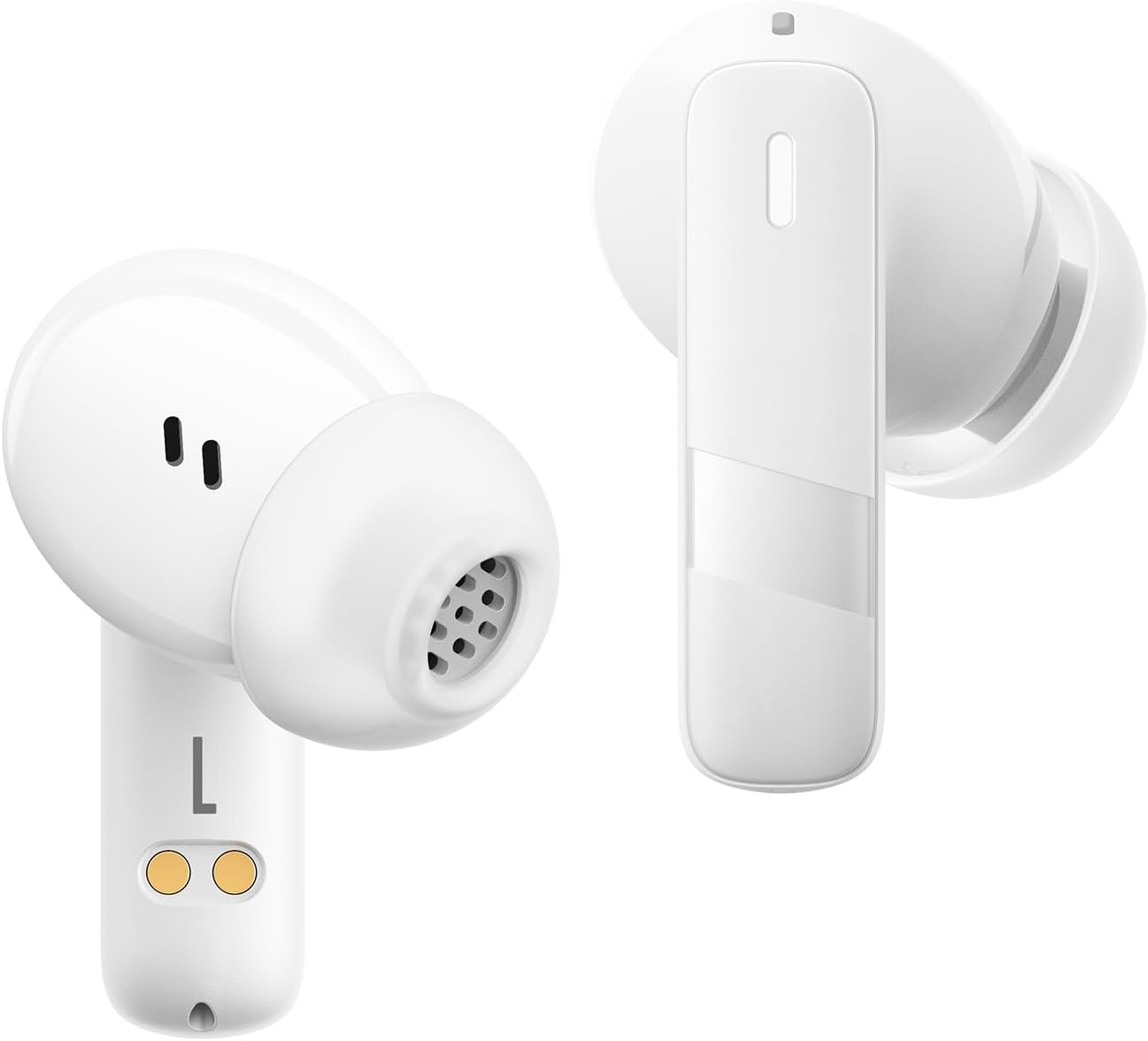
Gambar: A close-up view of the Baseus E20 True Wireless Earbuds, showing the ergonomic design, speaker grille, and charging contacts.
- Area Kontrol Toél: Pikeun ngatur playback, telepon, sareng modeu.
- Mikropon: For calls and voice commands (2 ENC Mics).
- Speaker: Delivers audio (12mm drivers).
- Ngecas Kontak: For charging the earbuds in the case.
3.2 Ngecas Kasus
- Port ngecas: Port USB-C pikeun ngecas casing.
- Lampu Indikator: Nembongkeun status ngecas sareng tingkat batre.
4. Setélan
4.1 Ngecas Earbuds sareng Case
Saméméh dipaké munggaran, eusian pinuh ku earbuds jeung wadah ngecas.
- Lebetkeun earbud kana wadah ngecas. Pastikeun kontak ngecasna sajajar.
- Sambungkeun kabel ngecas USB-C ka port ngecas dina case jeung ka sumber kakuatan.
- The indicator light on the case will show the charging status. Once fully charged, the light will indicate completion or turn off.

Image: The Baseus E20 charging case is shown connected to a USB-C charging cable, illustrating the charging process and highlighting the 33-hour total listening time.
4.2 Nyapasangkeun Bluetooth
Pair your Baseus E20 earbuds with your device for the first time.
- Buka wadah pangisi daya. Earbud bakal otomatis asup kana modeu pairing, sareng lampu indikatorna bakal kedip-kedip.
- Dina alat anjeun (smartphone, tablet, laptop), aktipkeun Bluetooth.
- Milarian pikeun "Baseus E20" in the list of available Bluetooth devices and select it to connect.
- Saatos nyambung, lampu indikator earbud bakal pareum atanapi nunjukkeun lampu anu ajeg, teras anjeun bakal ngadangu nada konfirmasi.
Catetan: Saatos dipasangkeun awal, earbud bakal otomatis nyambung ka alat anu terakhir dipasangkeun nalika dicabut tina casingna, salami Bluetooth diaktipkeun dina alat éta.

Image: A detailed diagram illustrating the Bluetooth 5.3 chip, emphasizing a more stable and efficient connection for the Baseus E20 earbuds.
5. Parentah Operasi
The Baseus E20 earbuds feature intuitive touch controls. The following table outlines the common functions:

Image: A visual guide to the touch control areas on the Baseus E20 earbuds, detailing single, double, and triple tap functions for various operations.
| Aksi | Fungsi |
|---|---|
| Double Tap (L or R) | Answer/Hang up Call, Play/Pause Music |
| Triple Tap (L or R) | Aktipkeun Asisten Sora |
| Long Press (L or R) | Cycle Noise Cancellation Modes (Default > Normal > Transparency) |
| Long Press (L or R) | Cycle Spatial Audio Modes (Music Mode > Theater Mode > Normal) |
Catetan: Fungsi khusus tiasa rada bénten gumantung kana alat sareng sistem operasi anu anjeun sambungkeun.
5.1 Manajemén Telepon
- Ngajawab / mungkas Telepon: Ketok dua kali boh earbud.
- Nolak Telepon: Pencét jeung tahan boh earbud salila 2 detik.

Image: An internal diagram of the Baseus E20 earbud highlighting the dual-mic Environmental Noise Cancellation (ENC) system for clear calls.
5.2 Puterkeun Musik
- Puter / Reureuh: Ketok dua kali boh earbud.
5.3 Asistén Sora
- Aktipkeun Asisten Sora: Ketok tilu kali salah sahiji earbud.
5.4 Modeu Control Noise
The Baseus E20 earbuds offer different noise control modes:
- Noise Cancellation (Default): Ngurangan noise ambient pikeun pangalaman déngékeun immersive.
- Modeu Normal: Standard audio playback without active noise control.
- Modeu Transparansi: Ngidinan anjeun ngadangu sakuliling anjeun bari ngadangukeun audio.
Pikeun ngaliwat modeu: Pencét lila salah sahiji earbud.
6. Pangropéa
6.1 beberesih
- Regularly clean the earbuds, especially the ear tips and speaker grilles, with a soft, dry, lint-free cloth.
- Pastikeun kontak ngecas dina earbud sareng wadahna bersih sareng garing pikeun nyegah masalah ngecas.
- Do not use abrasive materials, solvents, or harsh chemicals.
6.2 Panyimpenan
- Simpen earbuds dina wadah ngecas nalika henteu dianggo pikeun ngajagi sareng tetep dicas.
- Hindarkeun nyimpen dina suhu ekstrim atanapi kalembaban anu luhur.
6.3 Tahan Cai (IPX5)
The Baseus E20 earbuds are IPX5 water-resistant, meaning they can withstand splashes and sweat. They are not designed for submersion in water or exposure to pressurized water jets. Ensure earbuds are dry before placing them back in the charging case to prevent damage.

Image: The Baseus E20 earbuds and charging case are depicted with water splashing around them, illustrating their IPX5 water-resistant capability for reliable performance in various conditions.
7. Cara ngungkulan
| Masalah | Solusi anu mungkin |
|---|---|
| Earbuds teu dipasangkeun |
|
| Teu aya sora ti hiji earbud |
|
| Kasus ngecas teu ngecas |
|
| Kualitas panggero goréng |
|
8. Spésifikasi
| Fitur | Rincian |
|---|---|
| Ngaran modél | E20 |
| Vérsi Bluetooth | 5.3 |
| Ukuran supir | 12 mm |
| Total Playtime | Dugi ka 33 jam (kalayan ngeusi batre) |
| Earbuds Playback Time | Nepi ka 6 jam (sakali muatan) |
| Tahan cai | IPX5 |
| Mikropon | 2 ENC Mics for Clear Calls |
| Tipe Kontrol | Toél Control |
| Port ngecas | USB-C |
| Item Beurat | 3.2 ons |
| Alat nu cocog | Cellphones, Laptops, Tablets, Devices with Bluetooth Audio Capability (iOS, Android, Windows, Mac OS, Switch) |

Image: A cutaway diagram illustrating the 12mm PU diaphragm driver, emphasizing its role in producing strong and accurate ultra-low frequencies for powerful bass.
9. Produk Langkungview Video
Pidéo: Pajabat parantos réngséview of the Baseus E20 True Wireless Earbuds, demonstrating features such as touch controls, powerful bass, IPX5 water resistance, 33-hour battery life, ENC for clear calls, and Bluetooth 5.3 connectivity. The video shows the earbuds in various usage scenarios, including listening to music, making calls, and being used in different weather conditions.
10. Garansi jeung Rojongan
Baseus products come with a standard manufacturer's warranty. For detailed warranty information, product support, or service inquiries, please refer to the warranty card included in your product packaging or visit the official Baseus websitus. Simpen resi pameseran anjeun salaku bukti pameseran pikeun klaim garansi.
Dukungan Online: Pikeun pitulung salajengna, mangga buka di Baseus Official Store on Amazon atawa resmi maranéhanana websitus.


