1. Bubuka
Hatur nuhun pikeun meuliasing the LG 43 inch UHD AI UA73 4K Smart TV. This television combines stunning 4K Ultra High Definition visuals with advanced Artificial Intelligence features and the intuitive webOS25 platform. Enjoy vibrant colors, sharp details, and smart functionalities including AI-powered search and voice control. This manual provides essential information for setting up, operating, and maintaining your new television.
2. Émbaran Kasalametan
Mangga baca sakabeh parentah kaamanan taliti saméméh ngagunakeun TV Anjeun. Simpen manual ieu pikeun rujukan ka hareup.
2.1 Kasalametan listrik
- Ulah overload outlet témbok atawa cords extension.
- Pastikeun kabel listrik dicolokkeun aman kana TV sareng stop kontak témbok.
- Ulah noél colokan listrik ku leungeun baseuh.
2.2 Nempatkeun
- Teundeun TV dina permukaan stabil, datar atawa pasang eta aman kana témbok maké VESA gunung cocog.
- Pastikeun ventilasi nyukupan sabudeureun TV pikeun nyegah overheating.
- Jauhkeun TV tina sinar panonpoé langsung, sumber panas, sareng Uap.
2.3 beberesih
- Cabut TV sateuacan beberesih.
- Use a soft, dry cloth to clean the screen and exterior. Do not use liquid cleaners or sprays directly on the TV.
3. Eusi Paket
Pastikeun yén sadaya item aya dina kotak:
- LG 43 inch UHD AI 4K Smart TV (Model 43UA73006LA)
- AI Magic Remote Control
- Kabel listrik
- TV Stand (2 lembar) jeung Screws
- User Manual and Regulatory Information
- Batteries for Remote Control (AA x 2)
4. Setélan
4.1 Ngabongkar sareng Pamasangan Stand
- Cabut TV sacara saksama tina bungkusanna. Disarankeun gaduh dua jalma pikeun léngkah ieu.
- Teundeun layar TV ka handap dina tempat nu datar tur lemes pikeun nyegah karuksakan.
- Attach the stand pieces to the TV using the provided screws, ensuring they are securely fastened. Refer to the diagram in the quick setup guide for specific screw locations.
- Alternatively, if wall-mounting, follow the instructions provided with your VESA-compatible wall mount kit.
4.2 Nyambungkeun périferal
Connect external devices such as Blu-ray players, game consoles, or soundbars to the appropriate ports on the back of the TV.
- Port HDMI: Pikeun pidéo sareng audio definisi luhur.
- Port USB: Pikeun nyambungkeun alat panyimpenan USB.
- Antenna/Kabel Input: Pikeun nyambungkeun anteneu atawa TV kabel.
- Optik Digital Audio Out: Pikeun nyambungkeun ka soundbar atawa panarima audio.
4.3 Daya Awal Hurung sareng Sambungan Jaringan
- Colokkeun kabel listrik kana TV teras kana stop kontak témbok.
- Pencét tombol daya dina kadali jauh atanapi dina TV.
- Follow the on-screen instructions for the initial setup wizard. This will guide you through language selection, time zone, and network connection.
- Select your Wi-Fi network and enter the password, or connect an Ethernet cable for a wired connection.
5. Operasi
5.1 AI Magic Remote Control
The AI Magic Remote allows for intuitive control of your TV, including point-and-click navigation and voice commands.
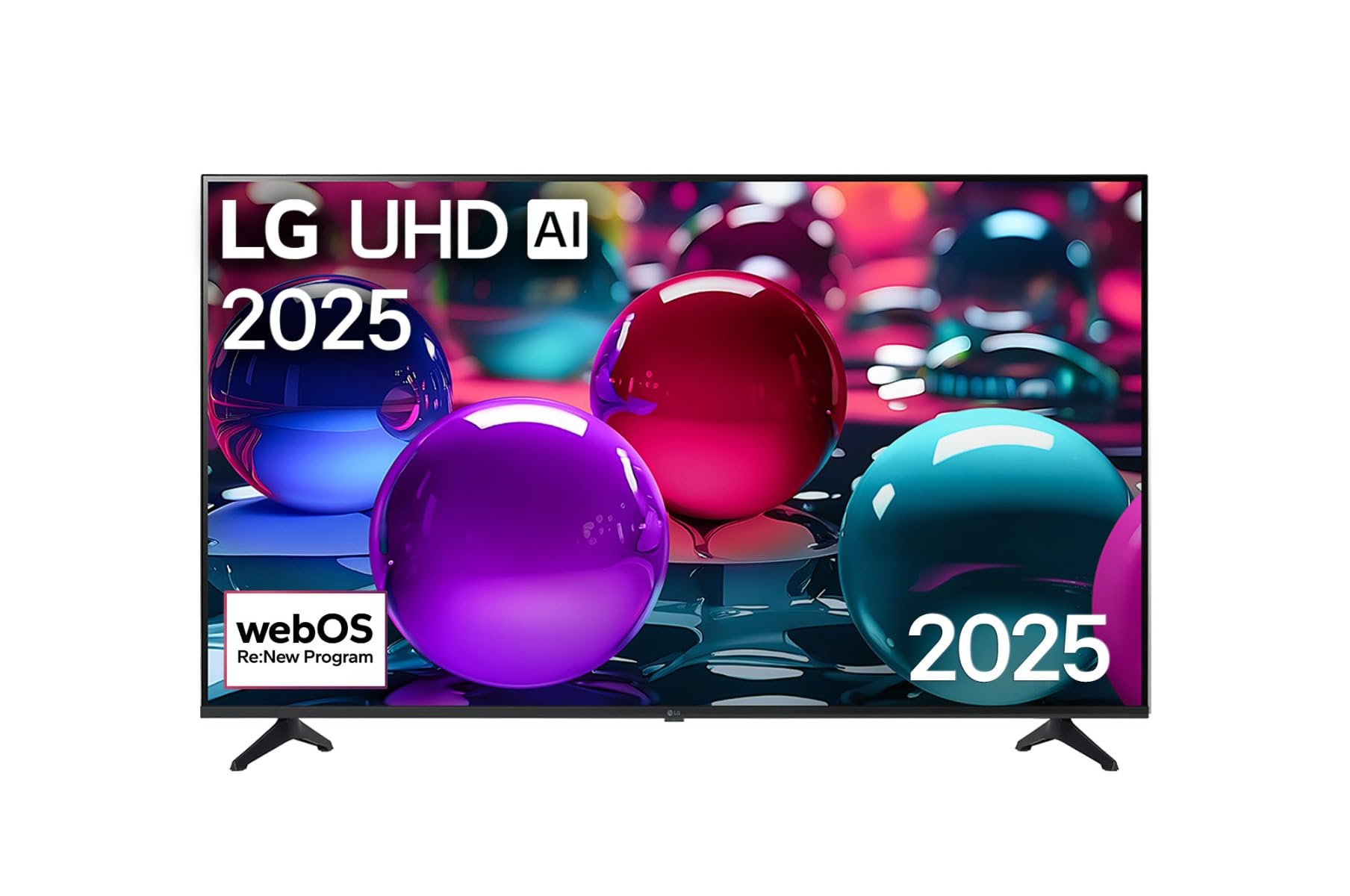
This image displays the LG 43 inch UHD AI 4K Smart TV, highlighting its webOS Re:New Program and Artificial Intelligence features. The accompanying AI Magic Remote is shown with a speech bubble indicating 'Just speak!', emphasizing its voice control capabilities.
- Tombol Daya: Ngahurungkeun atawa mareuman TV.
- Scroll Wheel/OK Button: Navigates ménu jeung confirms selections.
- Voice Command Button: Press and hold to activate AI Search, AI Chatbot, or AI Concierge. Speak your command into the remote.
- Tombol imah: Aksés ka webLayar utama OS.
- Tombol Balik: Mulih ka layar saméméhna.
- Volume Kaluhur/Turun: Nyaluyukeun polumeu.
- Saluran luhur/handap: Robah saluran.
5.2 webPanganteur OS
The webOS Home screen provides quick access to apps, inputs, and settings. Use the Magic Remote to point and click on desired options or navigate with the directional buttons.
- App Launcher: Customize and access your favorite streaming services and applications.
- Pamilih Input: Switch between HDMI inputs, USB, or live TV.
- Setélan: Adjust picture, sound, network, and general TV settings.
5.3 Fitur AI
Leverage the power of AI for enhanced TV experience:
- Pilarian AI: Use voice commands to find content, information, or apps quickly.
- AI Chatbot: Interact with the TV for assistance or information.
- AI Concierge: Receive personalized content recommendations and smart home integration.
6. Pangropéa
6.1 Ngabersihan TV Anjeun
Pikeun ngajaga penampilan sareng kinerja TV:
- Sok cabut TV samemeh beberesih.
- Anggo lawon anu lemes sareng henteu lint pikeun ngusap layar. Pikeun tanda nekad, rada dampen lawon ku cai, teras usap garing langsung.
- Bersihkeun pigura TV teras simpen nganggo lawon anu lemes sareng garing.
- Do not use abrasive cleaners, alcohol, benzene, or thinners, as these can damage the screen or finish.
6.2 Apdet parangkat lunak
Your LG Smart TV periodically receives software updates to improve performance and add new features. Ensure your TV is connected to the internet to receive these updates automatically. You can also manually check for updates in the TV's settings menu.
7. Cara ngungkulan
Upami anjeun ngalaman masalah sareng TV anjeun, tingal solusi umum ieu:
| Masalah | Solusi anu mungkin |
|---|---|
| Taya kakuatan | Check if the power cord is securely plugged in. Try a different power outlet. |
| Henteu aya gambar, tapi aya sora | Pastikeun sumber input anu bener dipilih. Pariksa sambungan kabel ka alat éksternal. |
| Henteu aya sora, tapi aya gambar | Check volume levels and mute settings. Verify audio output settings in the TV menu. |
| Kadali jauh teu jalan | Replace batteries. Ensure there are no obstructions between the remote and the TV. Re-pair the Magic Remote if necessary (refer to TV settings). |
| Teu bisa nyambung ka Wi-Fi | Balikan deui router sareng modem anjeun. Pariksa kecap akses Wi-Fi. Pastikeun TV aya dina jangkauan router. |
| Masalah kualitas gambar (contona, kabur, distorsi) | Check the resolution of the input source. Adjust picture settings in the TV menu. |
If the problem persists, please contact LG customer support.
8. Spésifikasi
| Fitur | Rincian |
|---|---|
| merek | LG |
| Ngaran modél | 43UA73006LA |
| Ukuran layar | 43 inci |
| Téknologi tampilan | LED |
| Resolusi | 4K UHD (3840 x 2160) |
| Rasio Aspék | 16:9 |
| Sistem operasi | webOS25 |
| Fitur husus | AI Processor, AI Magic Remote, HDR10, Sleep Timer |
| Warna | Hideung |
| Item Beurat | 6.8 Kilogram (14.96 pon) |
| Dimensi produk | 37.68 x 37.68 x 21.97 inci |
| Tanggal Kahiji Sadia | 28 Nopémber 2025 |
9. Jaminan & Dukungan
9.1 Garansi Produk
Your LG 43 inch UHD AI UA73 4K Smart TV is covered by a limited manufacturer's warranty. Please refer to the warranty card included in your package for specific terms, conditions, and duration of coverage. Keep your proof of purchase for warranty claims.
9.2 Rojongan Palanggan
For technical assistance, troubleshooting beyond this manual, or warranty service, please contact LG Customer Support:
- Websitus: Visit the official LG support website for FAQs, downloads, and service requests.
- Telepon: Refer to your warranty card or LG's official websitus pikeun nomer kontak régional.