1. Bubuka
This manual provides essential information for the installation, operation, and maintenance of your PNY NVIDIA GeForce RTX 5050 Dual Fan Graphics Card. This graphics card features the NVIDIA Blackwell architecture, including 4th-gen Ray Tracing Cores and 5th-gen Tensor Cores, enabling advanced AI capabilities and enhanced performance. It also incorporates DLSS technology for improved frame rates and image quality, and Reflex technologies for reduced system latency.
2. Émbaran Kasalametan
Mangga baca sareng turutan pedoman kaamanan ieu pikeun nyegah karusakan kana produk atanapi cilaka ka diri anjeun:
- Salawasna pegatkeun catu daya tina komputer anjeun sateuacan masang atanapi nyabut komponén naon waé.
- Wear an anti-static wrist strap or frequently touch a grounded metal object to discharge static electricity, which can damage electronic components.
- Nanganan kartu grafik dina sisina pikeun nyegah noel komponén sénsitip.
- Pastikeun ventilasi anu pas dina wadah PC anjeun pikeun nyegah overheating.
- Keep the graphics card away from liquids and excessive moisture.
3. Eusi Paket
Pastikeun yén sadaya item aya dina pakét anjeun:
- PNY GeForce RTX™ 5050 8GB Dual Fan GPU DLSS 4 Graphics Card
- NVIDIA App (software download information)
4. Produk Langkungview
The PNY NVIDIA GeForce RTX 5050 is a compact dual-fan graphics card designed for efficient cooling and performance. It features a 2-slot design, making it suitable for Small Form Factor (SFF) PCs.

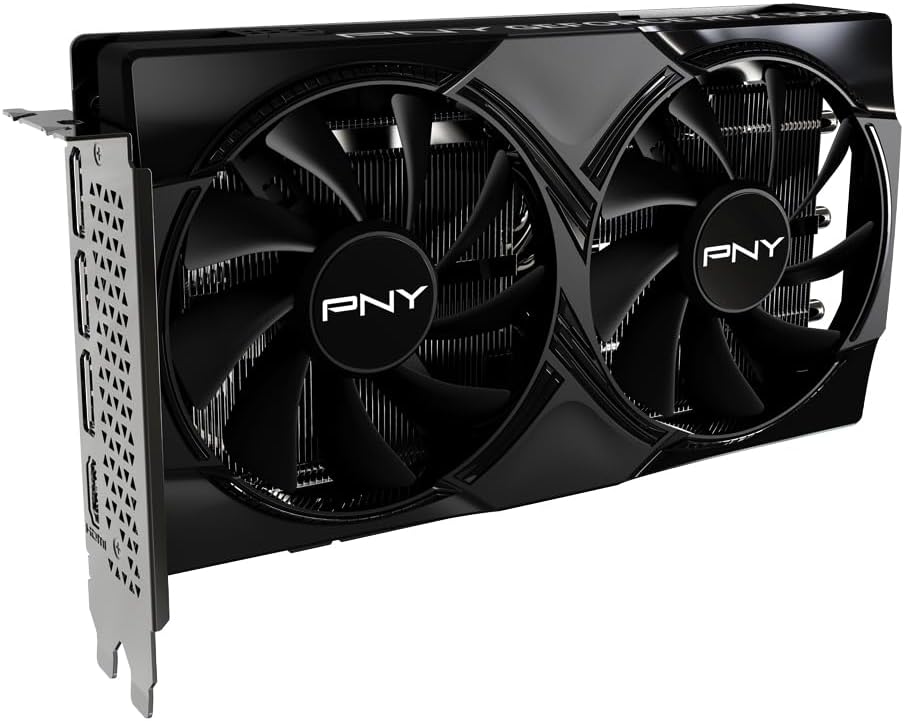
Gambar 4.1: Hareupeun view of the PNY GeForce RTX 5050 graphics card, showing the dual fans and heatsink.

Gambar 4.2: Puncak view of the PNY GeForce RTX 5050 graphics card, displaying the 'PNY GEFORCE RTX 5050' branding.

Gambar 4.3: Tukangeun view of the PNY GeForce RTX 5050 graphics card, showing the DisplayPort and HDMI output ports.
4.1. Dimensions and Form Factor
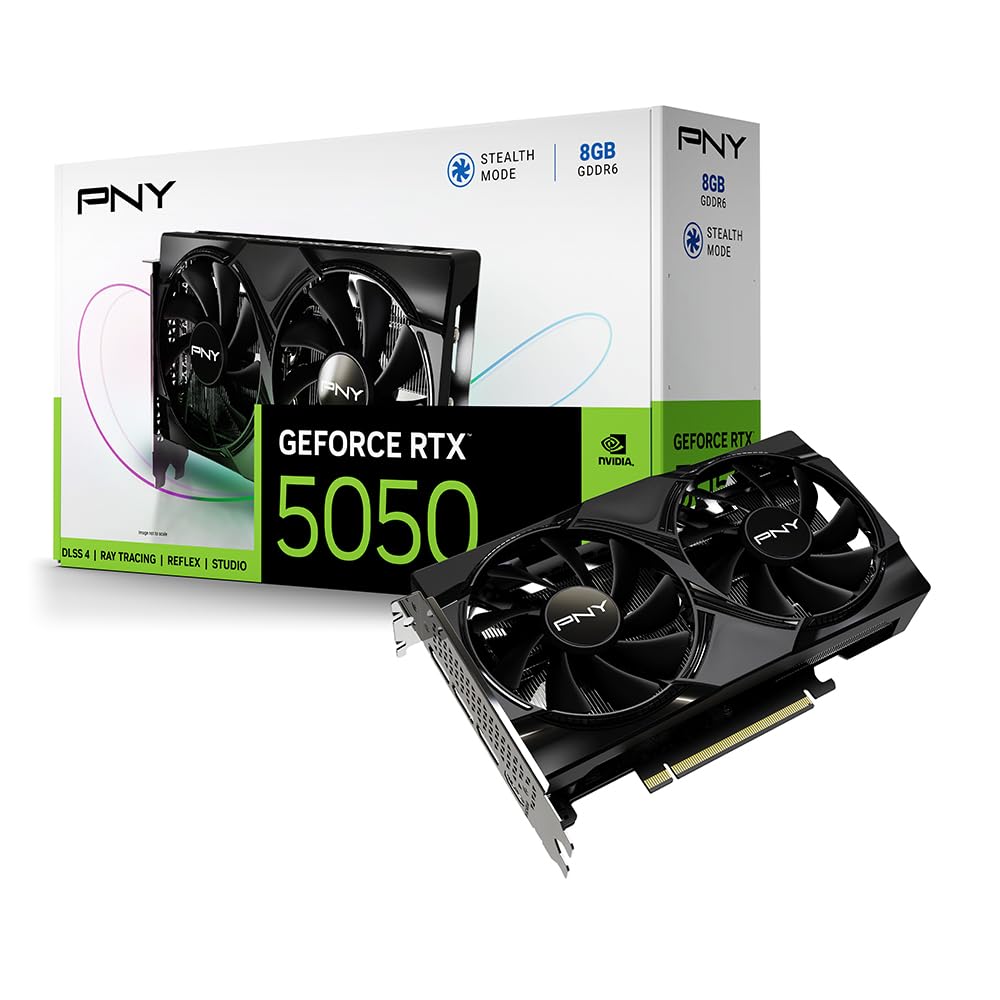
Gambar 4.4: Diagram illustrating the dimensions of the PNY GeForce RTX 5050 graphics card, highlighting its compact 2-slot design suitable for SFF PCs.
The card measures approximately 200.0mm (7.88 inches) in length, 120.0mm (4.73 inches) in width, and 39.8mm (1.57 inches) in height. Its compact 2-slot design ensures compatibility with Small Form Factor (SFF) PC cases.
4.2. Advanced Cooling Technology

Gambar 4.5: Illustration detailing the advanced cooling features of the PNY GeForce RTX 5050, including the open aluminum backplate, stealth mode, ultra-dense heat fins, and improved axial fans.
The graphics card incorporates advanced cooling features:
- Open Aluminum Backplate: Improves ventilation for better performance and stability.
- Mode siluman: Fans stop operating when the GPU temperature falls below 50°C, reducing noise during light loads.
- Ultra-dense Heat Fins: Maximizes heat dissipation from the GPU.
- Improved Axial-Fans: Redesigned blades push up to 15% more airflow for enhanced cooling efficiency.
5. Setup jeung Instalasi
5.1. Sarat Sistim
Sateuacan masang, pastikeun sistem anjeun nyumponan sarat minimum ieu:
- Motherboard patuh PCI Express sareng slot grafik x16 dual-lebar.
- Minimum 450W or greater system power supply (with one 8-pin PCIe power connector, if required by your specific model).
- Sistem operasi Microsoft Windows 10/11 64-bit.
- 8GB system memory (RAM) or more.
5.2. Instalasi fisik
Turutan léngkah ieu pikeun masang kartu grafik anjeun:
- Nyiapkeun Sistim anjeun: Power off your computer and disconnect all power cables. Open your computer case.
- Manggihan slot PCIe: Identipikasi hiji slot PCI Express x16 sadia on motherboard Anjeun.
- Leupaskeun panutup slot: Remove the two expansion slot covers from the back of your PC case corresponding to the chosen PCIe slot.
- Selapkeun Kartu Grafik: Sacara saksama sajajarkeun kartu grafis sareng slot PCIe teras pencét pageuh dugi ka dipasang kalayan pageuh. Sakedapan sora klik tiasa kadéngé.
- Kartu Aman: Fasten the graphics card to the PC case using the screws from the removed slot covers.
- Sambungkeun Daya (upami aya): If your graphics card requires external power, connect the 8-pin PCIe power connector from your power supply to the graphics card.
- Tutup Kasus: Close your computer case and reconnect all power and display cables.
- Sambungkeun tampilan: Connect your monitor(s) to the DisplayPort or HDMI outputs on the graphics card.
5.3. Pamasangan supir
After physical installation, you must install the graphics drivers:
- Daya Hurung: Turn on your computer. It may boot into a basic display mode.
- Unduh Supir: Kunjungi NVIDIA resmi websitus (www.nvidia.com/drivers) or the PNY support page to download the latest drivers for your GeForce RTX 5050 graphics card.
- Pasang Supir: Jalankeun pamasang supir anu parantos diunduh teras turutan pitunjuk dina layar. Sistem tiasa waé kedah dibalikan deui.
6. Parentah Operasi
6.1. Operasi dasar
Once drivers are installed, your operating system should automatically detect and utilize the graphics card. You can verify its status in your system's Device Manager (Windows) under 'Display adapters'.
6.2. Software Utilities (NVIDIA App / VelocityX)
Gambar 6.1: Screenshot of the VelocityX software interface, showing options for tuning overclocks, controlling fan behavior, and monitoring performance.
The NVIDIA App provides a centralized platform for managing your NVIDIA GPU settings, optimizing game settings, and accessing features like DLSS and NVIDIA Reflex. PNY also offers the VelocityX software, which allows you to:
- Tune overclocks for enhanced performance.
- Control fan behavior and monitor GPU temperature.
- Monitor various performance metrics.
- Create and switch between quick-swap profiles pikeun aplikasi atawa kaulinan béda.
Download the NVIDIA App and PNY VelocityX from their respective official websites for full functionality.
6.3. Konfigurasi tampilan
You can configure display settings, including resolution, refresh rate, and multiple monitor setups, through your operating system's display settings or the NVIDIA Control Panel (accessible after driver installation).
7. Pangropéa
7.1. beberesih
Beberesih rutin ngabantosan ngajaga kinerja optimal sareng umur panjang:
- Ngaleungitkeun lebu: Periodically use compressed air to gently remove dust from the fans and heatsink fins. Ensure the PC is powered off and unplugged before cleaning.
- Bersihan Luar: Wipe the exterior of the card with a soft, dry, anti-static cloth. Avoid using liquid cleaners.
7.2. Apdet supir
Keep your graphics drivers updated to ensure compatibility with the latest games and applications, benefit from performance improvements, and receive security patches. Check the NVIDIA websitus sacara rutin pikeun rilis driver anyar.
8. Cara ngungkulan
Upami anjeun mendakan masalah, tingal masalah sareng solusi umum ieu:
| Masalah | Solusi anu mungkin |
|---|---|
| Henteu aya tampilan dina monitor. |
|
| Drivers fail to install or crash. |
|
| Poor performance in games/applications. |
|
| Fans teu spinning. |
|
9. Spésifikasi
Detailed technical specifications for the PNY NVIDIA GeForce RTX 5050 Dual Fan Graphics Card:
| Fitur | Spésifikasi |
|---|---|
| Nomer modél | VCG50508DFXPB1 |
| Grafik Coprocessor | NVIDIA GeForce RTX 5050 |
| Chipset Brand | NVIDIA |
| Ukuran Ram Kartu Grafis | 8 GB GDDR6 |
| Laju mémori | 2317 MHz |
| Speed Jam GPU | 2317 MHz |
| Resolusi layar Max | 7680x4320 |
| Panganteur Kaluaran Video | DisplayPort, HDMI |
| Ukuran produk (L x W x H) | 12.94 x 5.39 x 0.04 inci (328.7 x 136.9 x 1.0 mm) |
| Item Beurat | 1.7 pon (0.77 kg) |
| Warna | Hideung |
| Arsitéktur | NVIDIA Blackwell Arsitéktur |
| Ukuran slot | 2-Slot |
| Panganteur PCIe | PCIe 5.0 |
10. Garansi jeung Rojongan
For warranty information, technical support, and customer service, please visit the official PNY websitus atanapi ngahubungan rojongan customer maranéhanana langsung. Simpen bukti pameseran anjeun pikeun klaim garansi.
PNY Official Websitus: www.pny.com


