Bubuka
This manual provides detailed instructions for the operation and maintenance of your Dekala Digital Alarm Clock, Model TAC. Please read this manual thoroughly before using the device to ensure proper function and longevity.
Fitur konci
- High-Sensitivity Temperature and Humidity Detection: Displays real-time temperature (-4°F to 140°F) and humidity (1% to 99% RH) to help monitor indoor climate.
- Dual Alarms with Weekday/Weekend Mode: Set two independent alarms, configurable for weekdays, weekends, or all seven days. Includes a one-tap snooze function for an additional 9 minutes of sleep, up to 5 times.
- Extra Loud Alarm with 9 Ringtones: Features 10 adjustable volume levels (65dB to 100dB) and a selection of 9 natural tones for effective waking.
- Large Display with Auto Dimmer: A clear 1.6-inch digit display on a 7.08" x 3.5" x 1.29" screen. Brightness settings include Auto, Day, Night, and Off modes for optimal visibility and comfort.
- Sleep Sound Machine: Offers 9 soothing sleep sounds with an adjustable auto-off timer (5 to 120 minutes) or continuous play for a relaxing sleep environment.
Disetél
- Sambungan Daya: Connect the provided USB-C cable to the clock and a suitable power adapter (not included). The clock will power on automatically.
- Setélan waktos mimiti:
- Press and hold the "Time Set" button (often indicated by a clock icon) to enter time setting mode.
- Use the "+" and "-" buttons to adjust hours and minutes.
- Press the "Time Set" button again to confirm each setting (e.g., 12/24-hour format, year, month, day).
- Setélan Alarm:
- Press the "Alarm 1" or "Alarm 2" button (bell icons) to select an alarm.
- Press and hold the selected alarm button to enter alarm setting mode.
- Use the "+" and "-" buttons to set the alarm time.
- Press the alarm button again to select the alarm frequency (e.g., Mon-Fri, Sat-Sun, Mon-Sun).
- Press the alarm button once more to confirm and activate the alarm. An alarm icon will appear on the display.
- Nyaluyukeun kacaangan tampilan:
- Press the "Brightness" button (sun icon) to cycle through brightness levels: Off, Dim, Bright, Auto.
- In Auto mode, the display brightness adjusts automatically based on ambient light.
- Setting Sleep Sounds:
- Press the "Sound" button (music note icon) to activate sleep sounds.
- Press the "+" or "-" buttons to cycle through the 9 available sleep sounds.
- Press the "Sound" button again to set the auto-off timer (5, 15, 30, 60, 90, 120 minutes, or continuous play).
Parentah Operasi
- Fungsi Tungkul When an alarm sounds, press the large "SNOOZE" button on top of the clock to temporarily silence the alarm for 9 minutes. This can be repeated up to 5 times.
- Turning Alarms On/Off: Briefly press the "Alarm 1" or "Alarm 2" button to toggle the respective alarm on or off. The bell icon will appear or disappear from the display.
- Nyaluyukeun Volume Alarm: While an alarm is sounding, use the "+" or "-" buttons to adjust the alarm volume.
- Mariksa Suhu sareng Kelembapan: The current temperature and humidity are continuously displayed on the right side of the screen.
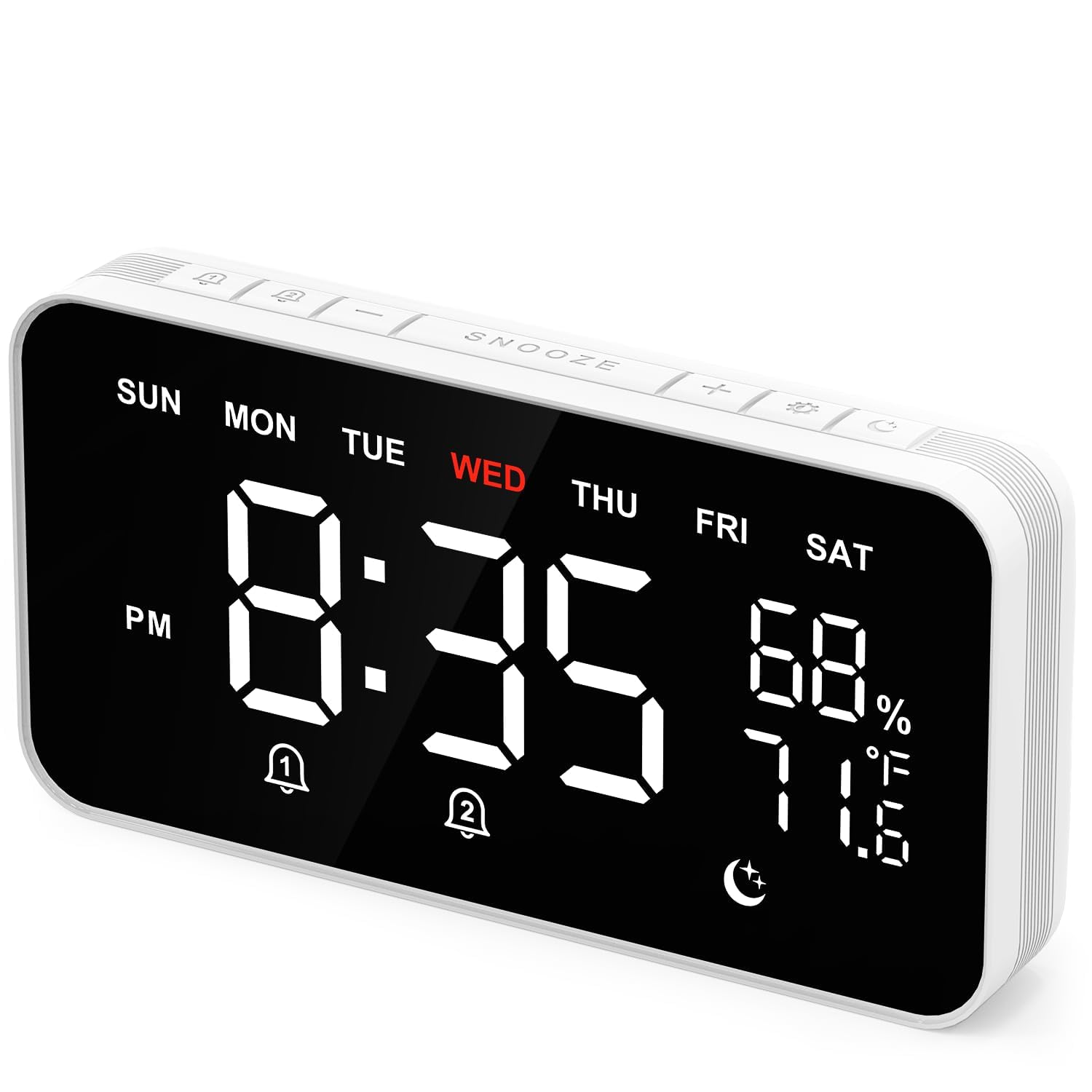
Image: The clock's display showing time, day of the week, temperature, and humidity.

Image: The clock's display highlighting the dual alarm settings for different days.

Image: A hand interacting with the large snooze button located on the top of the alarm clock.
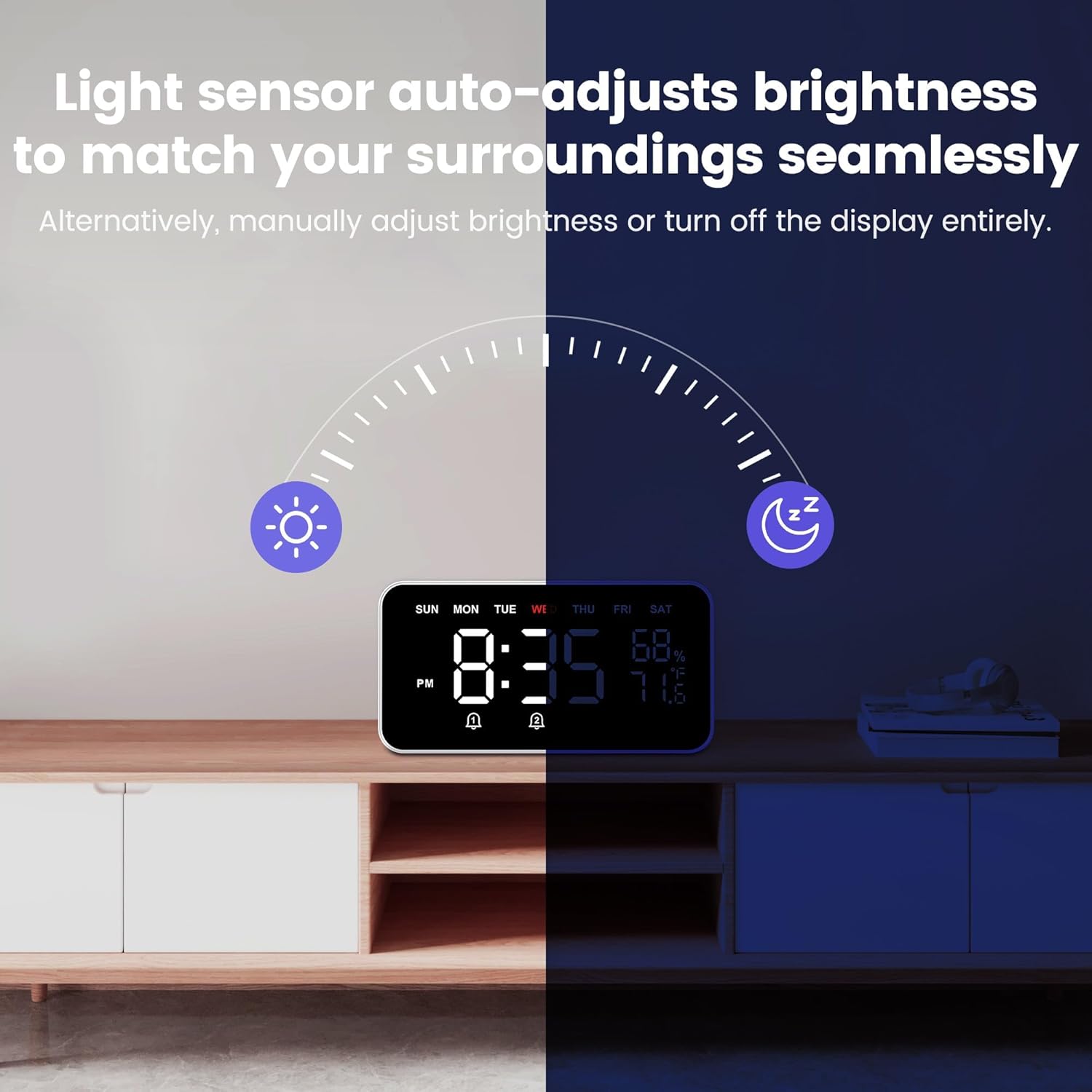
Image: The clock's display demonstrating its auto-dimming capability in varying light environments.

Image: The clock displaying musical notes, indicating the sleep sound function is active.

Image: The clock's display showing icons for 9 soothing sounds and the auto-off timer feature.
Pangropéa
- beberesih: Use a soft, dry cloth to clean the clock's display and body. Avoid abrasive cleaners or solvents that may damage the surface.
- panempatan: Place the clock on a stable, flat surface away from direct sunlight, extreme temperatures, and high humidity to ensure accurate sensor readings and prevent damage.
- kakuatan: Always use the provided USB-C cable for power. Ensure the power source is stable.
Pamérésan masalah
| Masalah | Mungkin Cukang lantaranana | Solusi |
|---|---|---|
| Clock not powering on. | Taya catu daya atawa kabel faulty. | Ensure the USB-C cable is securely connected to both the clock and a working power adapter. Try a different power outlet or adapter. |
| Alarm teu disada. | Alarm is off, volume is too low, or incorrect time set. | Verify the alarm icon is displayed. Check alarm volume settings. Confirm the alarm time is correctly set for the desired day(s). |
| Pintonan taram teuing atanapi caang teuing. | Brightness setting is incorrect or Auto mode is active. | Press the "Brightness" button to cycle through manual brightness levels (Dim, Bright) or select Auto mode. |
| Waktu teu bener. | Waktos teu disetel kalayan leres atanapi listrik pareum. | Re-set the time following the "Initial Time Setting" instructions. The clock does not have a battery backup for timekeeping during power outages. |
spésifikasi
- merek: Dekala
- model: TAC
- warna: Hideung
- Jenis tampilan: Digital
- Ukuran produk: 8.7" W x 4.7" H
- Sumber Daya: Kabel Listrik (USB-C)
- Bahan pigura: palastik
- Jam alarem: Yes (Dual Alarms)
- Rentang Suhu: -4°F nepi ka 140°F
- Kisaran asor: 1% nepi ka 99% RH
- Fitur husus: Auto Dimmable, Sleep Sound Machine, Temperature & Humidity Display
Garansi sareng Rojongan
For warranty information, technical support, or further assistance, please refer to the product packaging or visit the official Dekala websitus. Rincian kontak pikeun layanan palanggan biasana disayogikeun sareng dokuméntasi pameseran anjeun.


