1. Produk Langkungview
The XGIMI AURA 2 GTV is an Ultra Short Throw (UST) Laser Projector designed to deliver a large, high-quality image from a short distance. It integrates Google TV for streaming content and features advanced audio and visual technologies for an immersive viewpangalaman.

Gambar 1.1: Hareupeun view of the XGIMI AURA 2 GTV UST Laser Projector.
Naon anu aya dina Kotak:
- Kadali jauh
- Manual pangguna (dokumén ieu)
- Adaptor kakuatan
- Kartu Garansi
2. Setélan
2.1 Nempatkeun
Position the projector on a flat, stable surface close to the projection wall or screen. The ultra-short throw ratio (0.177:1) allows for a large image from a minimal distance. For optimal viewing, a projection size of 90-130 inches is recommended. Exceeding this range may affect content quality.

Image 2.1: The projector can create a 100-inch screen from approximately 7 inches away from the wall.
2.2 Sambungan
Connect the power adapter to the projector and a power outlet. Utilize the available ports for external devices:
- HDMI: For connecting Blu-ray players, gaming consoles, or other video sources.
- USB: For media playback from USB drives or connecting accessories.
- Wifi: Pikeun aksés internét sareng streaming.
- Bluetooth: For connecting wireless audio devices or controllers.

Gambar 2.2: Leuwihview of available connection options on the projector.
2.3 Initial Power-On and Intelligent Screen Adaption (ISA 5.0)
Upon first power-on, follow the on-screen instructions for Google TV setup. The projector features Intelligent Screen Adaption 5.0 (ISA 5.0) for automatic optimization:
- Wall Flatness Adaption: Adjusts the image for uneven wall surfaces. (Requires a regular painted surface; does not support wallpaper or decorated walls.)
- Otomatis Pokus: Automatically sharpens the image.
- Uninterrupted Auto Keystone: Corrects image distortion. (For accurate calibration, ensure the projector's tilt angle does not exceed 9 degrees.)
- Adaptasi Warna Dinding: Calibrates picture based on wall colors (3000K to 15000K). (Enable in system settings; optimal results in dimly lit environments.)
- Screen Alignment Assist: Helps align the image to a screen. (Move projector so image exceeds screen edge; use official XGIMI ALR screen for best results. Turn off overhead lights during alignment.)
- Pelindung Panon Anu Cerdas: Reduces blue light and adjusts brightness to protect eyes. (Can be enabled/disabled in settings.)
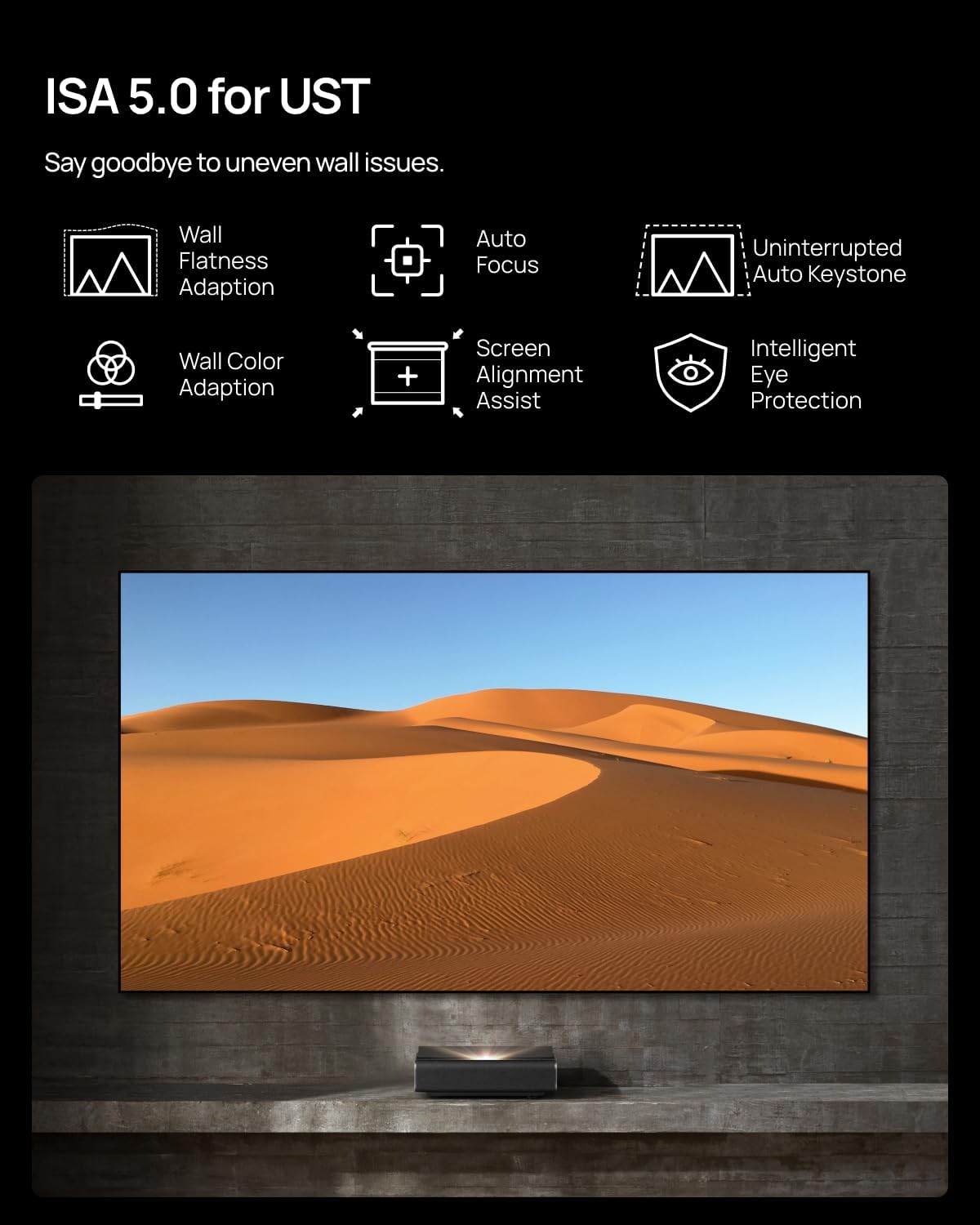
Image 2.3: Intelligent Screen Adaption 5.0 features for easy setup.
Video 2.1: A ulangview demonstrating the physical aspects and setup of the XGIMI AURA 2 UST Laser Projector.
3. Nyuping
3.1 Google TV sareng Streaming
The XGIMI AURA 2 GTV comes with Google TV, providing access to a wide range of streaming applications including Netflix, YouTube, Hulu, and Prime Video. Power on the projector and navigate the interface using the remote control to access your preferred content.

Image 3.1: Google TV interface with integrated streaming services.
3.2 Visual Experience (Dolby Vision, IMAX Enhanced, Dual Light 2.0)
The projector supports Dolby Vision and is IMAX Enhanced certified, offering enhanced contrast, brightness, and color accuracy. The Dual Light 2.0 technology contributes to 2300 ISO lumens brightness and a 1,000,000:1 dynamic contrast ratio, providing crisp and vibrant images.

Image 3.2: Visual enhancements provided by IMAX Enhanced certification.

Image 3.3: Comparison of Dual Light 2.0 with other UST projectors, demonstrating enhanced brightness and contrast.
3.3 Audio Experience (Harman Kardon, Dolby Atmos)
The integrated Harman Kardon speakers with Dolby Atmos support provide rich, full, and immersive audio. This eliminates the immediate need for an external speaker setup.
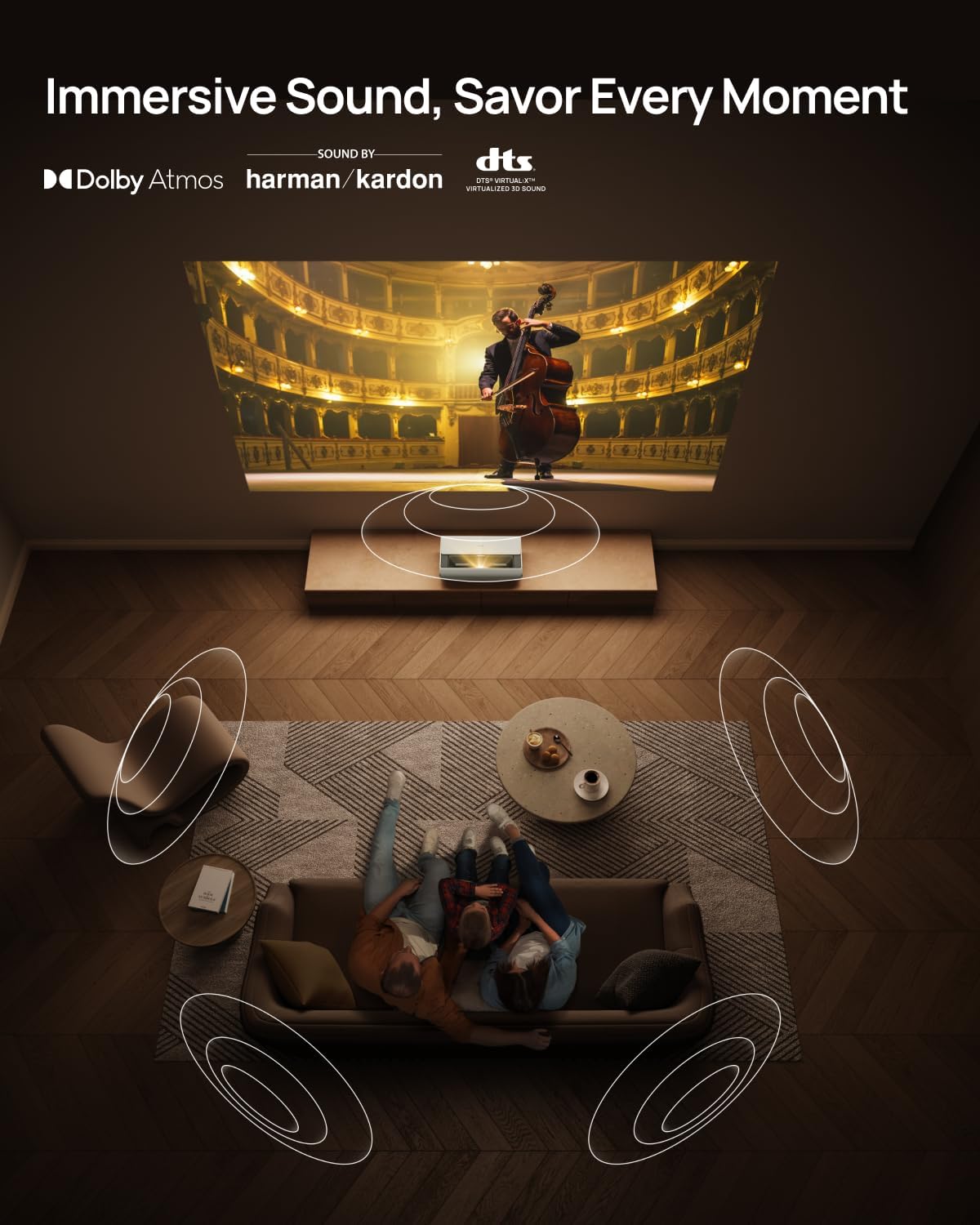
Image 3.4: Immersive sound experience with Harman Kardon and Dolby Atmos.
3.4 Fitur kaulinan
For gaming, the AURA 2 GTV offers ultra-low 20ms latency and MEMC (Motion Estimation, Motion Compensation) technology. This ensures smooth, lag-free gameplay and clear capture of fast-moving objects.

Image 3.5: Ultra-low latency for an enhanced gaming experience.
4. Pangropéa
4.1 Perawatan lénsa
Always keep the projector lens dry and clean to prevent damage and maintain optimal image quality. Use a soft, lint-free cloth specifically designed for optical lenses. Avoid abrasive materials or harsh chemicals.
4.2 beberesih umum
Regularly clean the exterior of the projector with a soft, dry cloth. Ensure ventilation openings are free from dust and obstructions to prevent overheating. The projector is designed with sufficient ventilation to manage heat during operation.
5. Cara ngungkulan
5.1 Image Focus and Alignment
- If the image appears blurry, ensure the Auto Focus feature is enabled in the system settings.
- If corners are not in focus, verify that the projector is placed on a flat surface and the tilt angle is within the recommended range (not exceeding 9 degrees) for optimal Auto Keystone Correction.
- For screen alignment issues, use the Screen Alignment Assist feature. Ensure overhead lights are off during this process.
5.2 Noise and Fan Operation
A slight fan noise may be audible, especially in Performance Mode or High Power Mode, as the fan speed may increase to maintain optimal operating temperature. This is normal. For regular viewing, consider using other brightness modes to potentially reduce fan noise.
5.3 Kacaangan sareng Kontras
Brightness (light output) can vary depending on usage conditions. White light output is measured according to ISO 2118. The nominal value represents the average of mass-produced units and is tested under ideal laboratory conditions. In Performance Mode/High Power Mode, the highest brightness is achieved, which may result in some color differences compared to the default viewmodeu ing.
5.4 Netflix Playback
If you encounter issues with the official Netflix app, note that Netflix certification may vary. Alternative methods for accessing Netflix content may be available, such as using a side-loaded version that emulates web playback, though this may offer a less than perfect experience.
6. Spésifikasi
| Fitur | Rincian |
|---|---|
| merek | XGIMI |
| Modél | AURA 2 GTV |
| Resolusi tampilan | 3840 x 2160 (4K) |
| Caang | 2300 ISO Lumén |
| Rasio Kontras Dinamis | 1,000,000:1 |
| Babandingan Lempar | 0.177:1 (Ultra Short Throw) |
| Téhnologi konektipitas | Bluetooth, HDMI, USB, Wi-Fi |
| Fitur husus | Google TV, Dolby Vision, IMAX Enhanced, Harman Kardon Audio, ISA 5.0 |
| Item Beurat | 24.4 pon |
| Ukuran Paket | 25.55 x 16.26 x 12.05 inci |
| Tanggal Sadia munggaran | 25 Séptémber 2025 |
Note: Actual product features and specifications may vary. All performance data is theoretical and based on XGIMI internal laboratory tests. Refer to the official XGIMI website for the latest detailed specifications.

Gambar 6.1: Jarak proyéksi sareng pituduh ukuran layar.
7. Garansi jeung Rojongan
7.1 Émbaran jaminan
The XGIMI AURA 2 GTV typically includes a 2-year warranty. Please refer to the Warranty Card included in your product packaging for specific terms and conditions. The electronic manual on the official XGIMI website will be updated if there is any discrepancy or conflict between the printed and electronic manual.
7.2 Rojongan Palanggan
For any questions, technical assistance, or support inquiries, please contact XGIMI customer service:
- Surélék: Service-usa@xgimi.com
- Resmi Websitus: Nganjang ka XGIMI resmi website for the latest product information, FAQs, and electronic versions of manuals.
7.3 Price Match Guarantee
XGIMI offers a 30-day price match guarantee. If you find a better price within 30 days of purchase, contact customer support to request a price match.