Bubuka
This manual provides detailed instructions for the setup, operation, and maintenance of your LIGE EF19-D Military Smart Watch. Please read this guide thoroughly to ensure proper use and to maximize the features of your device. This smartwatch is designed for robust performance and offers extensive health and fitness tracking capabilities, along with smart communication features.
Naon dina Box
- LIGE EF19-D Smart Watch (1 unit)
- Charging cable (2 units)
- Strap adjuster (1 unit)
- Straps (2 units: 1 steel strap, 1 silicone strap)
- User manual (1 unit)

Produk Leuwihview
The LIGE EF19-D Smart Watch features a durable design with a 1.85-inch HD touchscreen. It includes multiple physical buttons for navigation and quick access to features, along with a built-in LED flashlight.
Komponén konci:
- Layar Toél HD 1.85": For clear display and interactive control.
- Kancing samping: For power, menu access, and navigation.
- Senter LED: Integrated on the side for illumination.
- Heart Rate & Blood Oxygen Sensors: Tempatna di tukang pikeun ngawaskeun kaséhatan.
- Ngecas Kontak: Kontak magnét di tukang pikeun ngecas.

Disetél
1. Ngecas Smart Watch
Before first use, fully charge the device. Connect the magnetic charging cable to the charging contacts on the back of the watch and plug the USB end into a power adapter (not included). A full charge takes approximately 2.5 hours.

2. Instalasi App sarta Papasangan
- Scan the QR code in the user manual or on the watch screen to download the 'FitCloudPro' app from your smartphone's app store (compatible with Android 5.1+ and iOS 9.0+).
- Open the 'FitCloudPro' app and follow the on-screen instructions to create an account or proceed as a guest.
- Aktipkeun Bluetooth dina smartphone Anjeun.
- In the app, search for your LIGE EF19-D Smart Watch (identified as 'EF13' in some app interfaces) and select it to pair. Confirm the pairing request on both your phone and watch.
- Allow necessary permissions for notifications, contacts, and call history to ensure full functionality.
3. Nyaluyukeun tali
The watch comes with two interchangeable straps: a steel strap for formal occasions and a silicone strap for sports or casual wear. Use the provided strap adjuster tool to remove or add links to the steel strap for a comfortable fit. The silicone strap can be easily attached or detached using its quick-release pins.
Parentah Operasi
1. Napigasi Dasar
- Layar cabak: Gesek ka kenca/katuhu, ka luhur/handap pikeun nganapigasi menu sareng fitur. Ketok pikeun milih.
- Kancing samping: Use for power on/off, returning to the home screen, or accessing specific functions as configured in settings.
- Nyaluyukeun raray jam tangan: The watch supports 200+ online watch faces. You can change them directly on the watch or through the 'FitCloudPro' app. The app also allows for personalized watch faces using your own images.

2. Fitur Komunikasi
- Telepon Bluetooth: Once paired, you can make and answer calls directly from your watch using the built-in speaker and microphone. Access call history and synced contacts.
- Bewara: Receive alerts for incoming calls, SMS, and app messages (e.g., Facebook, WhatsApp, Twitter) directly on your watch.

3. Senter LED
Activate the powerful LED flashlight from the watch's menu. It offers various modes including constant-on, warning, and SOS, useful for outdoor activities or emergencies.

4. Modeu Olahraga
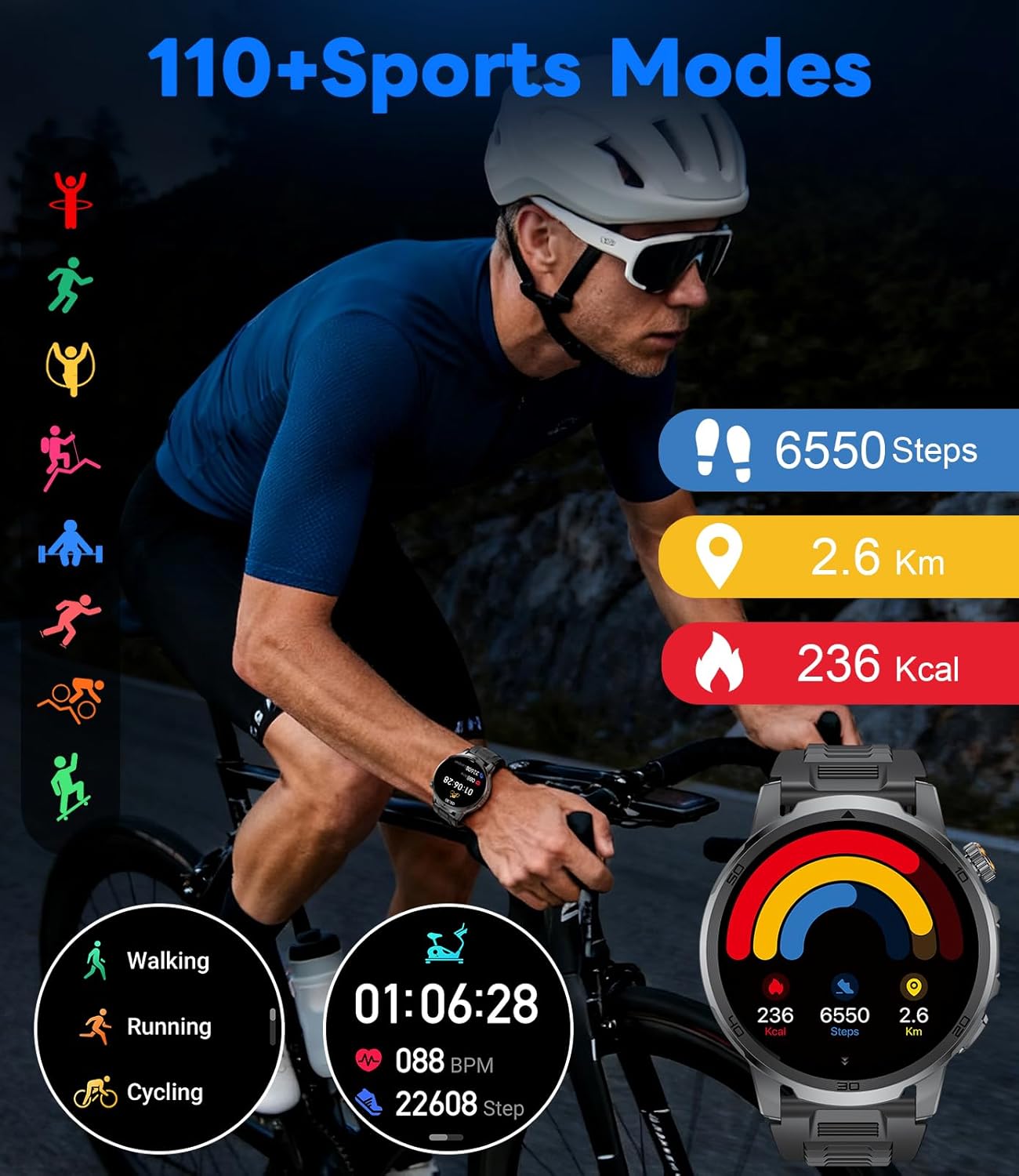
Choose from over 120 sport modes, including running, cycling, badminton, and more. The watch tracks your movement, calories burned, distance, and heart rate during workouts. Access workout records through the app.
5. Pangimeutan Kaséhatan
- Laju Jantung: Continuous 24-hour heart rate monitoring.
- Oksigén getih: Ukur tingkat oksigén getih.
- Pangimeutan Saré: Ngalacak rupa-rupa saretages (deep, light, awake) to help analyze and improve sleep habits.


6. Fungsi séjén
The smartwatch includes various utility features such as weather forecast, voice assistant, alarm clock, timer, music control, camera control, sedentary and drinking water reminders, multi-language switching, phone search, brightness adjustment, and do not disturb mode.

Pangropéa
1. beberesih
Regularly clean your smartwatch and straps to prevent skin irritation and maintain functionality. Use a soft, damp cloth to wipe the watch face and sensors. For silicone straps, mild soap and water can be used. Ensure the watch is dry before wearing.
2. Tahan cai
The LIGE EF19-D is IP68 waterproof, meaning it can withstand dust, dirt, and sand, and is resistant to submersion up to a maximum depth of 1.5m for up to 30 minutes. It is suitable for daily use, hand washing, and light rain. Avoid hot water, steam, or prolonged submersion in water to prevent damage.

3. Kaperawatan batré
To prolong battery life, avoid extreme temperatures and fully discharging the battery frequently. Charge the watch when the battery level is low, but do not leave it charging for extended periods after it's full.
Pamérésan masalah
- Lalajo teu hurung: Pastikeun arloji dicas pinuh. Sambungkeun ka carjer sahenteuna 30 menit.
- Teu tiasa dipasangkeun sareng telepon: Pastikeun Bluetooth diaktipkeun dina telepon anjeun sareng jam tangan aya dina jangkauan. Pareuman heula kadua alat teras cobian pasangkeun deui. Pariksa idin aplikasi.
- Bewara teu nampi: Verify that app notifications are enabled in your phone's settings and within the 'FitCloudPro' app. Ensure the app is running in the background.
- Data kaséhatan teu akurat: Ensure the watch is worn snugly on your wrist, with the sensors making proper contact with your skin. Avoid excessive movement during measurements.
- Layar teu ngaréspon: Restart the watch by holding down the power button. If the issue persists, contact customer support.
spésifikasi
| Fitur | Spésifikasi |
|---|---|
| merek | LIGE |
| Modél | EF19-D |
| Ukuran tampilan | 1.85 inci |
| Resolusi tampilan | 360 x 360 |
| Kapasitas batré | 1000 Miliamp Jam (mAh) |
| Waktu Ngecas | 2.5 Jam |
| Kahirupan Batre pamakéan has | 20-30 poé |
| Tahan cai | IP68 |
| Sistem operasi | AsteroidOS |
| Kapasitas Panyimpenan Mémori | 128 MB |
| Konektipitas | Bluetooth |
| Alat nu cocog | Android 5.1+ / ios 9.0+ |
| Fitur husus | Activity Tracker, Phone Call, Touchscreen, LED Flashlight, 120+ Sport Modes, Health Monitoring (Heart Rate, Blood Oxygen, Sleep) |
| Standar Militer | MIL-STD-810H (Temperature, Anti-Impact, Dust-proof, Anti-Fluid Corrosion, Scratch Resistant) |
Garansi sareng Rojongan
For warranty information, technical support, or service inquiries, please refer to the contact details provided with your purchase documentation or visit the official LIGE websitus. Simpen bukti pameseran anjeun pikeun klaim garansi.


