1. Bubuka
This manual provides essential information for the safe and efficient use of your artfone G6 Pro 4G LTE Flip Phone. Please read it thoroughly before operating the device to ensure proper functionality and to understand all features.
2. Eusi Paket
Pastikeun yén sadaya item anu didaptarkeun di handap kalebet kana pakét produk anjeun:
- 1x artfone G6 Pro Mobile Phone (Battery not installed)
- Batré 1x1300mAh
- 1x USB Charger Cable
- 1 x Manual Pamaké
- 1x Charging Base/Stand

Image: Package contents of the artfone G6 Pro, showing the phone, battery, USB cable, user manual, and charging dock.
3. Setélan
3.1. Kartu SIM sareng Pamasangan Batré
- Cabut panutup tukang: Buka panutup tukang telepon lalaunan.
- Selapkeun Kartu SIM: Locate the Nano SIM card slot. Insert your Nano SIM card with the gold contacts facing down, ensuring it clicks into place.
- Selapkeun Kartu Micro SD (Opsional): If desired, insert a Micro SD card (up to 64GB) into the designated slot for expanded storage.
- Pasang Batré: Place the 1300mAh battery into the battery compartment, aligning the gold contacts with the phone's terminals.
- Ganti panutup tukang: Securely reattach the back cover.
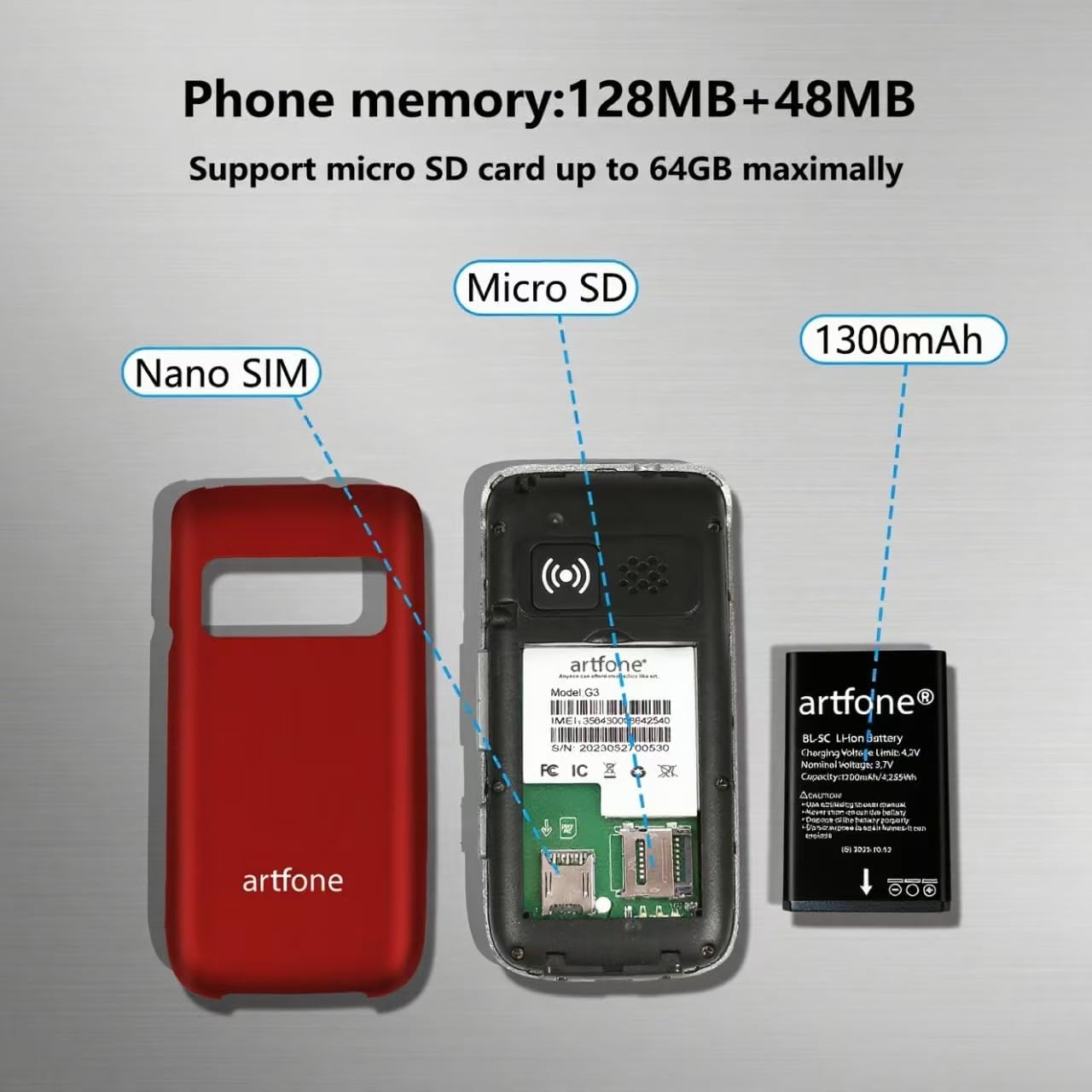
Gambar: internal view of the artfone G6 Pro, illustrating the Nano SIM slot, Micro SD card slot, and battery placement.
3.2. Ngecas Telepon
Your artfone G6 Pro can be charged using the included USB-C cable or the charging dock.
- Ngagunakeun Dock Ngecas: Place the phone into the charging dock. Ensure the charging indicator appears on the screen.
- Nganggo Kabel USB-C: Connect the USB-C cable directly to the phone's charging port and to a power adapter.

Image: Charging the artfone G6 Pro using either the USB-C cable or the charging dock.
3.3. Daya Hurung / Pareum
To power on or off, press and hold the red 'End Call' button until the phone vibrates or the screen lights up/shuts down.
4. Parentah Operasi
4.1. Fungsi Telepon Dasar
- Nelepon: Pencét nomerna nganggo keypad teras pencét tombol héjo 'Telepon'.
- Ngajawab Telepon: Open the flip to answer, or press the green 'Call' button.
- Nutup Telepon: Close the flip to hang up, or press the red 'End Call' button.
Video: Demonstrates basic call functions, including answering by flipping open the phone and ending calls by closing it.
4.2. Ngirim Pesen Téks
Navigate to the 'Message' menu, select 'New Message', enter the recipient's number or select from contacts, type your message using the keypad, and send.
4.3. Pamaké Interface Napigasi
The phone features an intuitive UI with large icons and clear text. Use the navigation keys to scroll through menu options like Contacts, Tools, Message, SOS, Calendar, Settings, Internet, Multimedia, and Call logs.

Gambar: Leuwihview of the artfone G6 Pro's user-friendly menu interface.
5. Fitur Leuwihview
5.1. Dual LCD Screens
The phone features a 2.4-inch inner screen and a 1.8-inch outer display. The outer display shows time, caller ID, and notifications without needing to open the phone.

Image: artfone G6 Pro displaying its dual screens, one on the exterior when closed and one on the interior when open.
5.2. Fungsi Darurat SOS
The dedicated SOS button on the back of the phone allows you to quickly contact up to five pre-set emergency contacts. Press and hold the button for 3 seconds to activate the SOS function, which will automatically dial and send distress messages until someone answers.

Gambar: Tukangeun view of the artfone G6 Pro highlighting the SOS emergency button.
5.3. Speed Dial and Photo Contacts
Assign frequently called numbers to dedicated A/B keys and numbers 2-9 for quick dialing. You can also assign photos to contacts for easier identification of callers.
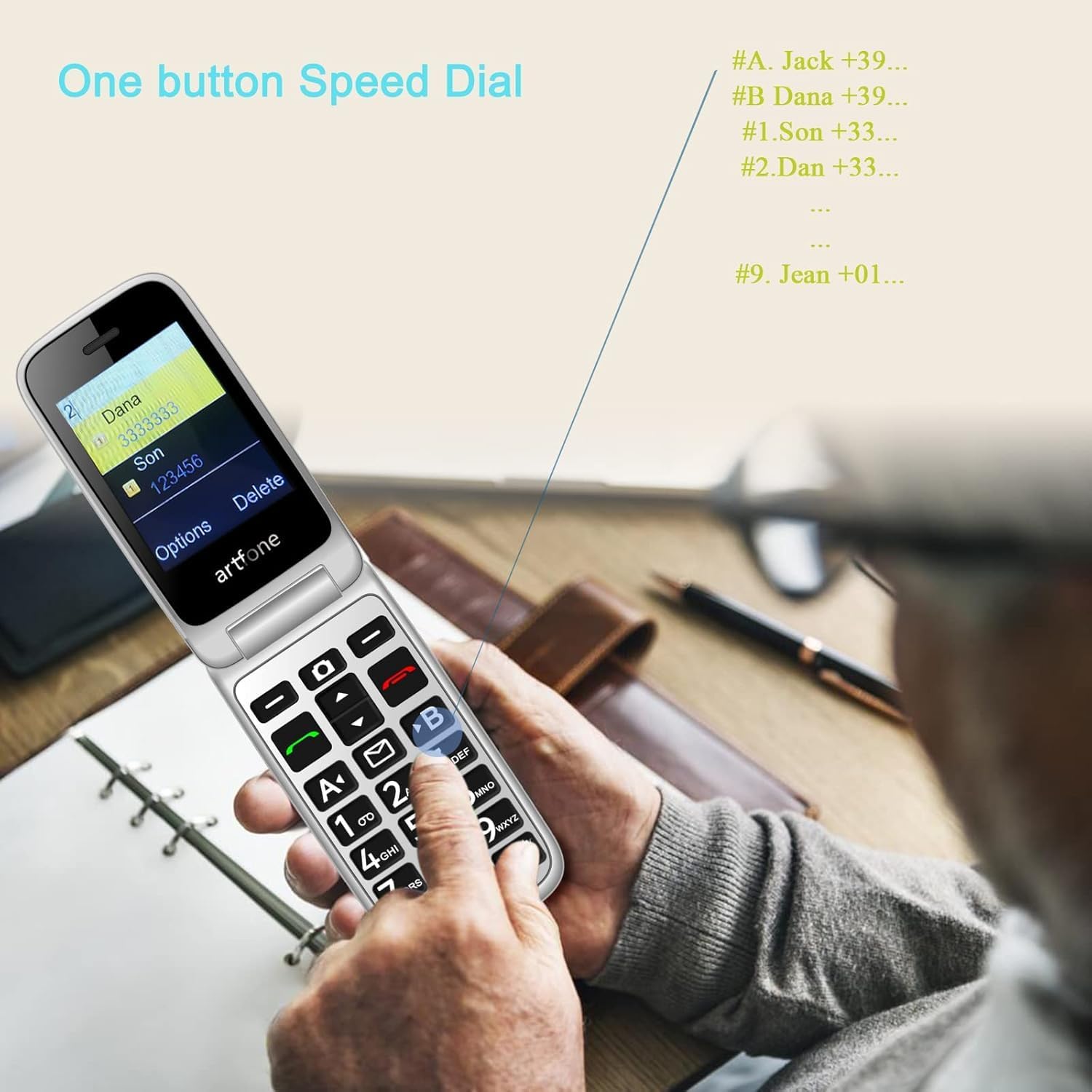
Image: Demonstrating the one-button speed dial feature on the artfone G6 Pro.
5.4. Talking Clock (Time Reporting)
Hold the volume + key for 3 seconds, and the phone will audibly announce the current time.
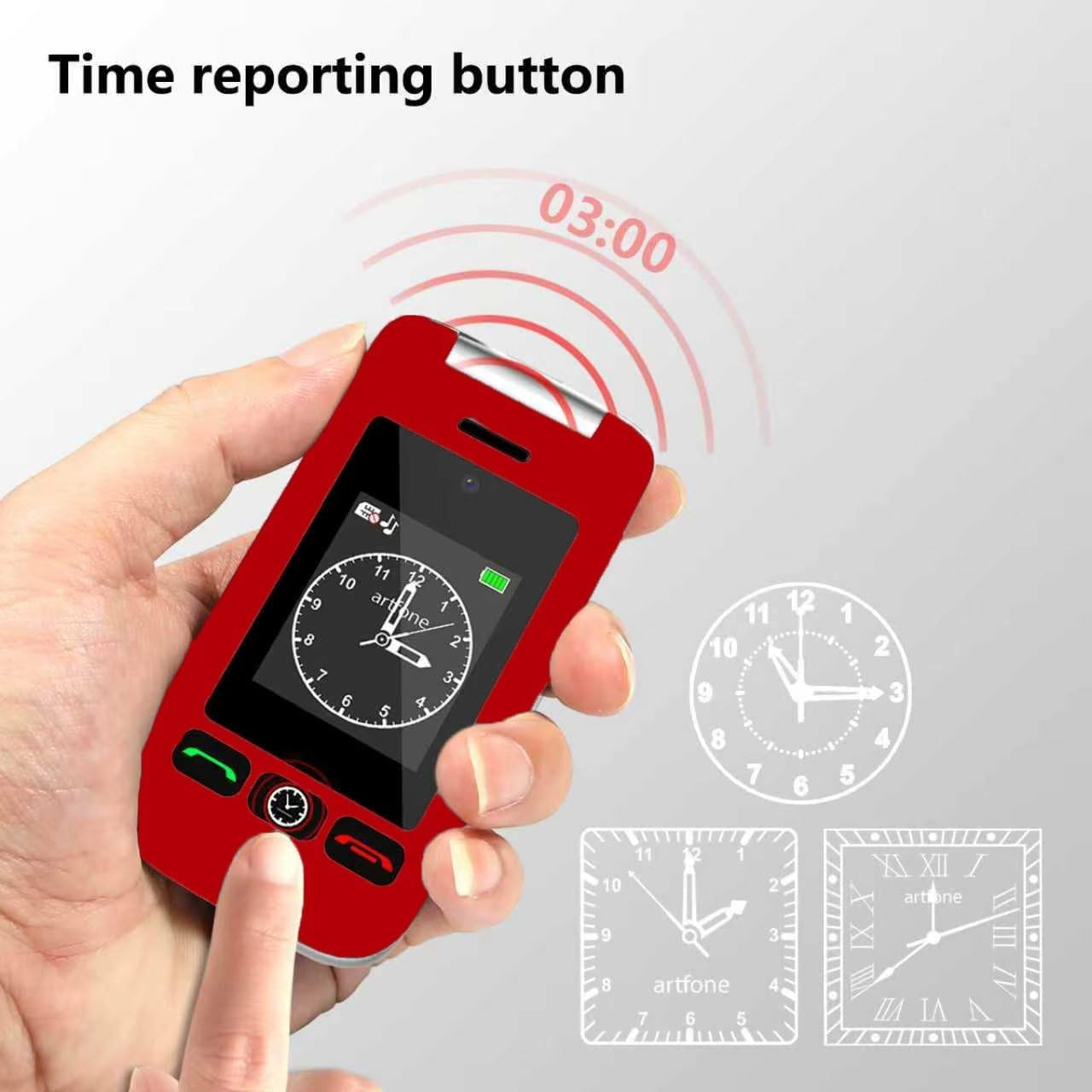
Image: The time reporting button on the artfone G6 Pro, which announces the current time audibly.
5.5. Senter
A dedicated flashlight button on the side of the phone allows for quick activation. Slide up/down to toggle the flashlight on or off.

Image: The artfone G6 Pro featuring a flashlight, FM radio, and a 3.5mm headphone jack.
5.6. Fitur séjén
- Kaméra: A basic 0.3MP camera is included for capturing simple moments.
- Radio FM: Enjoy FM radio on the go.
- Bluetooth: Sambungkeun ka alat Bluetooth anu cocog.
- Pakakas: Includes a calculator, alarm clock, and calendar. Multiple alarm settings are available for reminders.
- Audio nyaring: AAC speakers and receivers provide clear and loud audio for calls.
6. Pangropéa
- beberesih: Anggo lawon anu lemes sareng garing pikeun ngabersihkeun bagian luar telepon. Hindarkeun pembersih cair.
- Perawatan batré: To prolong battery life, avoid extreme temperatures and do not leave the phone fully discharged for extended periods.
- Panyimpenan: Simpen telepon dina tempat anu tiis sareng garing upami henteu dianggo.
- Tahan cai: Telepon ieu henteu tahan cai. Hindarkeun kakeunaan cairan.
7. Cara ngungkulan
7.1. No Service / Network Issues
- Pariksa Kartu SIM: Ensure the Nano SIM card is correctly inserted and activated with a compatible carrier (T-Mobile and its virtual operators ONLY; not compatible with AT&T or Verizon).
- Balikan deui Telepon: Power off and then power on the phone.
- Cakupan jaringan: Verify you are in an area with adequate 2G, 3G, or 4G LTE network coverage.
7.2. Telepon Teu Ngecas
- Pariksa sambungan: Ensure the USB-C cable and/or charging dock are securely connected to the phone and power source.
- Pariksa Sumber Daya: Try a different power outlet or USB port.
- Inspect Cable/Dock: Check for any visible damage to the charging cable or dock.
7.3. Masalah Audio
- Penyesuaian volume: Adjust the call volume during a conversation.
- Speaker/Receiver Obstruction: Ensure the speaker and receiver are not blocked by debris.
- Silent/Vibration Mode: Long-press the # key to toggle silent/vibration modes. Ensure the phone is not in silent mode if you expect audible alerts.
7.4. MMS Not Downloading
- Setélan jaringan: Ensure your carrier's MMS settings are correctly configured.
- Panyimpenan: Check if there is sufficient storage space on the phone or Micro SD card.
- Secure Inbox: Some MMS messages may require access through a 'secure inbox'. The default PIN is often 1234, but it is recommended to change this for security.
8. Spésifikasi
| Fitur | Spésifikasi |
|---|---|
| Ngaran modél | G6Pro |
| merek | artfone |
| Téhnologi sélular | 4G (Compatible with T-Mobile and virtual operators ONLY) |
| Pamawa nirkabel | Henteu dikonci |
| Sistem operasi | artfone Mocor RTOS |
| Ukuran layar | 2.4 Inches (Inner), 1.8 Inches (Outer) |
| Resolusi | 180 x 240, 240 x 180 |
| RAM Mémori Dipasang Ukuran | 48 MB |
| Kapasitas Panyimpenan Mémori | 0.3 GB (Expandable up to 64GB with Micro SD) |
| Kapasitas batré | 1300 Miliamp Jam-jaman |
| Telepon Talk Time | 8 Jam |
| Item Beurat | 8.1 ons |
| Téhnologi konektipitas | Bluetooth, USB |
| Fitur husus | Basic Phone, Expandable Memory, Time Reporting, SOS Button, Charging Dock, Loud Speaker, Camera, Talking Clock, Speed Dial, Hands-free, Caller-ID, Large Fonts |
| Faktor Bentuk | Balikkeun |
| Audio Jack | 3.5 mm |
9. Garansi jeung Rojongan
For warranty information or technical support, please contact artfone customer service. Refer to the contact details provided in your product packaging or visit the official artfone website. Please have your product model (G6 Pro) and purchase details available when contacting support.


