1. Bubuka
This manual provides detailed instructions for the SJCAM C300W 4K Dual Touchscreen Action Camera. Please read this guide thoroughly before using your device to ensure proper operation and maintenance. The SJCAM C300W is a compact, high-performance action camera designed to capture your adventures in stunning 4K resolution with the convenience of dual touchscreens.

Figure 1: SJCAM C300W 4K Dual Touchscreen Action Camera with included accessories.
2. Naon Kaasup
Pariksa yén sadaya barang-barang ieu aya dina pakét anjeun:
- SJCAM C300 4K Dual Touchscreen Action Camera (White)
- 64GB Extreme Pro microSDXC Memory Card
- Adaptor USB-C
- Kit beberesih DELUXE
- Dompét Kartu Mémori
- Mémori Card Reader
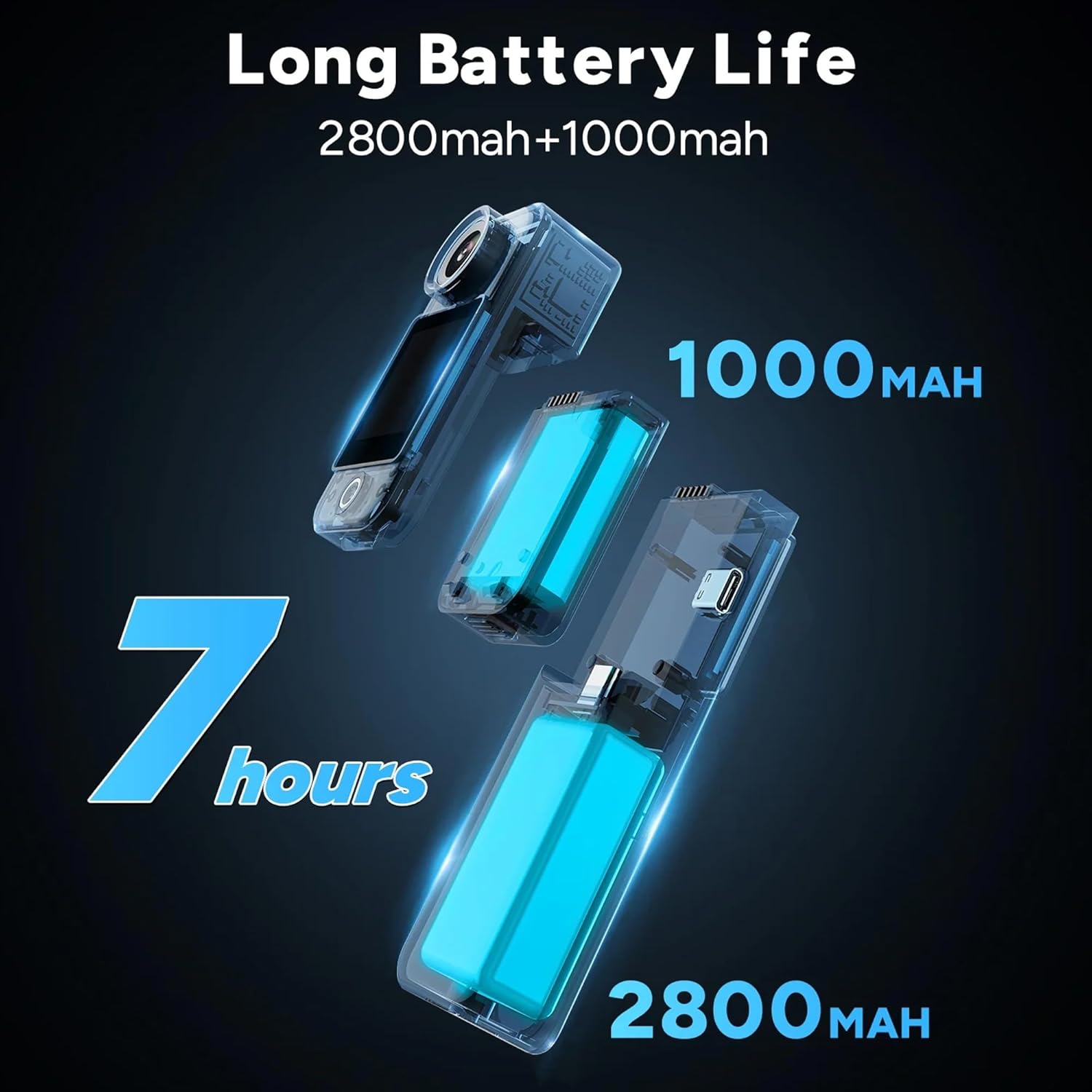
Figure 2: All components included in the SJCAM C300W bundle.
3. Produk Langkungview
The SJCAM C300W features a compact design with dual touchscreens for versatile operation. The main camera unit is detachable from the larger battery stick, offering flexibility in usage scenarios.
3.1 Fitur konci
- Rekaman 4K Ultra HD: Capture video at 30 frames per second.
- Dual Touchscreens: Front and rear 1.3-inch displays for easy framing and control.
- Modular Battery System: Main unit (1000mAh) and battery stick (2700mAh) for extended recording times.
- 6-Axis EIS: Electronic Image Stabilization for smooth footage.
- Desain waterproof: IP65 rating, with optional waterproof housing for deeper dives.
- Konektipitas Wi-Fi: Connect to the SJCAM Zone app for remote control and live streaming.

Gambar 3: Leuwihview of key features of the SJCAM C300W.
3.2 Komponén fisik
- Lensa kaméra: Front-facing lens with 154° FOV.
- Dual Touchscreens: 1.3-inch screens on both front and rear.
- Power/Record Button: Located on the main unit.
- Port USB Tipe-C: Pikeun ngecas sareng mindahkeun data.
- Slot Kartu MicroSD: Supports cards up to 128GB.
- Mikropon: Integrated for audio recording.
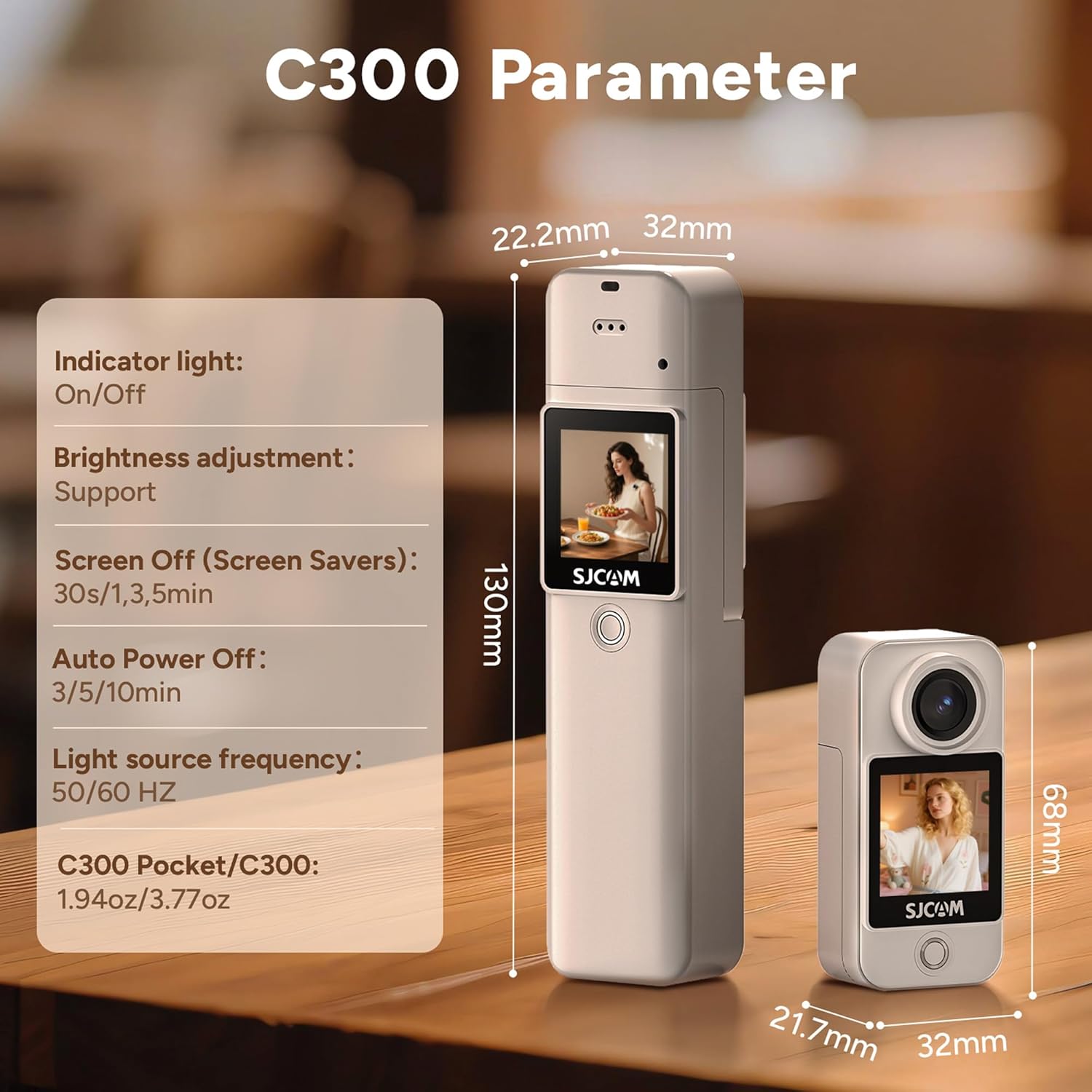
Figure 4: The SJCAM C300W in its waterproof housing for underwater use.
4. Setélan
4.1 Pamasangan Batré sareng Ngecas
- Ensure the main camera unit is securely attached to the battery stick.
- Connect the provided USB Type-C cable to the camera's port and a power source.
- Lampu indikator ngecas bakal hurung. Ngecas parantos réngsé nalika lampu pareum.
4.2 Pamasangan Kartu MicroSD
- Locate the microSD card slot on the side of the camera unit.
- Insert the 64GB Extreme Pro microSDXC Memory Card with the gold contacts facing the back of the camera until it clicks into place.
- Pikeun nyabut, nyorong gently kartu nepi ka springs kaluar.
4.3 Powering on / Pareum
- Daya Hurung: Press and hold the Power/Record button for a few seconds until the screen illuminates.
- Pareum listrik: Press and hold the Power/Record button for a few seconds until the screen turns off.
4.4 SJCAM Zone App Installation & Connection
- Unduh
Dokumén Patali - C300W

SJCAM C300 & C300 POCKET Guide pamaké
Buku pituduh komprehensif pikeun kaméra aksi SJCAM C300 sareng C300 POCKET, ngawengku setelan, fitur, setelan video sareng poto, sareng ngungkulan masalah.
SJCAM C300 sareng C300 Pocket Manual Pamaké
Manual pamaké pikeun kaméra aksi SJCAM C300 jeung C300 Pocket, ngawengku setelan, fitur, jeung operasi. Ngawengku spésifikasi, diagram, sareng ngungkulan masalah.
SJ10 PRO Dual Screen Aksi Kaméra Manual Pamaké
Manual pamaké pikeun SJCAM SJ10 PRO Dual Screen Action Camera, ngajéntrékeun fitur-fiturna, parentah operasi, tungtunan kaamanan, jeung spésifikasi. Diajar ngeunaan ngarékam pidéo, nyandak poto, playback, kadali jauh, sareng sambungan WiFi.
Buku Panduan sareng Pituduh Pangguna Kaméra Aksi Layar Ganda SJCAM SJ8
Buku pituduh resmi pikeun Kaméra Aksi Layar Ganda SJCAM SJ8. Diajar ngeunaan kaamanan, fitur, spésifikasi, operasi, asesoris, sareng pamasangan pikeun kaméra SJ8 anjeun.
Buku Panduan Pangguna Kaméra Aksi Lénsa Ganda SJCAM SJ20
Jelajahi Kaméra Aksi Lénsa Ganda SJCAM SJ20 nganggo manual pangguna anu lengkep ieu. Diajar ngeunaan setelan, operasi, fitur, pedoman kaamanan, sareng asesoris pikeun kaméra SJ20 anjeun.
SJCAM C100 Series Aksi kaméra pamaké Manual
Manual pamaké komprehensif pikeun kaméra aksi SJCAM C100 Series, ngawengku parentah operasi, operasi fungsional, asesoris kaméra, indikator status, ngabandingkeun model, sarta konektipitas Wi-Fi.