Bubuka
Thank you for choosing the NOUUI NU-HS012 Open Ear Headphones. These headphones are designed to provide high-definition stereo sound while allowing you to remain aware of your surroundings. Featuring an AI noise-cancelling microphone, Bluetooth 5.3, and dual device connectivity, they are suitable for various activities including work, workouts, and calls. This manual provides essential instructions for setup, operation, and maintenance to ensure optimal performance and longevity of your device.
Eusi pakét
- NOUUI NU-HS012 Open Ear Headphones
- Magnetic Induction Charger
- Manual pamaké
Produk Leuwihview
Familiarize yourself with the components of your NOUUI NU-HS012 headphones.

Gambar 1: NOUUI NU-HS012 Open Ear Headphones. This image displays the overall design of the headphones, highlighting the open-ear hooks and the adjustable microphone boom.
- Open-Ear Hooks: Designed to rest gently on the outer ear, providing comfort and situational awareness.
- Mikropon anu tiasa disaluyukeun: A 270° rotatable boom microphone with AI noise cancellation for clear voice pickup.
- Multifunction Button (MFB): Controls power, calls, and music playback.
- Kontrol Volume: Buttons located on the side for adjusting audio levels.
- Port ngecas: For connecting the magnetic induction charger.
Disetél
1. Ngecas Headphone
Before first use, fully charge your NOUUI NU-HS012 headphones.
- Connect the magnetic induction charger to a USB power source.
- Place the headphones onto the charging base, ensuring the magnetic contacts align.
- The indicator light on the headphones will show charging status (refer to LED indicator section for details).
- A full charge takes approximately 2 hours and provides up to 14 hours of playback time.
2. Papasangan Bluetooth
Pair your headphones with your device (smartphone, tablet, laptop, etc.) via Bluetooth.
- Pastikeun headphone dipareuman.
- Press and hold the Multifunction Button (MFB) until the LED indicator flashes blue and red, indicating pairing mode.
- Dina alat anjeun, aktipkeun Bluetooth sareng milarian alat anu sayogi.
- Select "NOUUI NU-HS012" from the list.
- Sakali nyambung, indikator LED bakal flash biru lalaunan.
Catetan: The effective Bluetooth range is up to 15 meters (49 feet).
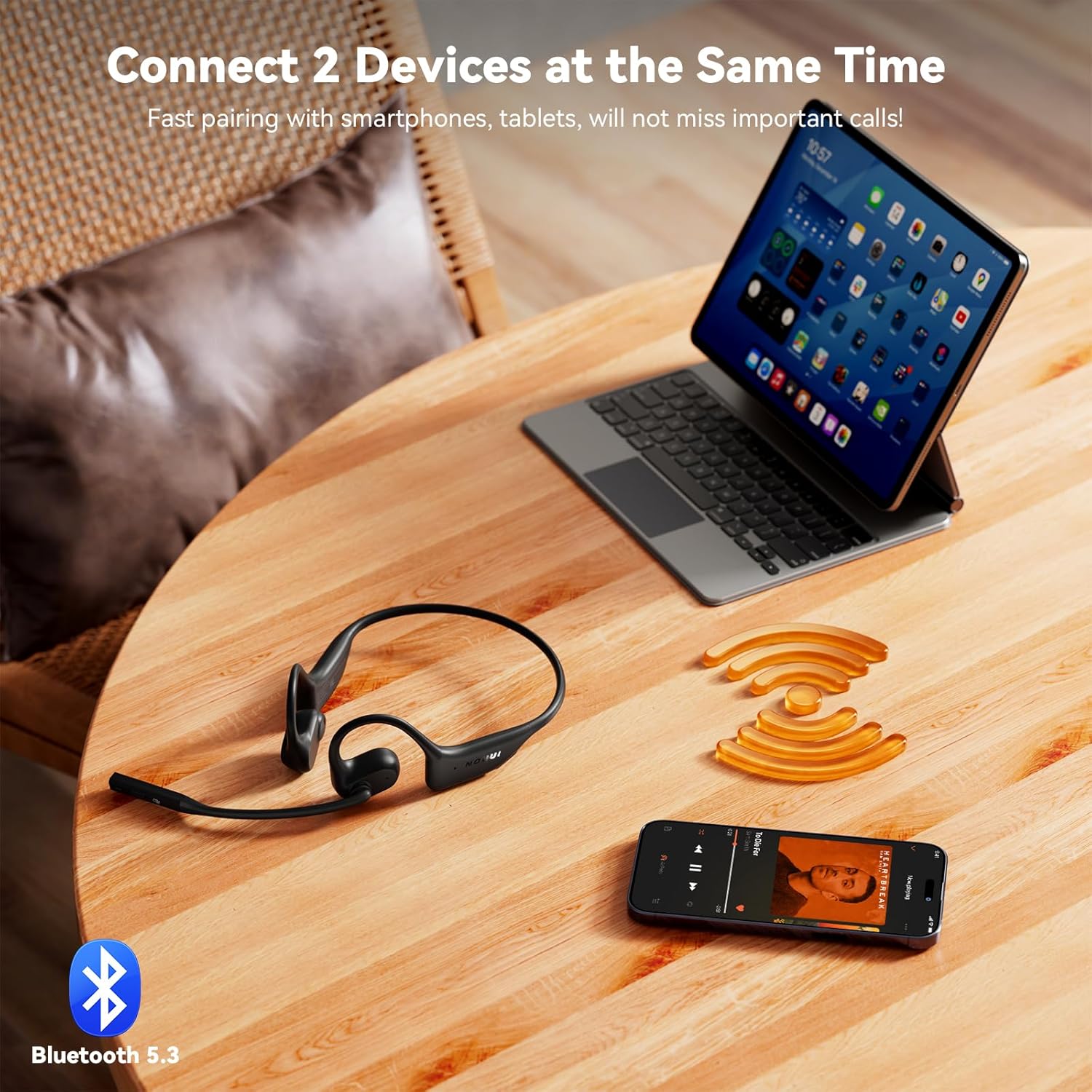
Gambar 2: NOUUI NU-HS012 Headphones demonstrating dual connection. The headphones are shown wirelessly connected to both a smartphone and a tablet, illustrating the ability to pair with two devices simultaneously.
Parentah Operasi
Daya Hurung/Pareuman
- Daya Hurung: Press and hold the MFB for 3 seconds. The LED indicator will flash blue.
- Pareum listrik: Press and hold the MFB for 5 seconds. The LED indicator will flash red and then turn off.
Manajemén Telepon
- Ngajawab / mungkas Telepon: Pencét MFB sakali.
- Nolak Telepon: Pencét jeung tahan MFB salila 2 detik.
- Mikropon bisu: During a call, press the dedicated mute button on the microphone boom. Press again to unmute.
- Ngaropéa Mikropon: The microphone boom can be rotated 270° to position it optimally for clear voice pickup.

Gambar 3: Illustration of AI Noise Cancelling for clear calls. This image shows a person using the headphones while running, with a graphic demonstrating how background noise is reduced for clearer communication.
Puterkeun Musik
- Puter / Reureuh: Pencét MFB sakali.
- Lagu salajengna: Pencét dua kali MFB.
- Lagu Sateuacanna: Pencét MFB tilu kali.
Volume Control
- Ningkatkeun Jilid: Pencét tombol Volume Up.
- Turunkeun Jilid: Pencét tombol Jilid Turun.
Sambungan Alat Ganda
The NOUUI NU-HS012 headphones can be connected to two Bluetooth devices simultaneously.
- Pasangkeun headphone sareng alat anu munggaran sapertos anu dijelaskeun dina bagian "Pasangan Bluetooth".
- Nonaktipkeun Bluetooth dina alat munggaran. Headphone bakal asup deui kana mode papasangan.
- Masangkeun headphone sareng alat kadua.
- Aktipkeun deui Bluetooth dina alat munggaran. Headphone kedah otomatis nyambung ka kadua alat eta.
- Audio bakal pindah-pindah antara alat dumasar kana alat mana anu aktip muterkeun média atanapi nampi telepon.
Pangropéa
beberesih
- Ngusap headphone ku lawon lemes, garing, tanpa lint.
- Ulah make cleaners abrasive, pangleyur, atawa sprays aerosol.
Panyimpenan
- Simpen headphone dina tempat anu tiis sareng garing jauh tina sinar panonpoé langsung sareng suhu anu ekstrim.
- Ulah neundeun barang beurat dina headphone.
Tahan cai
penting: The NOUUI NU-HS012 headphones are henteu tahan cai. Avoid exposure to water, rain, sweat, or other liquids to prevent damage.
Pamérésan masalah
| Masalah | Solusi |
|---|---|
| Headphone teu hurung. | Ensure the headphones are fully charged. Connect to the magnetic charger for at least 30 minutes. |
| Teu tiasa dipasangkeun sareng alat. |
|
| Taya sora atawa volume low. |
|
| Mikropon teu jalan. |
|
spésifikasi
| Fitur | Rincian |
|---|---|
| Ngaran modél | NU-HS012 |
| merek | NOUUI |
| Téhnologi konektipitas | Nirkabel (Bluetooth 5.3) |
| Rentang Bluetooth | Nepi ka 15 méter (49 suku) |
| Panempatan Ceuli | Buka Ceuli |
| Mikropon | AI Noise Cancelling, 270° Rotating |
| Kahirupan batré | Nepi ka 14 jam |
| Waktu Ngecas | Kurang leuwih 2 jam |
| Beurat | 29 gram (0.99 ons) |
| Tahan cai | Henteu Tahan Cai |
| Komponén Kaasup | Headphones, Magnetic Induction Charger, User Manual |
Garansi sareng Rojongan
NOUUI products are designed and manufactured to the highest quality standards. For information regarding warranty coverage, technical support, or customer service, please refer to the warranty card included with your product or visit the official NOUUI websitus.
Optional protection plans may be available for purchase separately. Please check with your retailer for details.
Émbaran Kasalametan
- Ulah ngabongkar, ngalereskeun, atawa ngaropéa produk.
- Jauhkeun produk ieu tina suhu anu ekstrim, kalembaban, sareng lingkungan korosif.
- Hindarkeun ragrag atanapi ngagentos produk kana dampak anu kuat.
- Ulah ngalaan produk ka cai atawa cairan séjén.
- Buang produk sareng batréna sacara tanggung jawab nurutkeun peraturan lokal.
- Using headphones at high volume for extended periods can cause permanent hearing damage.
- Maintain awareness of your surroundings when using open-ear headphones, especially in traffic or other potentially hazardous situations.

Gambar 4: A man driving a car while wearing NOUUI NU-HS012 headphones. This image emphasizes the importance of maintaining situational awareness, especially when driving, even with open-ear headphones.


