Bubuka
Hatur nuhun pikeun meuliasing the Klipsch ProMedia Lumina 2.1 Computer Gaming Speaker System. This manual provides essential information for setting up, operating, and maintaining your new speaker system to ensure optimal performance and longevity. The ProMedia Lumina system is designed to deliver powerful audio with deep bass and customizable RGB lighting, enhancing your gaming, music, and movie experiences.
Émbaran Kasalametan
Please read all safety instructions before using this product. Keep this manual for future reference.
- Sumber Daya: Connect the system only to the type of power source indicated on the marking label.
- Ventilasi: Ensure proper ventilation around the speakers and subwoofer. Do not block any ventilation openings.
- Cai sareng Uap: Do not expose the system to water, rain, or moisture. Do not place objects filled with liquids on the system.
- Panas: Keep the system away from heat sources such as radiators, heat registers, stoves, or other apparatus that produce heat.
- beberesih: Ngabersihan ngan ku kaén garing.
- Palayanan: Entong nyobian ngalayanan produk ieu nyalira. Rujuk sadayana ngalayanan ka tanaga jasa anu mumpuni.
Eusi pakét
Pastikeun yén sadaya item aya dina pakét anjeun:
- 1 x Klipsch ProMedia Lumina Subwoofer
- 2 x Spiker Satelit (Kénca sareng Katuhu)
- 1 x Bluetooth Speaker (This is listed as "Included Components" in the product data, but typically refers to the system's Bluetooth capability rather than a separate speaker unit. The system itself has Bluetooth functionality.)
- Kabel Daya
- Kabel Sambungan Speaker
- Kabel USB-C
- 3.5mm kabel AUX
- Manual pangguna (dokumén ieu)
Produk Leuwihview
The Klipsch ProMedia Lumina system consists of a powerful subwoofer and two satellite speakers, designed for a rich 2.1 audio experience. The system features integrated controls and multiple connectivity options.

Gambar 1: The complete Klipsch ProMedia Lumina 2.1 speaker system, showing the central subwoofer unit flanked by two satellite speakers. The speakers are black with silver accents and sit on small stands.
Speaker Satelit
The two satellite speakers feature a re-envisioned cabinet design with tiltable stands for optimal sound projection. They are equipped with Microtractrix horn tweeters for pinpoint clarity.
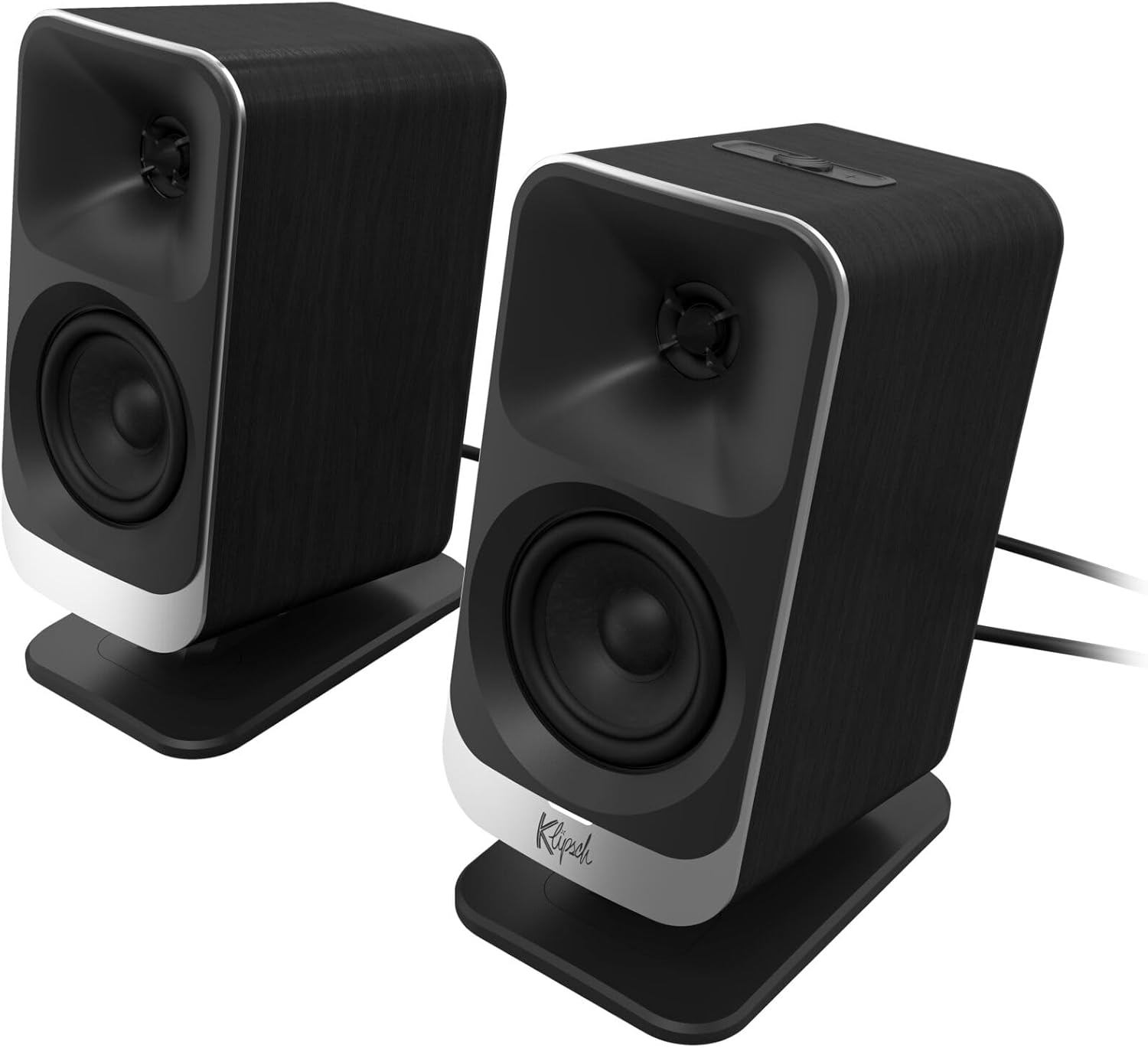
Gambar 2: Panempoan deukeut view of the two Klipsch ProMedia Lumina satellite speakers, highlighting their black finish, silver base, and speaker cones.

Gambar 3: A pungkur view of the two Klipsch ProMedia Lumina satellite speakers, showing the various ports and controls on their back panels. The left speaker has a settings button and a headphone jack, while the right speaker has a USB-C port and a power/Bluetooth button.
Subwoofer
The low-profile subwoofer delivers powerful low-end punch. It features an adjustable gain knob and cable management design for minimal floor space and maximum impact.
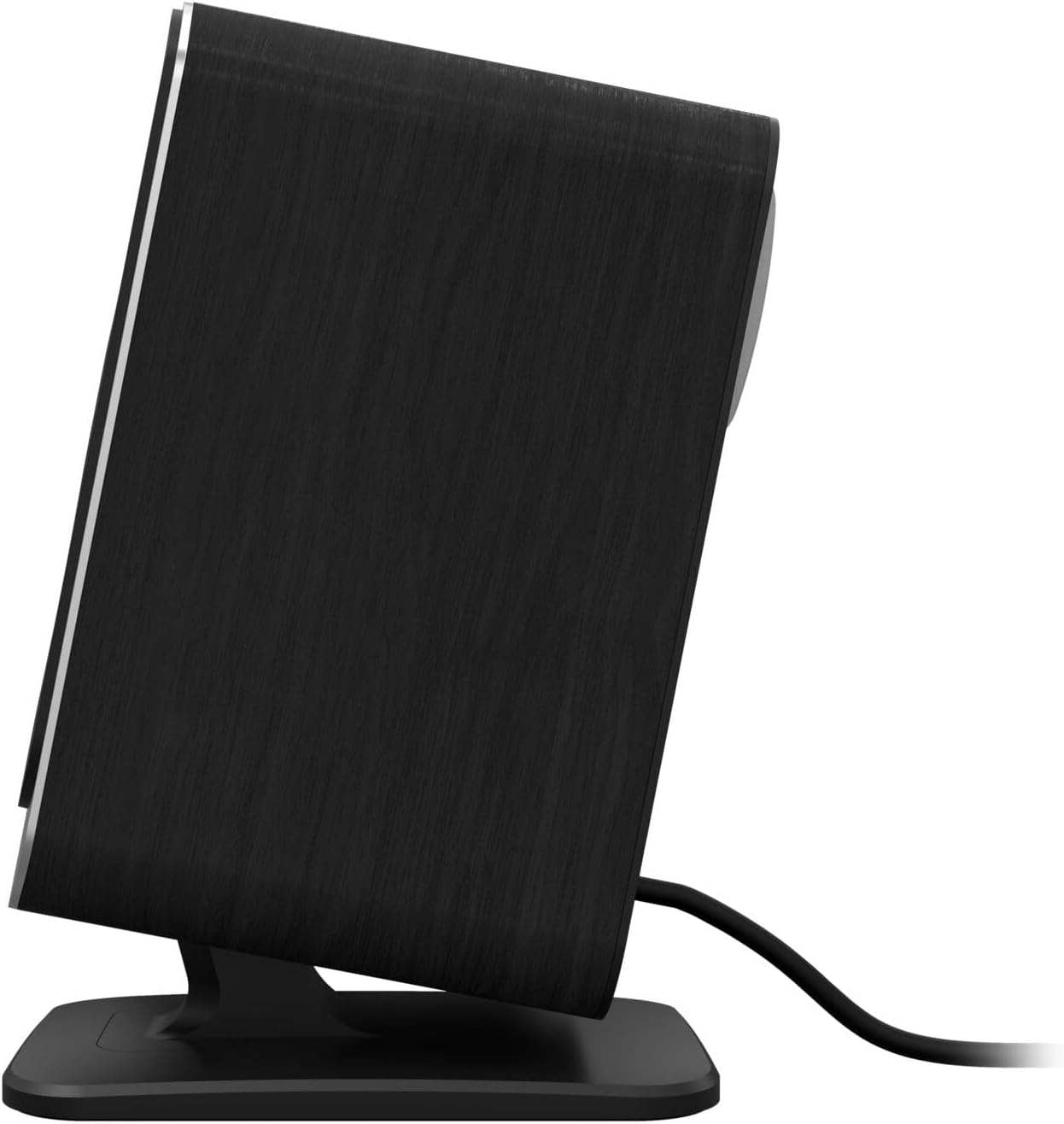
Gambar 4: Hiji sisi view of the Klipsch ProMedia Lumina subwoofer, showcasing its compact design and textured black finish.
Klip 1: An official product video from Klipsch showcasing the ProMedia Lumina Computer Speakers with LED Lighting. The video highlights the design and lighting features of the speaker system.
Disetél
Follow these steps to set up your Klipsch ProMedia Lumina speaker system:
- panempatan: Place the subwoofer on the floor or a sturdy surface near your computer. Position the satellite speakers on either side of your monitor, ensuring they are at ear level for the best audio experience.
- Sambungkeun Speaker Satelit: Connect the left and right satellite speakers to the corresponding outputs on the back of the subwoofer using the provided speaker cables. Ensure a secure connection.
- Nyambung ka Sumber Audio:
- USB-C: Connect the USB-C cable from your computer to the USB-C input on the right satellite speaker.
- AUX (3.5mm): Connect the 3.5mm AUX cable from your audio source (e.g., computer, smartphone) to the AUX input on the left satellite speaker.
- Bluetooth: For wireless connection, ensure Bluetooth is enabled on your device and the speaker system. Press and hold the power/Bluetooth button on the right satellite speaker to enter pairing mode. Select "Klipsch ProMedia Lumina" from your device's Bluetooth settings.
- Sambungan Daya: Connect the power cable to the subwoofer and then plug it into a wall outlet.
- Daya Hurung: Press the power/Bluetooth button on the right satellite speaker to turn on the system.

Gambar 5: The Klipsch ProMedia Lumina speaker system integrated into a gaming desktop setup, showing the satellite speakers flanking a monitor and the subwoofer placed discreetly.
Ngoperasikeun
Once your system is set up, you can begin enjoying your audio. The main controls are located on the subwoofer and the right satellite speaker.
Kadali dasar
- Volume: Use the volume knob on the subwoofer to adjust the overall sound level.
- Treble / Bass: Adjust the treble and bass knobs on the subwoofer to fine-tune your audio preferences.
- Pilihan Input: Use the input button (if available on the subwoofer or remote) to switch between connected sources (USB-C, AUX, Bluetooth).
Klipsch Control App
Enhance your experience with the Klipsch Control desktop app, available on all app stores. The app allows for precision command over various settings:
- Kustomisasi EQ: Adjust equalization settings to match your audio content.
- Modeu cahaya: Customize RGB lighting effects, including night mode and music react mode.
- Kontrol Fitur: Access additional features and settings for personalized audio.

Gambar 6: A laptop screen displaying the Klipsch Control App interface, with a satellite speaker visible next to it, illustrating the app's role in customizing the speaker system.

Gambar 7: The rear of the Klipsch ProMedia Lumina satellite speakers displaying different customizable light patterns, showcasing the RGB lighting effects.
Pangropéa
To ensure the longevity and optimal performance of your Klipsch ProMedia Lumina system, follow these maintenance guidelines:
- beberesih: Use a soft, dry cloth to clean the surfaces of the speakers and subwoofer. Avoid using abrasive cleaners, waxes, or solvents.
- Debu: Regularly dust the speaker grilles and vents to prevent dust buildup, which can affect sound quality and ventilation.
- Manajemén Kabel: Keep cables organized and untangled to prevent damage and ensure a tidy setup.
- Kaayaan Lingkungan: Ulah ngalaan sistem kana suhu anu ekstrim, kalembaban anu luhur, atanapi sinar panonpoé langsung.
Pamérésan masalah
If you encounter any issues with your speaker system, refer to the following common troubleshooting steps:
| Masalah | Solusi |
|---|---|
| Taya Sora |
|
| Static or Distortion |
|
| Masalah Nyapasangkeun Bluetooth |
|
spésifikasi
| Fitur | Rincian |
|---|---|
| Ngaran modél | Klipsch ProMedia Lumina |
| Nomer Modél Item | 1073625 |
| Tipe Speaker | Speaker komputer |
| Mode Kaluaran Audio | Sakuriling |
| Téhnologi konektipitas | Bluetooth (5.3), USB-C, AUX (3.5mm) |
| Fitur husus | LED Light (Customizable RGB) |
| Speaker Maksimum Kaluaran Power | 10 Watt |
| Réspon Frékuénsi | 20 Hz |
| Dimensi produk | 6.5 "D x 4" W x 9.75" H |
| Item Beurat | 13.1 pon |
| Warna | Hideung |
Garansi sareng Rojongan
Klipsch products are designed for years of enjoyment. For warranty information and technical support, please refer to the official Klipsch websitus atanapi ngahubungan layanan palanggan maranéhna. Simpen bukti pameseran anjeun pikeun klaim garansi.


