Bubuka
Welcome to the user manual for your Rapoo EV310M Wireless Vertical Mouse. This ergonomic mouse is designed for comfort and efficiency, featuring multi-mode wireless connectivity and adjustable DPI settings. Please read this manual carefully to ensure proper setup and optimal performance.
Eusi pakét
- Rapoo EV310M Wireless Vertical Mouse
- USB Receiver (disimpen di jero beurit)
- Batré AA (tos dipasang atanapi kalebet)
- Pituduh Mimiti Gancang (dokumén ieu)
Produk Leuwihview
Familiarize yourself with the components of your Rapoo EV310M mouse.
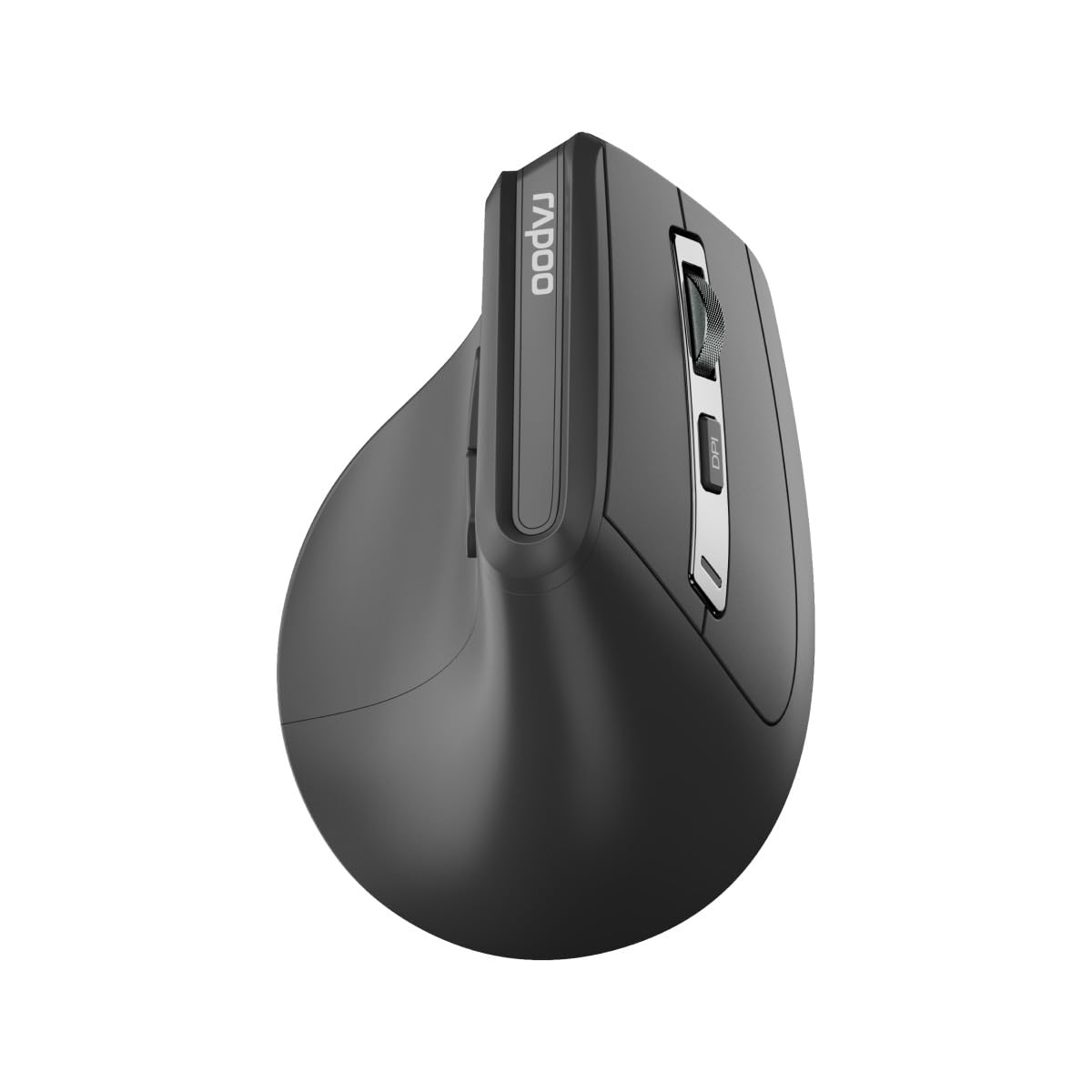
Gambar: Top view of the Rapoo EV310M Wireless Vertical Mouse, highlighting the scroll wheel and DPI button.
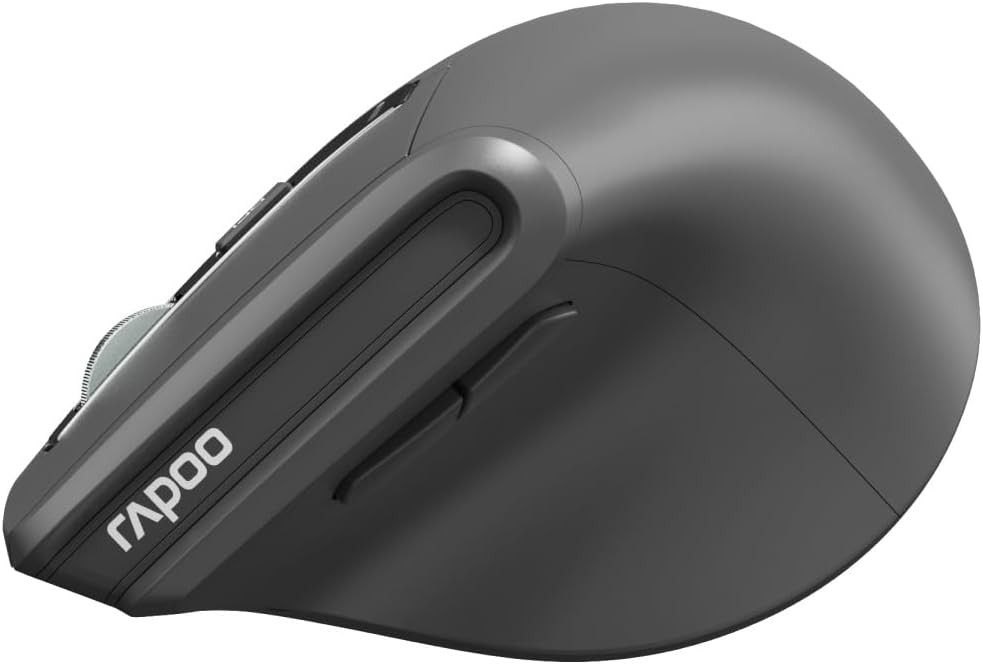
Gambar: Sisi view of the Rapoo EV310M Wireless Vertical Mouse, showing the forward and backward navigation buttons.
Fungsi Tombol
- Tombol Klik Kénca: Fungsi klik kénca standar.
- Tombol Klik katuhu: Fungsi klik katuhu standar.
- Gulung kabayang: Gulung ka luhur/handap, klik tengah.
- Tombol DPI: Nyaluyukeun sensitivitas kursor (DPI).
- Tombol Maju: Navigates ka hareup web browser atawa file penjelajah.
- Tombol Mundur: Navigates ka tukang web browser atawa file penjelajah.
- Mode Switch Button/Indicator: Switches between 2.4GHz and Bluetooth modes.
Disetél
1. Pamasangan batré
- Panggihan kompartemen batré dina underside beurit.
- Buka panutup kompartemen batré.
- Selapkeun hiji batré AA, mastikeun polaritasna bener (+/-).
- Tutup panutup kompartemen batré.
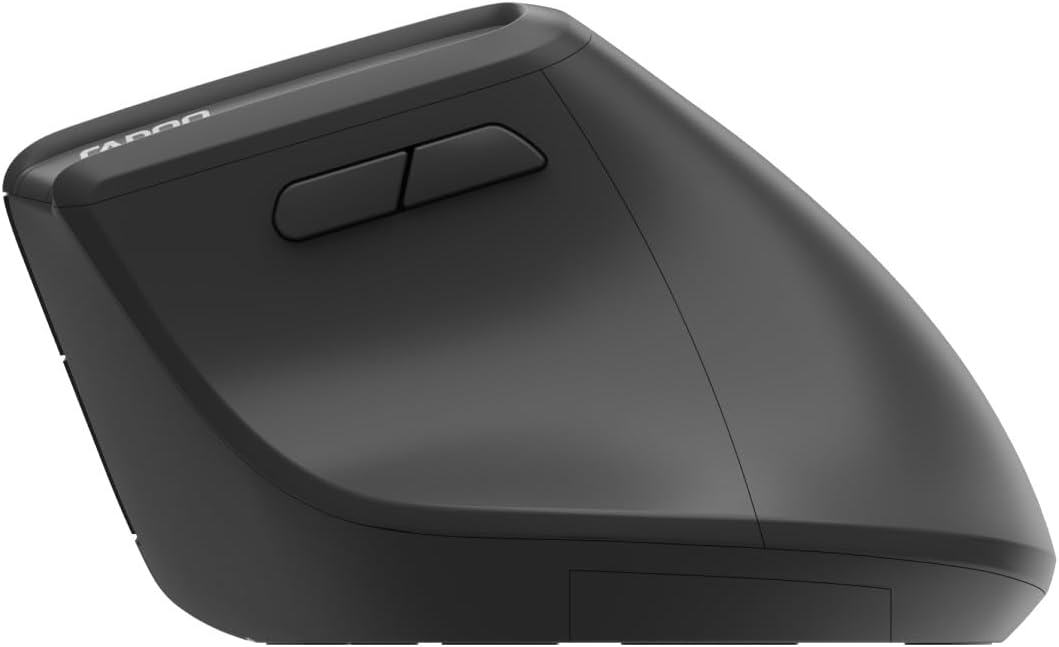
Image: Underside of the mouse, illustrating the battery compartment and the storage slot for the USB receiver.
2. Nyambungkeun Mouse Anjeun
The Rapoo EV310M supports multi-mode wireless connection: 2.4 GHz via USB receiver and Bluetooth 3.0/5.0.
2.1. Konéksi Nirkabel 2.4 GHz
- Cabut panarima USB tina slot panyimpenanna di handapeun beurit.
- Colokkeun panarima USB ka port USB nu sadia dina komputer Anjeun.
- Turn on the mouse using the power switch (usually on the bottom).
- The mouse should connect automatically. If not, press the mode switch button until the 2.4GHz indicator lights up.
2.2. Sambungan Bluetooth
- Hurungkeun beurit.
- Press the mode switch button to select a Bluetooth channel (e.g., Bluetooth 1 or Bluetooth 2). The indicator light for the selected Bluetooth channel will start blinking slowly.
- Press and hold the mode switch button for 3 seconds until the indicator light blinks rapidly. This indicates the mouse is in pairing mode.
- Dina komputer atawa alat Anjeun, buka setelan Bluetooth tur neangan alat anyar.
- Select "RAPOO EV310M" from the list of available devices to pair.
- Once paired, the indicator light will stop blinking and remain solid for a few seconds before turning off.
Parentah Operasi
1. Adjustment DPI
The DPI (Dots Per Inch) button allows you to adjust the cursor speed and sensitivity.
- Pencét éta Tombol DPI located on the top of the mouse to cycle through available DPI settings (e.g., 800, 1200, 1600, 2400 DPI).
- Each press will change the sensitivity, allowing you to find your preferred cursor speed.
2. Ngalihkeun Antara Alat nu Nyambung
The EV310M mouse can be paired with up to three devices (one 2.4GHz and two Bluetooth devices).
- Pikeun pindah antara alat anu nyambung, pencét waé tombol tombol switch modeu dina beurit.
- The indicator light will briefly show which channel (2.4G, BT1, BT2) is active.
Pangropéa
beberesih
Pikeun ngabersihan beurit anjeun, paké kaén anu lembut sareng garing. Keur kokotor bandel, rada dampen lawon ku cai atawa solusi beberesih hampang. Ulah make bahan kimia kasar atawa bahan abrasive.
Ngagantian batré
When the mouse performance degrades or the indicator light signals low battery, replace the AA battery following the installation steps in the Setup section.
Pamérésan masalah
Beurit Teu Ngabales
- Pariksa batré: Pastikeun batréna leres dipasang sareng gaduh muatan anu cekap. Ganti lamun perlu.
- Saklar kakuatan: Pariksa yén beurit parantos diaktipkeun.
- Panarima USB: For 2.4GHz mode, ensure the USB receiver is securely plugged into a working USB port. Try a different port.
- Sambungan Bluetooth: For Bluetooth mode, ensure Bluetooth is enabled on your device and the mouse is correctly paired. Re-pair if needed.
- Jarak: Ensure the mouse is within the effective operating range of your computer (typically 10 meters).
Gerakan Kursor Erratic
- Beungeut: Anggo beurit dina permukaan anu bersih sareng henteu ngamantulkeun cahaya. Disarankeun nganggo alas beurit.
- Setélan DPI: Adjust the DPI setting to a lower value if the cursor is too fast or jumpy.
- Kabersihan Sénsor: Check the optical sensor on the bottom of the mouse for any obstructions or dirt. Clean gently with a soft cloth.
spésifikasi
| Fitur | Rincian |
|---|---|
| merek | RAPOO |
| Nomer modél | EV310M |
| Téhnologi konektipitas | Bluetooth (3.0, 5.0), 2.4 GHz Wireless |
| Sensitipitas DPI | Adjustable 800-2400 DPI |
| Jumlah Kancing | 6 |
| Orientasi leungeun | Leungeun katuhu |
| Sumber Daya | Battery Powered (1x AA) |
| Kahirupan batré | Nepi ka 9 bulan |
| Kasaluyuan System Operasi | PC, Linux, Mac |
| Item Beurat | 100 gram |
| Warna | Hideung |
Garansi sareng Rojongan
For warranty information or technical support, please refer to the official RAPOO websitus atanapi hubungi dealer lokal anjeun. Simpen resi pameseran anjeun kanggo klaim garansi.


