1. Bubuka
The KONNWEI MAXOBD OBD2 Scanner is a professional diagnostic tool designed to read and clear diagnostic trouble codes (DTCs) from your vehicle's engine control unit (ECU). It provides access to various vehicle systems, allowing users to monitor live data, perform I/M readiness tests, and retrieve vehicle information. This manual provides detailed instructions for the proper use and maintenance of your MAXOBD scanner.
2. Émbaran Kasalametan
Before operating the MAXOBD OBD2 Scanner, please read and understand all safety messages and instructions in this manual. Failure to do so may result in personal injury or damage to the vehicle or the scanner.
- Salawasna ngalakukeun tés otomotif dina lingkungan anu aman.
- Ngagem panyalindungan panon nu minuhan standar ANSI.
- Jauhkeun pakean, rambut, leungeun, alat, alat uji, sareng sajabana, tina sadaya bagian mesin anu gerak atanapi panas.
- Ngoperasikeun kandaraan di wewengkon gawé well-ventilated; gas buang anu beracun.
- Pasang transmisi di PARK (pikeun transmisi otomatis) atawa nétral (pikeun transmisi manual) jeung pastikeun rem parkir aktipitas.
- Keep a fire extinguisher suitable for gasoline/electrical fires nearby.
- Ulah nyambungkeun atawa megatkeun alat-alat uji bari ignition hurung atawa mesin jalan.
3. Produk Langkungview
The MAXOBD scanner features a clear display and intuitive button layout for easy navigation and operation. It connects directly to your vehicle's OBD-II port to retrieve diagnostic information.
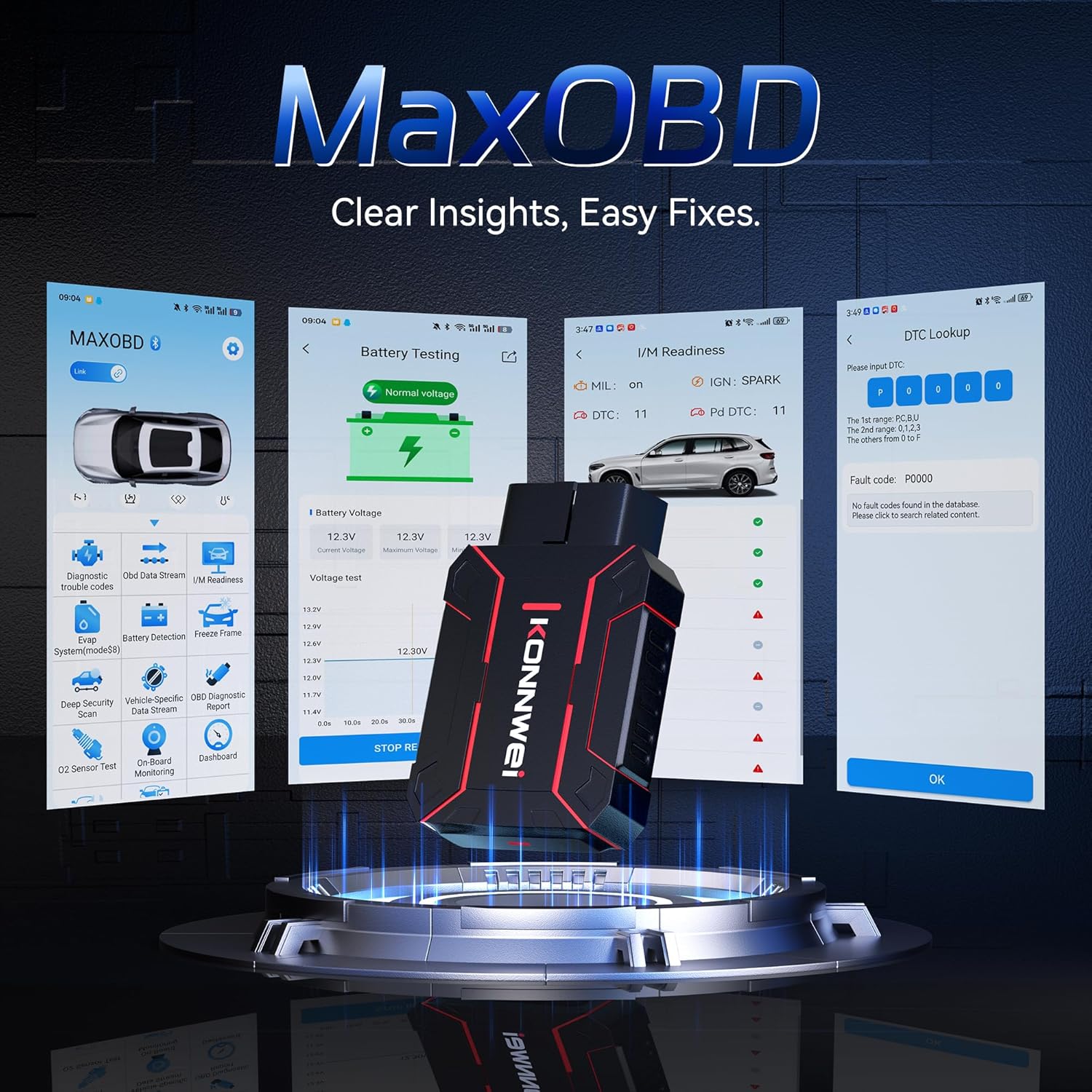
Image: The KONNWEI MAXOBD OBD2 Scanner device, illustrating its physical form and various diagnostic screen interfaces such as battery testing, I/M readiness, and DTC lookup.
Komponén konci:
- Konektor OBD-II: Connects to the vehicle's Data Link Connector (DLC).
- Layar LCD: Némbongkeun hasil tés sareng pilihan ménu.
- Tombol Napigasi: Used to scroll through menus and select options.
- Enter/Exit Buttons: Confirm selections or return to previous screens.
4. Setélan
Follow these steps to set up your MAXOBD OBD2 Scanner:
- Panggihan Port OBD-II Kendaraan: Konektor Data Link (DLC) 16-pin biasana ayana di handapeun dasbor di sisi supir kendaraan. Tingali manual layanan kendaraan anjeun pikeun lokasi anu pasti upami anjeun teu tiasa mendakanana.
- Sambungkeun scanner: Plug the MAXOBD scanner's OBD-II connector firmly into the vehicle's DLC. Ensure a secure connection.
- Daya Hurung: Once connected, the scanner will automatically power on. If it does not, turn the vehicle's ignition to the 'ON' position (engine off).
5. Parentah Operasi
The MAXOBD scanner offers various diagnostic functions. Use the navigation buttons to move through menus and the Enter button to select options.

Image: A visual representation of a vehicle highlighting various systems (Engine, ABS, SAS, SRS, DPF, TPMS) that the MAXOBD scanner can perform a full system scan on.
Fungsi Menu Utama:
- Baca Konci: Retrieves Diagnostic Trouble Codes (DTCs) from the vehicle's ECU. These codes indicate specific issues detected by the vehicle's onboard diagnostic system.
- Hapus Code: Clears all DTCs from the vehicle's ECU and turns off the Malfunction Indicator Lamp (MIL). Pastikeun masalah anu mendasar parantos direngsekeun sateuacan ngahapus kode.
- Kesiapan I / M: Checks the status of emission-related monitoring systems to determine if they are ready for an emissions test.
- Aliran Data: Displays real-time operational parameters from the vehicle's sensors and components. This can include engine RPM, vehicle speed, oxygen sensor readings, and more.
- Frame Frame: Captures a snapshot of sensor data at the moment a DTC was set. This data can help identify the conditions under which a fault occurred.
- Tés Sénsor O2: Retrieves O2 sensor monitoring test results for the most recently completed tests from the vehicle's onboard computer.
- Tes Monitor On-Board: Retrieves hasil pikeun komponén powertrain patali émisi jeung sistem nu teu terus diawaskeun.
- Uji Sistem EVAP: Ngamimitian tés bocor pikeun Sistem Kontrol Émisi Évaporatif kandaraan.
- Inpormasi Kendaraan: Némbongkeun nomer idéntifikasi kandaraan (VIN), ID kalibrasi (CALID), sareng nomer verifikasi kalibrasi (CVN).
Performing a Diagnostic Scan:
- Connect the scanner to the vehicle's DLC and turn the ignition to 'ON'.
- From the main menu, select 'Read Codes' and press Enter.
- The scanner will communicate with the vehicle and display any detected DTCs.
- Use the navigation buttons to scroll through the codes and their descriptions.
- To clear codes, return to the main menu, select 'Erase Codes', and confirm.
6. Pangropéa
Proper maintenance ensures the longevity and reliable operation of your MAXOBD scanner.
- beberesih: Ngagunakeun lemes, damp lawon pikeun ngabersihkeun bagian luar scanner. Entong nganggo pembersih atanapi pangleyur anu abrasif.
- Panyimpenan: Store the scanner in a dry, clean environment away from extreme temperatures and direct sunlight. Keep it in its original packaging or a protective case when not in use.
- Apdet parangkat lunak: Pariksa sacara berkala pejabat KONNWEI website for available software updates to ensure your scanner has the latest vehicle compatibility and features. Follow the instructions provided on the website for updating the device.
7. Cara ngungkulan
If you encounter issues with your MAXOBD scanner, refer to the following common problems and solutions:
| Masalah | Mungkin Cukang lantaranana | Solusi |
|---|---|---|
| Scanner teu hurung. | Loose connection; vehicle ignition off; faulty OBD-II port. | Ensure the scanner is securely plugged into the DLC. Turn vehicle ignition to 'ON'. Test on another vehicle if possible. |
| Pesen "Kasalahan Tautan" atanapi "Kasalahan Komunikasi". | Loose connection; vehicle not OBD-II compliant; ignition off; communication protocol issue. | Verify connection. Ensure vehicle is OBD-II compliant (most vehicles 1996 and newer). Turn ignition to 'ON'. Try a different vehicle if available. |
| Layar kosong atawa beku. | Software glitch; power interruption. | Disconnect and reconnect the scanner. If the issue persists, contact customer support. |
If the problem persists after attempting these solutions, please contact KONNWEI customer support for further assistance.
8. Spésifikasi
- merek: KONNWEI
- model: maxobdTM
- Sumber Daya: Didukung ku batré (ngalangkungan port OBD-II)
- Sistem operasi: Linux
- Ukuran layar: 2.8 inci
- Tipe Otomotif Fit: Universal Fit (for OBD-II compliant vehicles)
- Ukuran Paket: 10.04 x 7.28 x 2.76 inci
9. Garansi jeung Rojongan
KONNWEI products are designed for reliability and performance. For warranty information, please refer to the documentation included with your purchase or visit the official KONNWEI website. For technical support, troubleshooting assistance, or any other inquiries, please contact KONNWEI customer service through their official channels.
KONNWEI Official Websitus: Kunjungi Toko KONNWEI di Amazon


