Bubuka
Welcome to the NIMO N179 17.3-inch Laptop User Manual. This document provides essential information to help you set up, operate, maintain, and troubleshoot your new laptop. The NIMO N179 is designed for productivity and entertainment, featuring an AMD Ryzen 7 7735HS processor, 32GB DDR5 RAM, a 1TB PCIe 4.0 SSD, and a vibrant 17.3-inch Full HD display running Windows 11 Home.
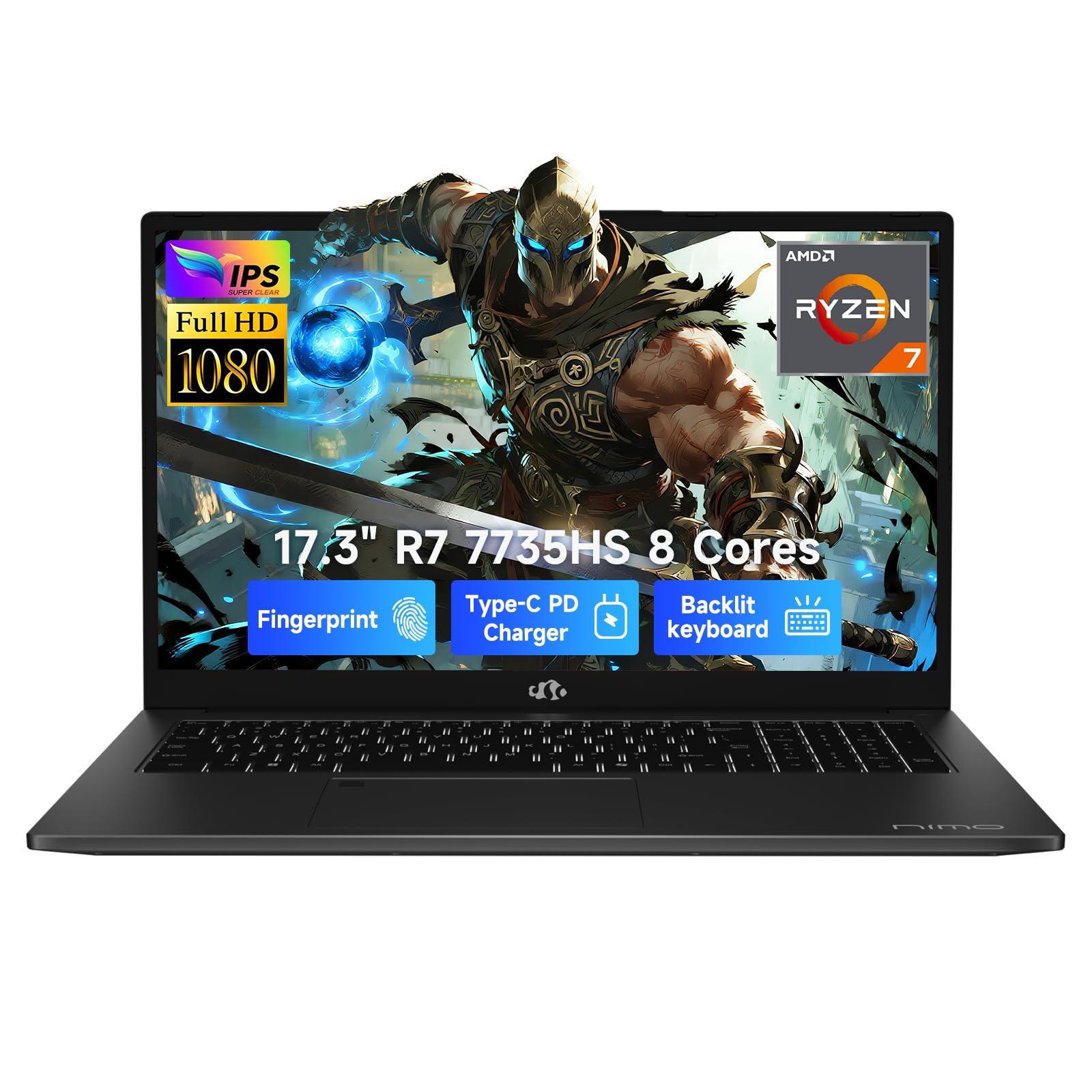
Image: The NIMO N179 17.3-inch laptop, showcasing desain na sleek.
1. Setélan
1.1 Unboxing sareng Inspeksi Awal
Sacara saksama miceun sadaya komponén tina bungkusan. Pastikeun aya item di handap ieu:
- NIMO N179 Laptop
- Type-C 100W PD Fast Charger
- Manual pangguna (dokumén ieu)
- Windows 11 Home operating system (pre-installed)
1.2 Nyambungkeun Adaptor Daya
Connect the Type-C 100W PD Fast Charger to the USB-C port on your laptop and then plug the charger into a power outlet. It is recommended to fully charge the laptop before first use.

Image: The NIMO N179 laptop connected to its 100W PD Fast Charger, illustrating efficient power delivery.
1.3 Initial Power-On and Windows 11 Setup
Press the power button located on the top right of the keyboard. The laptop will boot up and guide you through the Windows 11 Home setup process. Follow the on-screen instructions to configure your language, region, network, and user account.
Video: Sakedapview of the NIMO N179 laptop, showing the initial power-on, keyboard, and Windows 11 interface.
2. Ngoperasikeun Laptop Anjeun
2.1 Kibor sareng Touchpad
The NIMO N179 features a full-sized backlit keyboard with a dedicated numeric pad for efficient data entry. The touchpad supports multi-touch gestures for navigation. An integrated fingerprint reader is located on the touchpad for secure Windows Hello login.
2.2 Pintonan
Your laptop is equipped with a 17.3-inch Full HD (1920x1080) anti-glare display, providing a clear viewing experience. Adjust brightness using the function keys (Fn + F5/F6).

Image: The NIMO N179's 17.3-inch Full HD display, highlighting its larger screen space compared to a 15.6-inch laptop.
2.3 Port sareng Konéktivitas
The NIMO N179 offers a variety of ports for connecting peripherals and external devices:
- USB-C (Full-function): Supports 100W PD Fast Charging, data transfer, and display output.
- USB 3.0: Transfer data kecepatan tinggi pikeun alat anu cocog.
- USB 2.0: Konéktivitas USB standar.
- HDMI2.1: Sambungkeun ka monitor éksternal atanapi TV.
- Pamaca Kartu SD: Pikeun mindahkeun files tina kartu memori.
- Jack audio: Pikeun headphone atanapi speaker éksternal.
Wireless connectivity includes WiFi 6 for fast internet access and Bluetooth 5.2 for connecting wireless accessories.

Gambar: Detil view of the NIMO N179's various high-speed interfaces, including USB, HDMI, and USB-C ports.
2.4 Webkaméra jeung Audio
The laptop features a 2.0MP HD camera with a physical privacy shutter for enhanced security. Noise-canceling microphones and high-fidelity stereo speakers ensure clear audio for video calls and media consumption.

Image: The NIMO N179's security and comfort features, including the webcam privacy shutter, fingerprint unlock, and backlit keyboard.
Video: Demonstrating the NIMO N179's features, including webcam usage, Bluetooth connectivity, display quality, and port accessibility.
3. Pangropéa
3.1 Ngabersihan Laptop Anjeun
To maintain optimal performance and appearance, regularly clean your laptop:
- layar: Anggo kaén anu lemes sareng teu aya serat anu hampang dampdikumbah ku cai atawa pembersih layar. Hindarkeun bahan kimia anu kasar.
- Keyboard sareng Chassis: Use a soft cloth to wipe surfaces. Compressed air can be used to remove dust from between keys.
- ventilasi: Periodically check and clean the cooling vents to prevent dust buildup, which can affect performance.

Gambar: Hiji internal view of the NIMO N179's cooling system, showing dual fans and heat pipes designed for consistent performance.
3.2 Perawatan Batré
Pikeun manjangkeun umur batre:
- Hindarkeun suhu anu ekstrim.
- Do not leave the laptop fully charged or fully discharged for extended periods.
- Kalibrasi batréna sacara berkala ku cara ngosongkeun batréna sapinuhna teras ngecas deui.
3.3 Manajemén Panyimpenan
The NIMO N179 comes with a 1TB PCIe 4.0 SSD. It features dual M.2 2280 slots, allowing for future storage expansion if needed. Regularly delete unnecessary files and use disk cleanup tools to maintain optimal performance.
3.4 Apdet parangkat lunak
Keep your Windows 11 operating system and drivers updated to ensure security, stability, and access to the latest features. You can check for updates via Windows Settings > Windows Update.
4. Cara ngungkulan
This section addresses common issues you might encounter with your NIMO N179 laptop.
4.1 Masalah kakuatan
- Laptop teu hurung: Ensure the power adapter is securely connected to both the laptop and a working power outlet. Check if the power indicator light is on.
- Batré teu ngecas: Verify the power adapter is functioning correctly. Try a different outlet.
4.2 Masalah tampilan
- Layar kosong: Press Fn + F5/F6 to adjust brightness. Ensure the laptop is not in sleep mode. Connect to an external monitor via HDMI to check if the issue is with the laptop's display.
- Layar nu kedip-kedip: Apdet supir grafik anjeun.
4.3 Masalah konektipitas
- Henteu aya sambungan Wi-Fi: Pariksa naha Wi-Fi diaktipkeun dina setélan Windows. Balikan deui router sareng laptop anjeun.
- Alat Bluetooth teu nyambung: Ensure Bluetooth is enabled on both devices. Try re-pairing the device.
4.4 Masalah Performance
- Laptopna laun: Tutup aplikasi anu teu perlu. Pariksa prosés latar tukang anu ngonsumsi sumber daya anu luhur. Pastikeun rohangan panyimpenan anu cekap.
- Overheating: Ensure cooling vents are clear. Use the laptop on a hard, flat surface to allow proper airflow.
5. Spésifikasi
Detailed technical specifications for the NIMO N179 laptop:
| Fitur | Spésifikasi |
|---|---|
| Ngaran modél | NIMO N179 |
| Prosesor | AMD Ryzen 7 7735HS (8 Cores/16 Threads, up to 4.75GHz) |
| Ram | 32GB DDR5 (4800 MHz) |
| Panyimpenan | 1TB PCIe 4.0 SSD (Dual M.2 2280 slots) |
| tampilan | 17.3-inch Full HD (1920x1080) Anti-Glare |
| Grafika | Integrated AMD Radeon 680M |
| Sistem operasi | Windows 11 Imah |
| Palabuhan | USB-C (100W PD, Data, Display), USB 3.0 (4), USB 2.0 (1), HDMI 2.1, SD Card Reader, Audio Jack |
| Konéktipitas Wireless | WiFi 6, Bluetooth 5.2 |
| Webkaméra | 2.0MP HD with Privacy Shutter |
| Kahirupan batré | Up to 15.5 hours (58Wh) |
| Ukuran (L x W x H) | 15.66 x 9.99 x 0.74 inci |
| Beurat | 4.6 pon |
| Fitur husus | Backlit Keyboard, Numeric Keypad, Fingerprint Reader |
5.1 Processor Details

Image: Visual representation of the AMD Ryzen 7 7735HS processor, highlighting its 8 cores, 16 threads, and dynamic power range.
5.2 Graphics Details

Image: Illustration of the AMD Radeon 680M Graphics, indicating its capability for creative applications and light gaming.
6. Garansi jeung Rojongan
6.1 Garansi Produk
The NIMO N179 laptop comes with an industry-leading garansi 2 taun ti produsén, nutupan cacad dina bahan sareng padamelan dina panggunaan normal. Mangga simpen bukti pameseran anjeun kanggo klaim garansi.
6.2 Sarat jeung Kaayaan Balik deui
A Kawijakan mulang 90 dinten is offered for this product. Please refer to your retailer's specific return instructions for details.
6.3 Rojongan Palanggan
For technical assistance, troubleshooting beyond this manual, or warranty inquiries, please contact NIMO customer support. Refer to the contact information provided with your product packaging or visit the official NIMO websitus pikeun detil rojongan.


