1. Produk Langkungview
The Monster Mission 320 Gaming Headset (Model H16) is designed to provide an immersive audio experience for gamers across multiple platforms. It features Bionic 7.1 Audio, dynamic RGB lighting, comfortable earcups, and an adaptive noise-canceling microphone for clear communication. This manual provides essential information for setup, operation, and maintenance.

Gambar: Leuwihview of the Monster Mission 320 Gaming Headset highlighting its key features.
2. Setup jeung Konéktipitas
The Monster Mission 320 headset offers versatile connectivity options for various gaming platforms and devices.
2.1 Wired Connection (3.5mm Jack)
For most gaming consoles (PS5, PS4, Switch) and mobile devices, connect the headset directly using the integrated 3.5mm audio jack. Ensure the jack is fully inserted into the device's audio port.
2.2 USB Connection (for PC)
For PC gaming, the headset can be connected via USB for enhanced features like 7.1 surround sound and RGB lighting control. Plug the USB connector into an available USB port on your computer. Drivers may install automatically.
2.3 Sambungan Bluetooth
For wireless audio on compatible devices, activate Bluetooth pairing mode on the headset (refer to the operating instructions for specific steps). Milarian pikeun 'Monster Mission 320' on your device's Bluetooth settings and select to pair.

Image: The headset demonstrating wide compatibility with various gaming consoles and PCs.
3. Parentah Operasi
3.1 Daya Hurung/Pareuman
Locate the power button on the headset. Press and hold for 3 seconds to power on or off. An indicator light will confirm the status.
3.2 Volume Control
Adjust the audio volume using the integrated volume roller or buttons on the headset's earcup or inline control, if present.
3.3 Pamakéan Mikropon
The adaptive noise-canceling microphone is omnidirectional and swivel-adjustable. Position it optimally for clear voice pickup. To mute the microphone, use the dedicated mute switch on the headset or inline control.

Image: A user demonstrating the adaptive noise-canceling microphone feature of the headset.
3.4 7.1 Aktivasina Sora Sakuriling
When connected via USB to a compatible PC, the Bionic 7.1 Audio feature can be activated for an immersive surround sound experience. Refer to your PC's audio settings or any accompanying software for specific activation steps.
3.5 Lampu RGB Dinamis
The headset features dynamic RGB lighting effects. These lights automatically cycle through colors, enhancing the gaming atmosphere. There may be a dedicated button on the headset or inline control to cycle through lighting modes or turn them off.
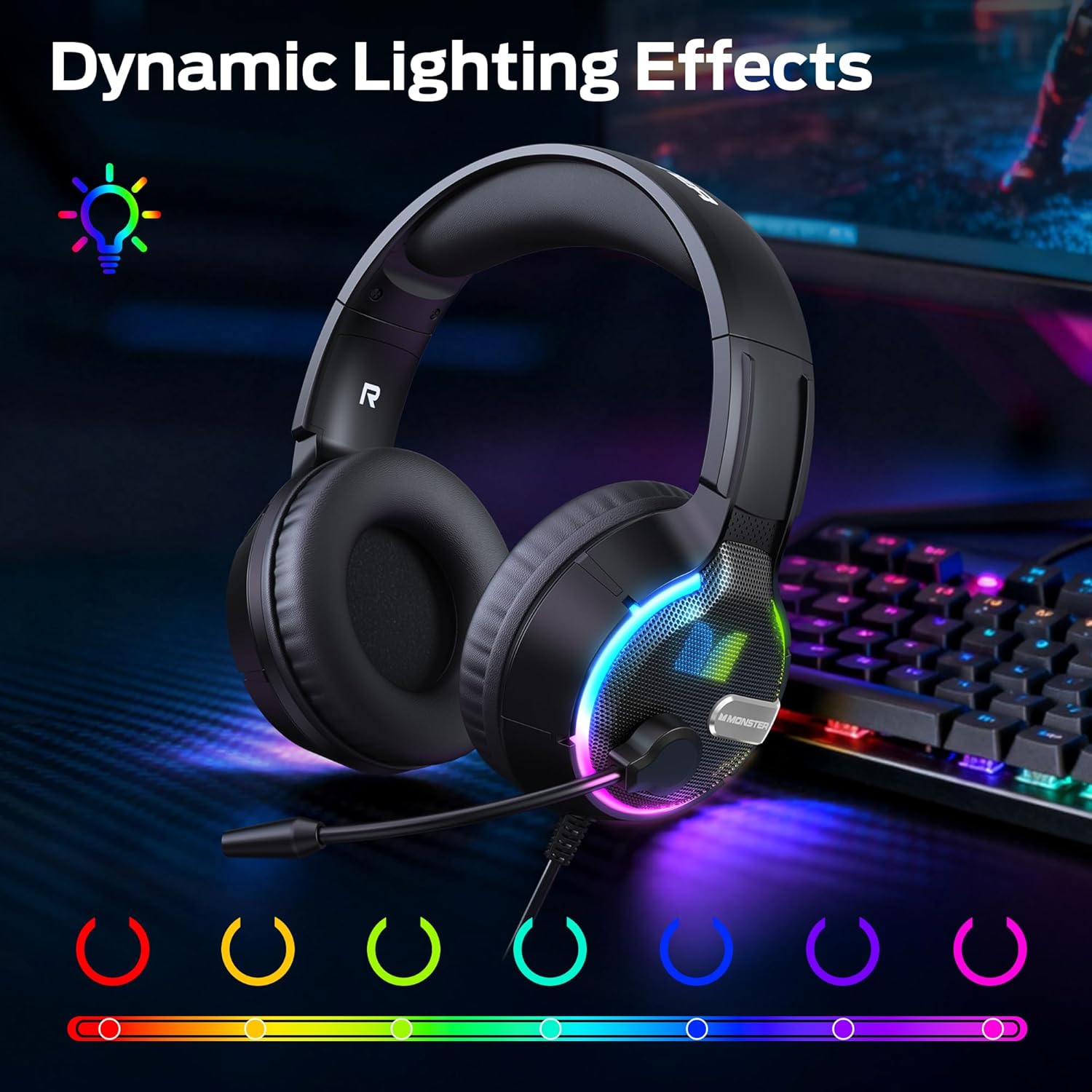
Gambar: Headset nu némbongkeunasing its vibrant dynamic RGB lighting effects.
4. Fitur konci
4.1 Bionic 7.1 Audio
Experience specialized, professional-grade 7.1 surround sound that enhances positional audio cues in games, providing a competitive edge and deeper immersion. This feature is primarily available via USB connection on compatible platforms.
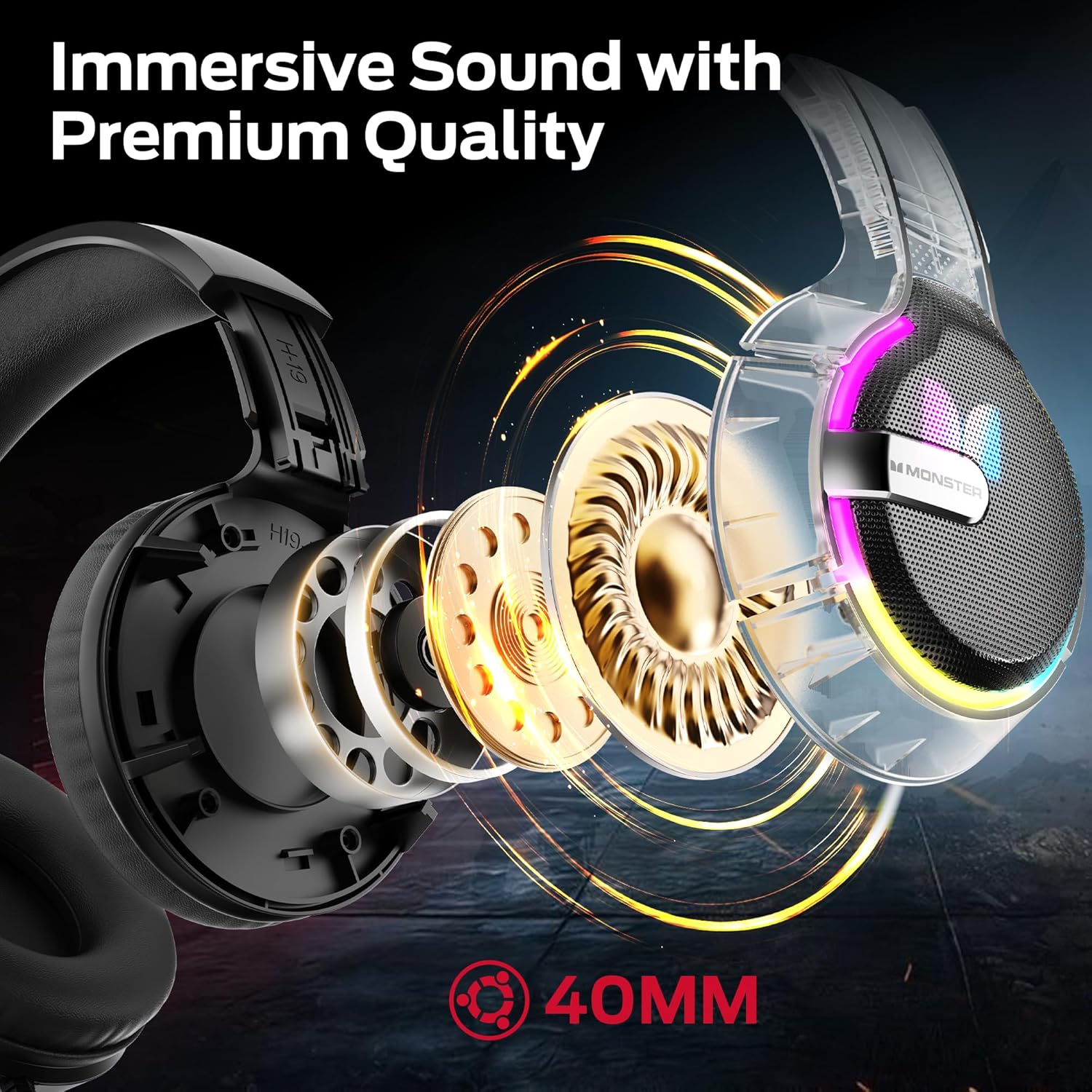
Gambar: Hiji internal view of the headset's 40mm audio drivers, responsible for its immersive sound.
4.2 Dynamic RGB Lighting Effects
The headset's earcups feature vibrant RGB lighting that cycles dynamically, adding a visual flair to your gaming setup and integrating with the game atmosphere.
4.3 Comfortable Earmuff Design
Soft and smooth imitation protein leather earmuffs, combined with an optimized headband ergonomic curvature, ensure a comfortable fit without negative pressure. The earmuff-style cavity provides excellent comfort during extended gaming sessions for all ages.

Gambar: A lengkep view of the soft, skin-friendly earmuffs designed for comfort and ventilation.
4.4 Adaptive Noise-Canceling Microphone
The omnidirectional, swivel microphone includes high-quality adaptive noise cancellation. Coupled with passive noise-canceling earmuffs, it effectively blocks external noise, ensuring your voice is clearly transmitted for in-game commands.
5. Spésifikasi
| Fitur | Rincian |
|---|---|
| merek | Raksasa |
| Ngaran modél | H16 |
| Téhnologi konektipitas | Bluetooth (also supports wired 3.5mm and USB) |
| Warna | Hideung |
| Panempatan Ceuli | Leuwih Ceuli |
| Item Beurat | 15.8 ons |
| Ukuran Paket | 8.86 x 7.76 x 4.17 inci |
| Komponén Kaasup | Manual pamaké |
6. Pangropéa
To ensure the longevity and optimal performance of your Monster Mission 320 Gaming Headset, follow these maintenance guidelines:
- beberesih: Use a soft, dry cloth to wipe down the earcups and headband. For deeper cleaning, a slightly damp cloth with mild soap can be used, ensuring no moisture enters the speaker grilles or microphone.
- Panyimpenan: Simpen headset di tempat anu tiis, garing, sareng jauh tina sinar panonpoé langsung sareng suhu anu ekstrim. Ulah neundeun barang-barang beurat di luhur headset.
- Perawatan kabel: Avoid sharp bends or excessive pulling on the cables. When not in use, gently coil the cables to prevent tangling and damage.
- Perawatan Mikropon: If the microphone is detachable, remove it when not needed to prevent accidental damage. Keep the microphone clean and free from dust.
7. Cara ngungkulan
If you encounter any issues with your Monster Mission 320 Gaming Headset, refer to the following common troubleshooting steps:
- Henteu aya sora:
- Ensure the headset is properly connected to your device (3.5mm jack fully inserted, USB securely plugged in, or Bluetooth successfully paired).
- Pariksa tingkat polumeu boh dina headset sareng alat Anjeun nu disambungkeun.
- Pariksa yén alat kaluaran audio anu leres parantos dipilih dina setélan sora alat anjeun.
- Mikropon Teu Gawé:
- Ensure the microphone is not muted (check the mute switch on the headset/inline control).
- Verify that the microphone is securely plugged into the headset, if detachable.
- Pariksa setélan sora alat anjeun pikeun mastikeun mikropon headset dipilih salaku alat input sareng volume na henteu disetel ka nol.
- Lampu RGB Teu Gawé:
- Ensure the headset is powered on and connected via USB, as RGB lighting often requires USB power.
- Check for a dedicated RGB control button on the headset or inline control.
- Audio distort:
- Lower the volume on both the headset and your device.
- Uji headset nganggo alat anu sanés pikeun ngaluarkeun masalah khusus alat.
8. Garansi jeung Rojongan
Monster provides a one-year warranty for the Mission 320 Gaming Headset. For any questions or assistance with your product, please contact our customer support. Our team is dedicated to providing high-quality after-sales service to ensure a worry-free experience.
Please refer to the contact information provided with your purchase or visit the official Monster websitus pikeun detil rojongan.


