1. Bubuka
This manual provides comprehensive instructions for the setup, operation, and maintenance of your GOBOULT Mustang Racer Smart Watch. Please read this manual thoroughly before using the device to ensure proper functionality and to maximize your user experience. Keep this manual for future reference.
2. Naon dina Box
Pastikeun yén sadaya item aya dina bungkusan:
- GOBOULT Mustang Racer Smart Watch
- Kabel Ngecas
- Manual pangguna (dokumén ieu)
- Kartu Garansi
3. Produk Langkungview
Familiarize yourself with the key components of your GOBOULT Mustang Racer Smart Watch.
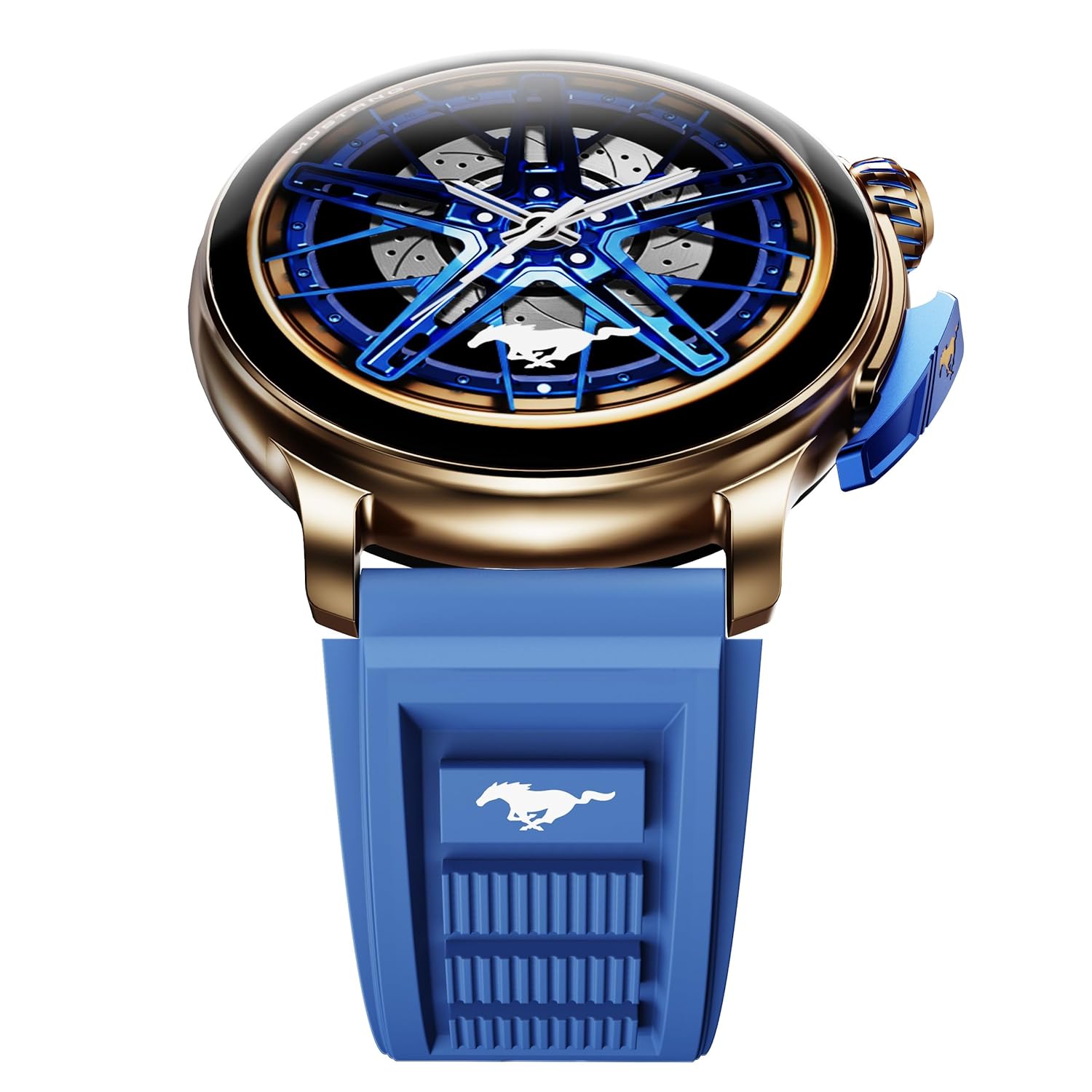
Image: The GOBOULT Mustang Racer Smart Watch, showcasing its 1.43-inch AMOLED display and overall design.
Display and Bezel
The watch features a 1.43-inch AMOLED display with 500 Nits brightness for clear visibility. The functional rotating bezel allows for intuitive navigation through menus and features.

Gambar: A lengkep view of the smartwatch's 1.43-inch AMOLED display and the rotating bezel, highlighting its design and brightness.
Kancing sareng Makuta
The watch includes a rotating tyre-tread crown for navigation and selection, along with a functional paddle shifter button for quick access to features.

Image: The smartwatch featuring its functional paddle shifter and rotating crown, designed for enhanced control.
4. Setélan
4.1. Ngecas Smart Watch
Before initial use, fully charge your smartwatch. Connect the magnetic charging cable to the charging pins on the back of the watch and plug the USB end into a compatible power adapter (not included) or a computer's USB port. The watch will display a charging indicator. A full charge takes approximately 120 minutes.
4.2. Powering on / Pareum
- Daya Hurung: Press and hold the main power button (crown) for a few seconds until the GOBOULT logo appears.
- Pareum listrik: From the watch face, swipe down to access quick settings, or navigate to the settings menu. Select "Power Off" and confirm. Alternatively, press and hold the main power button until the power-off option appears.
4.3. Masangkeun jeung smartphone Anjeun
To unlock all features, pair your GOBOULT Mustang Racer Smart Watch with the companion app on your smartphone via Bluetooth.
- Download the official GOBOULT app from your smartphone's app store (iOS App Store or Google Play Store).
- Pastikeun Bluetooth diaktipkeun dina smartphone Anjeun.
- Open the GOBOULT app and follow the on-screen instructions to create an account or log in.
- In the app, select "Add Device" or similar option.
- Select "GOBOULT Mustang Racer" from the list of available devices.
- Konfirmasi pamundut papasangan dina smartphone Anjeun sareng smartwatch.
Sakali dipasangkeun, jam tangan bakal nyingkronkeun data sareng telepon anjeun, sareng anjeun tiasa ngaropea setélan ngalangkungan aplikasi.

Image: The smartwatch highlighting its Bluetooth V5.3 connectivity for quick syncing and IP67 water resistance.
5. Parentah Operasi
5.1. Napigasi
- Gesek ka Luhur/Ka handap/Ka kénca/Katuhu: Navigate through menus, notifications, and quick access panels.
- Ketok: Pilih hiji item atawa mastikeun hiji aksi.
- Rotating Bezel/Crown: Rotate to scroll through lists or adjust settings. Press to select or return to the home screen.
- Paddle Shifter Button: Customizable shortcut for frequently used functions (e.g., sports modes).
5.2. Telepon Bluetooth
With integrated speaker and microphone, you can make and receive calls directly from your wrist after pairing with your smartphone.
- Pastikeun jam tangan anjeun disambungkeun ka telepon anjeun liwat Bluetooth.
- To make a call: Access the dialer or contacts list on your watch.
- To receive a call: An incoming call notification will appear on your watch. Tap to answer or decline.
5.3. Watch Faces
Customize your watch's appearance with over 150 watch faces, including exclusive Mustang designs. Long-press the watch face to change it, or use the companion app for more options.

Gambar: The smartwatch showcasing multiple watch face options, including exclusive Mustang designs.
5.4. Olahraga Mode
The watch supports over 120 sports modes to track your physical activities. Access sports modes from the main menu or via the paddle shifter shortcut (if configured).
- Select your desired sport.
- Start the activity. The watch will record metrics such as duration, calories burned, and heart rate.
- End the activity to save data. Review your performance in the app.

Image: The smartwatch displaying a sports tracking interface, indicating its capability to monitor various physical activities.
5.5. Pangimeutan Kaséhatan
The GOBOULT Mustang Racer Smart Watch provides comprehensive health tracking features:
- Monitor Detak Jantung 24x7: Terus ngalacak denyut jantung anjeun.
- Monitor Saturasi Oksigén Getih SpO2: Ukur tingkat oksigén getih.
- Pangimeutan Saré: Analyzes sleep patterns (deep sleep, light sleep, awake time).
- Monitor Stress: Nyadiakeun wawasan ngeunaan tingkat setrés anjeun.
- Tekanan Darah: (Note: Smartwatch blood pressure measurements are for reference only and should not be used for medical diagnosis.)
Access these features from the watch's health menu or view laporan lengkep dina aplikasi pendamping.

Gambar: Hiji internal view of the smartwatch highlighting its health tracking sensors, with text indicating features like heart rate, SpO2, sleep, and stress monitoring.
5.6. Asisten Sora AI
Activate the AI Voice Assistant on your watch to perform tasks, set reminders, or get information using voice commands. Ensure your watch is connected to your phone for this feature to function.
5.7. Bewara Pinter
Receive notifications for calls, messages, and app alerts directly on your watch. Manage notification settings through the GOBOULT app.
5.8. Always On Display
The Always On Display feature allows the time and essential information to remain visible on the screen without needing to raise your wrist or press a button. This feature can be enabled or disabled in the watch settings to manage battery consumption.

Image: The smartwatch displaying the time and a car image, illustrating the Always On Display functionality.
6. Fitur sareng Spésifikasi
Fitur konci:
- 1.43" AMOLED Display with 500 Nits Brightness
- Bluetooth Calling (BT V5.3)
- Rotating Bezel for intuitive control
- 150+ Watch Faces, including exclusive Mustang designs
- Asisten sora AI
- Health Monitoring: SpO2, Heart Rate, Sleep, Stress, Blood Pressure
- 120+ Olahraga Mode
- IP67 Tahan Cai
- Up to 7-day battery runtime with fast charging
spésifikasi teknis:
| merek | GOBOULT |
| Nomer modél | GOBOULT Mustang Racer |
| Ukuran tampilan | 1.43 inci |
| Tipe Wireless | Bluetooth V5.3 |
| Waktu Ngeusi batre | 120 Menit |
| Eusi Énergi Batré | 1.11 Watt Jam |
| Tahan cai | IP67 |
| Item Beurat | 55 g |
| Negara asal | Cina |
7. Pangropéa
7.1. Ngabersihkeun Jam Tangan Pinter Anjeun
Pembersihan rutin ngabantosan ngajaga penampilan sareng pungsionalitas jam tangan:
- Ngusap layar sareng awak nganggo lawon anu lemes sareng teu aya serat.
- Pikeun smudges nekad, rada dampen lawon jeung cai. Ulah make bahan kimia kasar atawa bahan abrasive.
- Clean the charging contacts periodically with a dry cloth to ensure proper charging.
7.2. Tahan cai (IP67)
The GOBOULT Mustang Racer Smart Watch is IP67 water resistant, meaning it can withstand immersion in up to 1 meter of fresh water for up to 30 minutes. It is suitable for daily use and light splashes. However, it is not recommended for swimming, showering with hot water, or diving. Avoid exposure to saltwater or chemicals, as this may damage the device.
7.3. Kaperawatan batré
- Hindarkeun sering-sering ngeusi batre.
- Simpen arloji dina tempat anu tiis sareng garing upami henteu dianggo kanggo waktos anu lami.
- Paké ngan kabel ngecas disadiakeun.
8. Cara ngungkulan
| Masalah | Solusi anu mungkin |
|---|---|
| Jam tangan teu bisa dihurungkeun. | Pastikeun arloji dicas pinuh. Sambungkeun ka carjer sahenteuna 30 menit. |
| Teu tiasa dipasangkeun sareng smartphone. |
|
| Data kaséhatan anu teu akurat. |
|
| hirup batré pondok. |
|
9. Garansi jeung Rojongan
Your GOBOULT Mustang Racer Smart Watch comes with a warranty as specified on the included Warranty Card. Please refer to the card for details regarding warranty period, coverage, and terms and conditions.
For technical support, product inquiries, or warranty claims, please contact GOBOULT customer service through the contact information provided on your Warranty Card or visit the official GOBOULT websitus.
Komponén Kaasup: Charging Cable, Mustang Racer Apex Blue Smart watch, User Manual, Warranty Card


