Bubuka
This manual provides essential information for the proper setup, operation, and maintenance of your GOBOULT Mustang Racer Smart Watch. Please read these instructions carefully before using your device to ensure optimal performance and longevity.
Naon dina Box
Upon unboxing your GOBOULT Mustang Racer Smart Watch, verify that all the following components are present:
- GOBOULT Mustang Racer Smart Watch (Black Blaze)
- Kabel Ngecas
- Manual pangguna (dokumén ieu)
- Kartu Garansi

Image: The GOBOULT Mustang Racer Smart Watch packaging, showing the watch, charging cable, user manual, and warranty card.
Produk Leuwihview
The GOBOULT Mustang Racer Smart Watch features a robust design with intuitive controls and a vibrant display.
Komponén konci:
- Layar AMOLED 1.43 inci: Layar resolusi luhur pikeun visual anu jelas.
- Bezel anu muter: A functional bezel for navigating menus and features.
- Paddle Shifter: A unique side button for quick access to functions.
- Sénsor: Tempatna di tukang pikeun ngawaskeun kaséhatan.
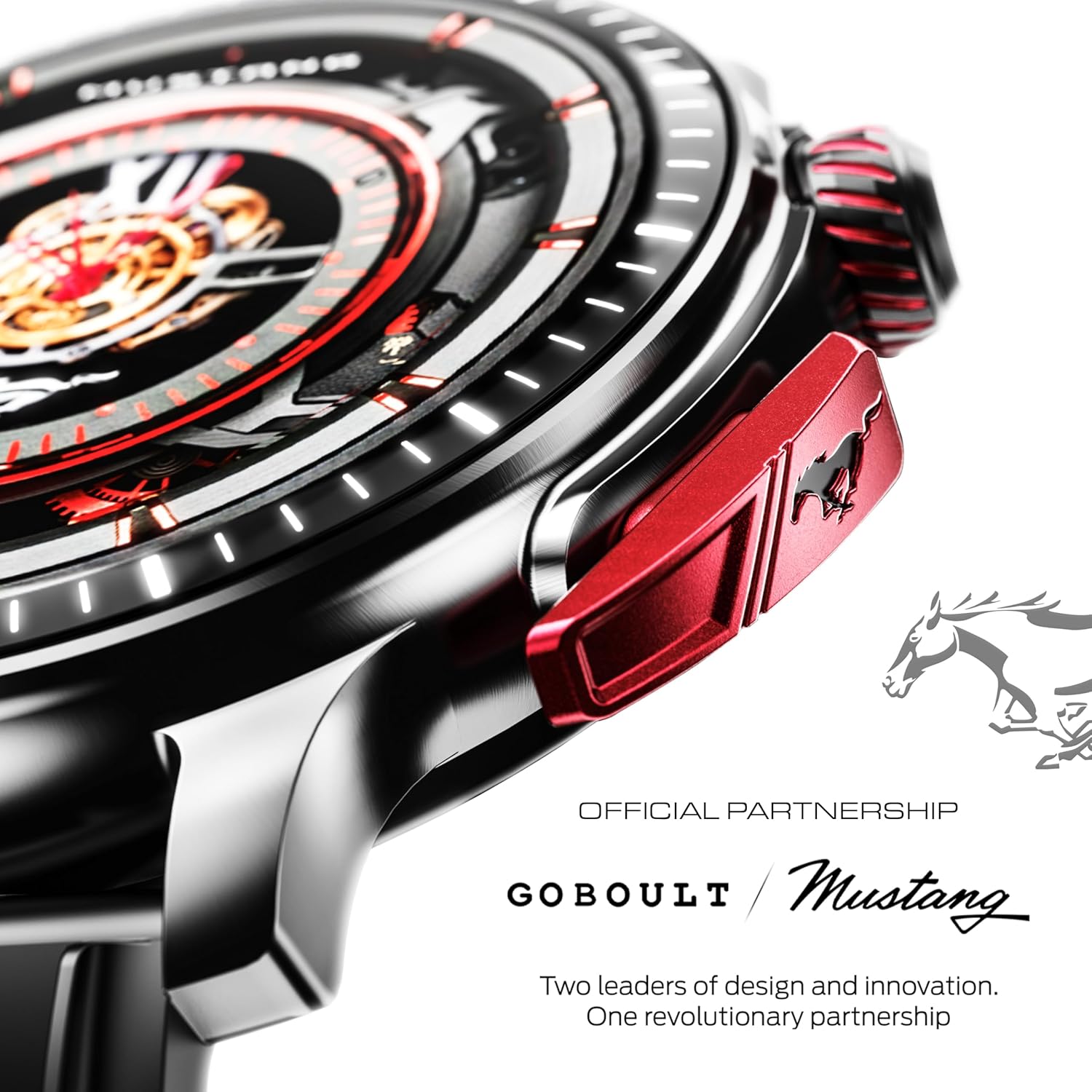
Gambar: A lengkep view of the watch's side, highlighting the red paddle shifter and the textured rotating crown.

Image: The watch face, showcasing the 1.43-inch AMOLED display and the functional paddle shifter.
Disetél
1. Ngecas Alat
Before initial use, fully charge your smart watch. Connect the provided charging cable to the charging port on the back of the watch and to a standard USB power adapter (not included). A full charge typically takes approximately 120 minutes.
2. Masangkeun jeung smartphone Anjeun
- Download the official GOBOULT companion app from your smartphone's app store.
- Pastikeun Bluetooth diaktipkeun dina smartphone Anjeun.
- Open the GOBOULT app and follow the on-screen instructions to search for and connect to your Mustang Racer Smart Watch. The watch uses Bluetooth V5.3 for stable connectivity.
- Konfirmasi pamundut papasangan dina jam tangan sareng smartphone anjeun.

Image: The watch on a wet surface, indicating its Bluetooth V5.3 and IP67 water resistance features.
Parentah Operasi
Nelepon Bluetooth
The integrated speaker and microphone allow you to make and receive calls directly from your wrist. Once paired with your smartphone, access the call function through the watch interface.
Ngaropea Watch Faces
Your Mustang Racer Smart Watch offers over 150 watch faces, including exclusive Mustang-themed designs. You can change watch faces through the watch settings or the companion app to match your style.

Image: Various watch faces displayed on the GOBOULT Mustang Racer Smart Watch, demonstrating customization options.
Modeu Olahraga
Track your physical activities with over 120 performance sports modes. Select your desired sport from the watch menu to monitor metrics such as steps, distance, calories burned, and heart rate during your workout.

Image: The watch on a wrist, displaying the sports mode interface.
Asisten sora AI
Utilize the integrated AI Voice Assistant for hands-free control. Activate the assistant through the watch interface and issue commands for various functions.
Always On Display (AOD)
The Always On Display feature allows the watch face to remain visible at a low power state, providing continuous time and information without needing to raise your wrist or press a button.

Image: The watch face with Always On Display enabled, showing continuous time display.
Fitur Pelacak Kaséhatan
The GOBOULT Mustang Racer Smart Watch is equipped with advanced sensors to monitor various health metrics:
- Monitor Detak Jantung 24x7: Terus-terusan ngalacak denyut jantung anjeun sapanjang dinten sareng salami latihan.
- Monitor Saturasi Oksigén Getih SpO2: Measures the oxygen level in your blood.
- Pangimeutan Saré: Nganalisis pola bobo anjeun, kalebet sare jero, sare hampang, sareng waktos hudang.
- Monitoring tekanan darah: Provides estimates of your blood pressure levels.
- Monitor Stress: Ngabantosan anjeun ngartos sareng ngatur tingkat setrés anjeun.
Access detailed health data and trends through the companion app.

Image: The back of the watch, displaying the health monitoring sensors.
spésifikasi
| Fitur | Spésifikasi |
|---|---|
| merek | GOBOULT |
| Nomer modél | GOBOULT Mustang Racer |
| Ukuran tampilan | 1.43 inci AMOLED |
| Tipe Wireless | Bluetooth V5.3 |
| Waktu Ngeusi batre | 120 Menit |
| Eusi Énergi Batré | 1.11 Watt Jam |
| Tahan cai | IP67 |
| Item Beurat | 55 g |
| Komponén Kaasup | Charging Cable, Smart Watch, User Manual, Warranty Card |
Pangropéa
beberesih
Regularly clean your watch and strap with a soft, dry cloth. For stubborn dirt, lightly dampen lawon jeung cai. Ulah make bahan kimia kasar atawa bahan abrasive.
Tahan cai
The GOBOULT Mustang Racer Smart Watch is IP67 water resistant, meaning it can withstand immersion in up to 1 meter of water for 30 minutes. It is suitable for daily use and can resist splashes and sweat. However, it is not recommended for swimming, diving, or exposure to high-pressure water.
Perawatan batré
To prolong battery life, avoid fully discharging the watch frequently. Charge it when the battery level is low, and avoid leaving it uncharged for extended periods.
Pamérésan masalah
Lalajo Teu Ngahurungkeun
- Pastikeun jam tangan tos dicas pinuh. Sambungkeun kana kabel ngecas teras antepkeun ngecas sahenteuna 30 menit.
- Pencét jeung tahan tombol daya sababaraha detik.
Teu tiasa dipasangkeun sareng Smartphone
- Verify that Bluetooth is enabled on your smartphone and the watch.
- Ensure the watch is within the Bluetooth range of your smartphone.
- Balikan deui smartphone anjeun sareng jam tangan pinter.
- Pupus cache Bluetooth dina smartphone anjeun sareng cobian pasangkeun deui.
Data Kaséhatan teu akurat
- Pastikeun yén arloji dipaké pas dina pigeulang anjeun, tapi henteu ketat teuing.
- Ngabersihan sénsor dina tonggong arloji.
- Hindarkeun gerakan kaleuleuwihan salami pangukuran.
Masalah tampilan
- Hurungkeun deui arloji.
- Adjust the brightness settings.
Garansi sareng Rojongan
Your GOBOULT Mustang Racer Smart Watch comes with a warranty. Please refer to the included Warranty Card for details regarding coverage, terms, and conditions.
For further assistance, technical support, or warranty claims, please contact GOBOULT customer service through their official websitus atanapi inpormasi kontak anu disayogikeun dina Kartu Garansi anjeun.


