📘 FireCell manuals • Free online PDFs
FireCell logo

FireCell Manuals & User Guides

FireCell is a leading wireless fire detection and alarm system platform developed by EMS, offering fully compliant, cable-free fire safety solutions.

Tip: include the full model number printed on your FireCell label for the best match.

About FireCell manuals on Manuals.plus

FireCell is the flagship wireless fire detection platform manufactured by EMS (Electronic Modular Services), a division of Carrier. Engineered in the United Kingdom, FireCell is designed to meet stringent fire safety standards (including EN54-25) while eliminating the need for complex cabling. The system is particularly renowned for its suitability in heritage buildings, complex architectural structures, and time-critical projects where traditional wired systems are impractical.

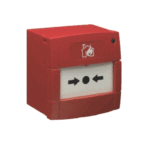
The FireCell product range encompasses a complete ecosystem of wireless devices, including control panels, smoke and heat detectors, sounders, beacons, call points, and door controllers. Utilizing advanced radio technology, FireCell ensures robust communication and reliability comparable to wired systems. It supports scalable installations ranging from small setups to extensive networks with thousands of devices, providing flexibility for installers and facility managers.

FireCell manuals

manual panganyarna ti manuals+ curated pikeun merek ieu.

Firecell FC-171-001 Wireless Sounder Guide Instalasi

5 Agustus 2022
Pituduh Instalasi Wireless Sounder Bagian euweuh Katerangan Produk FC-171-001 Bodas Wireless Sounder Base Ngan FC-171-002 Beureum Wireless Sounder Base Ngan FC-172-001 Bodas Sounder Ngan FC-172-002 Beureum Sounder Ngan FC-173-002 Beureum…

Firecell MK241-99 Wireless Door Control Instalasi Guide

5 Agustus 2022
Pitunjuk Pamasangan Kontrol Panto Nirkabel Nomer bagian sareng katerangan FC-60-2000: Kontrol Panto Nirkabel FireCell (Hideung) FC-60-2010: Kontrol Panto Nirkabel FireCell (Bodas) Pamasangan Pra-instalasi kedah saluyu sareng kodeu pamasangan lokal anu berlaku…

Firecell FC-200-002 Panungtun Instalasi Titik Telepon Wireless

5 Agustus 2022
Pituduh Panginstalan Titik Panggilan Nirkabel (KAC Hareup) Bagian no Katerangan Produk FC-200-002 Titik Panggilan Nirkabel (KAC Hareup) 5-5201/EN54 Elemen Gantian Pra-instalasi Instalasi kedah saluyu sareng kode pamasangan lokal anu berlaku sareng…

Pituduh Pamaké EMS MK138-99 FireCell HUB

25 Désémber 2024
EMS MK138-99 FireCell HUB Specifications Product Name: FireCell HUB Type: Fire Alarm Control Panel Power Input: 230V AC Compatibility: Android, iPhone QUICK START GUIDE FireCell HUB FREE mobile phone app…

FireCell MK99-99 Setup Guide

Guide Setup
Pituduh setelan komprehensif pikeun sistem FireCell MK99-99, ngajéntrékeun pamasangan, konfigurasi, sareng ngungkulan panél, hub, RCC, sareng alat nirkabel ku EMS Ltd.

EMS FireCell 2X-A Series Guide Gancang Mimitian

Gancang Mimitian Guide
Pituduh mimiti gancang pikeun masang sareng ngonpigurasikeun panel kontrol séri EMS FireCell 2X-A, kalebet hub sareng panempatan RLM, kabel, sareng setelan alat pikeun sistem nirkabel. Diajar ngeunaan diprogram…

FireCell support FAQ

Patarosan umum ngeunaan manual, pendaptaran, sareng dukungan pikeun merek ieu.

  • What type of batteries do FireCell devices use?

    Most FireCell devices require specific alkaline batteries to maintain certification and performance, typically Panasonic LR6AD Powerline or Varta 4006 Industrial (AA) and Panasonic LR14AD Powerline or Varta 4014 Industrial (C). Always check the device label for the correct type.

  • Should I press the Log On button on a pre-programmed FireCell device?

    No. Do NOT press the Log On button on a pre-programmed device as this will cause communication with the Control Panel to be lost. If this happens, the device must be deleted from the system and added back on.

  • Where can I download FireCell programming software?

    Programming manuals and related software documentation are typically available from the EMS Group website downloads section.

  • How do I unlock a FireCell wireless module from its base?

    For many FireCell detectors and sounders, you must insert a specific tool (such as a 1.5mm Allen key or flat-blade screwdriver) into the release slot to depress the locking clip, then turn the device anticlockwise to release it.