

 BT Magic Bluetooth Module
Guide pamaké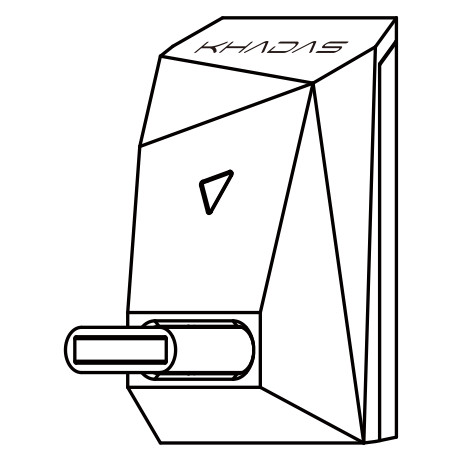
Diagram panganteur

RGB LED Indikator Ilustrasi
| Status | Gerak | Warna |
| Bluetooth Dipegatkeun | Biru (Kedip-kedip) |  |
| Bluetooth Nyambung | Biru (Engapan) | |
| SBC | Konéng (Engapan) |  |
| AAC | Hejo (Engapan) |  |
| aptX / aptX LL | Pirus (Pernafasan) | |
| aptX HD | Ungu (Pernafasan) |  |
| LDAC | Bodas (Engapan) |  |
| Hapus Rékam Paring | Bodas (Triple Flash) | |
Guide Setup
Daya Hurungkeun
Colokkeun BT Magic kana port USB-C (I2S), teras hurungkeun Tone2/Tone2 Pro. BT Magic bakal otomatis hurung.
Papasangan Bluetooth
- Setel mode input Tone2/Tone2 Pro ka 'I2S'.
- Pilarian 'BT Magic' dina daptar papasangan Bluetooth smartphone atanapi tablet anjeun. Ketok di dinya pikeun nyapasangkeun.

Puterkeun Musik
Saatos dipasangkeun sareng alat anjeun, indikator RGB bakal nunjukkeun lampu napas biru. BT Magic ayeuna siap pikeun playback musik.
Daya Pareum
Nalika Tone2 / Tone2 Pro dipareuman, BT Magic ogé bakal pareum. Dina hal ieu, lampu indikator RGB bakal pareum.
Pabrikan: Khadas Téhnologi Co., Ltd.
Telepon: +86 755 2307 6626 Surélék: support@khadas.com
Alamat: Kamar 2709, Lantai 27, Qiancheng Center, Jalan Haicheng,
Xixiang Street, Kacamatan Bao'an, Shenzhen
Dokumén / Sumberdaya
 |
KHADAS BT Magic Bluetooth Module [pdf] Pituduh pamaké BT Magic, Modul Bluetooth, Modul Bluetooth BT Magic, Modul |


